


 View Products


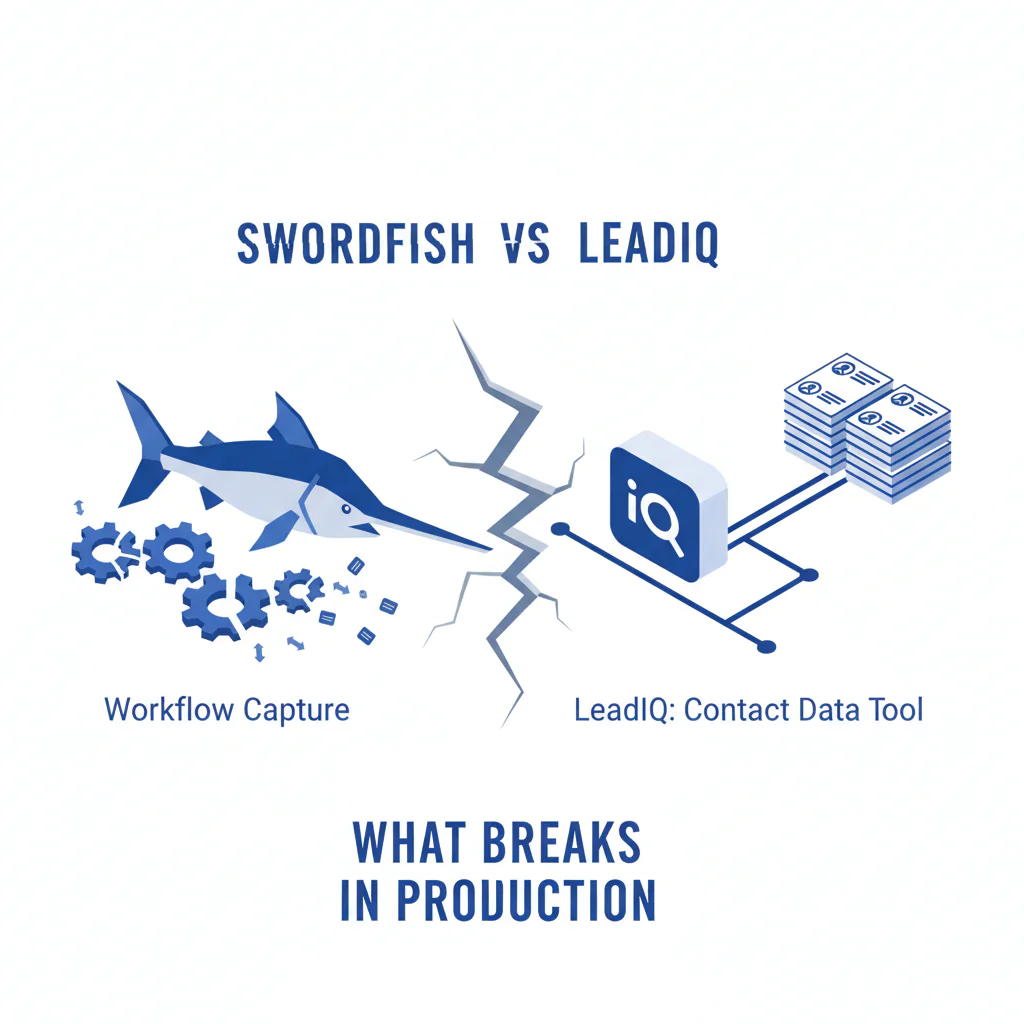
Swordfish vs LeadIQ: workflow capture vs contact data tool (what breaks in production)
Byline: Ben Argeband, Founder & CEO of Swordfish.AI
Who this is for
Buyers comparing B2B databases who want measurable dialing outcomes, not just more records in a CRM. This is for SDR/BDR leaders who track connect rate and for RevOps teams who inherit the integration debt when tools write back inconsistent fields.
Quick verdict
- Core answer
- Swordfish is the better pick when the business outcome is more connects (mobile numbers / direct dials you can actually use). LeadIQ is better when the outcome is faster list building from a sales prospecting workflow and capture.
- Key stat
- Don’t compare “contacts captured.” Compare cost per connect and time-to-first-call. Those numbers vary by seat count, API usage, list quality, and industry.
- Ideal user
- Swordfish: teams running outbound calling where phone number enrichment and verification drive pipeline. LeadIQ: teams prioritizing LeadIQ LinkedIn capture and rep workflow speed over deeper dialing coverage.
When to choose which: pick Swordfish when your bottleneck is phone number enrichment quality and you need more connects per hour. Pick LeadIQ when your bottleneck is rep adoption and you need faster capture into your systems. If reps won’t use the tool, time-to-first-call will expose it.
If you want a clean mental model, use this framework: workflow tool vs data tool. Workflow tools reduce rep friction and speed up capture. Data tools are judged on whether the data holds up when you dial, and whether the pricing model punishes normal re-checking as data decays. What’s usually missing when you buy workflow-first expecting data outcomes is verification semantics and re-check economics, which is where cost per connect gets wrecked.
What Swordfish does differently
This comparison usually gets framed as “which has more contacts.” That’s not the operational question. The operational question is: which tool produces usable phone numbers at the moment a rep needs them, without turning pricing into a spreadsheet fight.
Swordfish is a data tool first. The product bias is toward phone number enrichment and contact data quality because that’s what changes outbound calling outcomes. In practice, that means prioritizing mobile numbers (or direct dials) that are more likely to connect, and treating verification as a first-class step instead of something you bolt on later.
LeadIQ is a workflow tool first. It’s built around capture and routing into your systems. That’s valuable when adoption is the risk. The tradeoff is that workflow tools can look “done” in a demo while leaving you to solve the hard part later: coverage gaps, verification semantics, and the cost of re-enriching when data decays.
If you want to see the difference in day-to-day use, compare the extensions. Swordfish’s extension is designed around Live Verification so a rep can decide whether to dial now or move on. You can review it here: Swordfish extension.
Pricing model reality check: most teams don’t fail because they picked the “wrong vendor.” They fail because the pricing model punishes normal behavior: high-variance prospecting, re-checking old records, and scaling seats. Swordfish is sold as unlimited with a fair use policy; require the fair use boundaries in writing (they vary by contract and usage pattern) for your seat count and API usage. Ask both vendors to show how re-verification is billed when data decays.
Checklist: Feature Gap Table
| Evaluation area | Swordfish (data tool bias) | LeadIQ (workflow tool bias) | Hidden cost / integration headache if you ignore it |
|---|---|---|---|
| Primary job-to-be-done | Phone number enrichment + verification for dialing outcomes | Sales prospecting workflow + capture into CRM/SEP | If you buy a workflow tool expecting database-grade dialing outcomes, you’ll add a second vendor later. |
| Mobile numbers / direct dials emphasis | Prioritized toward usable numbers for outbound calling | Often secondary to capture and routing | More records but fewer connects; reps blame “bad lists” and adoption drops. |
| Verification posture | Designed to support Live Verification in the extension | Workflow-first; verification depth depends on configuration and downstream tools | Without verification, you pay twice: once to enrich, again in rep time and carrier spam flags. |
| Unlimited credits vs metered usage | Sold as unlimited with fair use framing (reduces re-check friction) | Commonly evaluated via tiered plans tied to capture/enrichment usage | Metering discourages re-verifying old records, which is how data decay turns into missed connects. |
| Best-fit motion | Dial-heavy outbound teams measuring connect rate | Teams optimizing list building speed and CRM hygiene | Wrong fit shows up as “we have data but can’t call it” or “reps won’t use it.” |
| Integration surface area | Data tool integration: enrichment points, extension usage, optional API | Workflow integration: capture flows, field mapping, dedupe rules | Workflow tools can create field-mapping debt; data tools can create governance debt if you don’t set overwrite rules. |
Decision guide
Use this as a buyer’s audit path. The goal is to explain variance before you sign anything, because your results will differ based on seat count, API usage, list quality, and industry.
Define “connect” before you pilot. If one team counts voicemail and another counts only a live human answer, your “connect rate” comparison is noise. Pick a definition, log it consistently (live answer, voicemail, gatekeeper, wrong number), and don’t let either vendor swap in “enriched fields” as a proxy for outcomes.
Decision Tree: Weighted Checklist
| Criterion (what breaks in production) | Why it matters (business outcome) | Weighting logic (not points) | How to test in a pilot |
|---|---|---|---|
| Connect-rate impact from mobile numbers / direct dials | More connects per hour reduces cost per meeting and improves rep adoption | Highest weight if outbound calling is a primary channel | Run the same target list through both tools; have reps dial a controlled sample and compare connects, not “matches.” |
| Verification at point of use (extension workflow) | Reduces wasted dials and lowers the chance of burning domains/numbers with bad outreach | Highest weight if your lists are older than 60–90 days or sourced from mixed vendors | Have reps enrich and verify in-session during prospecting; track how often they have to “try another number.” |
| Pricing model tolerance for re-checking (unlimited credits + fair use) | Data decay forces re-enrichment; metering turns hygiene into a budget fight | High weight if you recycle accounts, run sequences over months, or have high seat variance | Ask both vendors to model your month: seats, expected lookups, re-verification rate, and API usage. Compare cost per connect, not cost per record. |
| Workflow capture speed (LeadIQ LinkedIn capture) | Faster list building increases top-of-funnel volume and reduces rep friction | High weight if adoption is your biggest risk | Time a rep from “open LinkedIn” to “record in CRM with required fields.” Measure drop-off. |
| Integration overhead (field mapping, dedupe, overwrite precedence) | Bad mappings create CRM pollution; cleanup becomes an ongoing tax | Medium weight for mature RevOps teams; high weight if you lack admin capacity | Do a dry run: map fields, dedupe rules, and overwrite precedence. Count manual exceptions and records that land in the wrong place. |
| Contact data quality controls (what gets written back) | Prevents “false confidence” records that look complete but don’t connect | Medium weight unless you’re in regulated or high-risk outreach environments | Audit 50 enriched records: what’s verified, what’s inferred, and what’s missing. Decide what your CRM should accept. |
Variance explainer (why your pilot results won’t match someone else’s): If your ICP is concentrated in industries with frequent job changes, data decay will be higher and re-verification matters more. If you have many seats but low per-seat usage, pricing model and minimums dominate. If you rely on API usage for enrichment at scale, integration and governance become the real cost center. If your list quality is poor (old exports, mixed sources), verification and mobile coverage dominate outcomes.
Troubleshooting Table: Conditional Decision Tree
| If… | Then… | Because… | Stop condition (don’t buy yet) |
|---|---|---|---|
| Your KPI is connect rate and you run outbound calling daily | Bias toward Swordfish | A data tool optimized for phone number enrichment and verification is more likely to improve connects than a capture-first workflow | If you can’t run a controlled dial test (same list, same reps, same time window), stop and set up the pilot first. |
| Your biggest issue is rep adoption and slow list building | Bias toward LeadIQ | A workflow tool reduces friction from prospecting to CRM entry, which can increase activity volume | If your CRM fields, dedupe rules, and overwrite precedence aren’t defined, stop and fix governance or you’ll create cleanup debt. |
| You repeatedly re-contact the same accounts over months | Bias toward Swordfish | Unlimited-style pricing with fair use reduces the penalty for re-checking as data decays | If the vendor can’t explain fair use boundaries in writing for your usage pattern, stop and get clarity. |
| You need a single tool to do both capture and high-confidence dialing | Plan for a two-tool stack or pick the primary outcome | Workflow tool vs data tool is a real tradeoff; forcing one tool to do both usually shifts cost into rep time | If budget only allows one tool, stop and decide whether “more records” or “more connects” is the priority. |
| You have high API usage requirements | Bias toward the vendor that supports your enrichment workflow cleanly | API-driven enrichment failures show up as silent CRM pollution and inconsistent fields | If you can’t get a sandbox plus a logging plan for enrichment writes, stop and require it before rollout. |
| Your team can’t agree on what a “connect” is | Pause the vendor comparison and fix measurement | Without a shared definition, you can’t attribute outcomes to data quality or workflow | If you can’t define and log connects consistently, stop and don’t buy based on a pilot. |
How to test with your own list (7 steps)
- Pick one ICP slice. Keep industry and seniority consistent so variance doesn’t swamp the result.
- Export a clean test list. Remove duplicates and decide what fields are allowed to be overwritten.
- Define “connect” in writing. Decide whether it means a live human answer only, and how you’ll log gatekeeper versus voicemail versus wrong number.
- Run both tools on the same list. Don’t let either tool cherry-pick a different segment.
- Have the same reps dial in the same time window. Rep skill and time-of-day can distort results.
- Log outcomes that cost money. Wrong numbers, “had to try another number,” and time-to-first-call are where rep time disappears.
- Calculate cost per connect using your pricing model. Include seat count, expected lookups, re-verification rate, and any API usage.
Limitations and edge cases
If you only need capture, don’t overbuy data tooling. If your motion is mostly email sequencing and you rarely dial, a workflow-first tool can be enough. Paying for deeper phone number enrichment won’t show up in outcomes you track.
If your team needs strict governance, both tools can fail differently. Workflow capture can create inconsistent field mapping and duplicates if your rules aren’t locked. Data enrichment can overwrite fields in ways RevOps doesn’t like if you don’t define precedence.
Example integration failure: enrichment writes can overwrite a manually verified direct dial with an unverified number unless you set overwrite precedence and write-back conditions.
If your lists are low quality, expect disappointing results from any vendor. Old exports, mixed sources, and weak ICP definitions inflate “match” rates while depressing connect rate. The fix is a controlled pilot and a write-back policy.
If you’re comparing on “coverage,” you’ll miss the cost center. Coverage without verification is how teams end up paying in rep time. Your real unit cost is cost per connect, and that’s where pricing model variance and data decay show up.
Evidence and trust notes
I’m biased: I run Swordfish. The only honest way to evaluate swordfish vs leadiq is to force both tools through the same operational test: identical list, identical reps, identical dialing window, and a shared definition of “connect.” Records don’t equal connects; evaluate on cost per connect, not enriched fields.
What you should demand from any vendor in writing:
- Pricing model terms (what counts as usage, what triggers limits, and how seat count changes cost).
- Fair use boundaries if “unlimited” is part of the pitch, tied to your API usage and re-verification behavior.
- Verification semantics (what “verified” means in the product, and whether it’s point-in-time).
- Write-back rules (overwrite precedence, dedupe behavior, and what fields are protected).
For background on how to evaluate contact data quality (and why “more records” can still mean fewer connects), use: contact data quality.
If your evaluation is stuck on credits and overages, read: unlimited contact credits.
FAQs
Is LeadIQ a database?
LeadIQ is best understood as a workflow tool that helps capture and move prospect data into your systems. If you need database-like outcomes for dialing, you still have to validate whether the data you get produces connects.
Is Swordfish a workflow tool?
Swordfish is a data tool optimized for enrichment and verification, typically used via an extension and/or API. It can support workflow, but the product bias is toward usable contact data for outbound calling.
How should I compare pricing model differences?
Model your real month: seat count, expected lookups, re-verification rate due to data decay, and any API usage. Then compare cost per connect. If a plan looks cheap only when you never re-check data, it’s not cheap in production.
What’s the fastest way to run a fair pilot?
Pick one ICP segment, export a clean list, run both tools, and have reps dial a controlled sample. Track connects and time-to-first-call. Don’t let either vendor substitute “enriched fields” for outcomes.
Where can I read more about LeadIQ before deciding?
Read: LeadIQ review and LeadIQ pricing to validate workflow fit and budget mechanics.
Next steps
Day 0–1 (setup): Define your success metric as cost per connect and time-to-first-call. Lock your ICP slice, define “connect,” and export a deduped test list.
Day 2–4 (pilot execution): Run both tools on the same list. Have the same reps prospect and dial within the same time window. Log connects, wrong numbers, and “had to try another number” events.
Day 5 (integration review): Review field mapping, overwrite precedence, dedupe behavior, and any API usage requirements. Decide what gets written back to CRM and under what conditions.
Day 6–7 (decision): Choose based on the decision tree. If you’re buying connects, pick the tool that improves dialing outcomes under your pricing model. If you’re buying adoption and capture speed, pick the tool that reduces workflow friction without creating CRM cleanup debt.
About the Author
Ben Argeband is the Founder and CEO of Swordfish.ai and Heartbeat.ai. With deep expertise in data and SaaS, he has built two successful platforms trusted by over 50,000 sales and recruitment professionals. Ben’s mission is to help teams find direct contact information for hard-to-reach professionals and decision-makers, providing the shortest route to their next win. Connect with Ben on LinkedIn.

