


 View Products


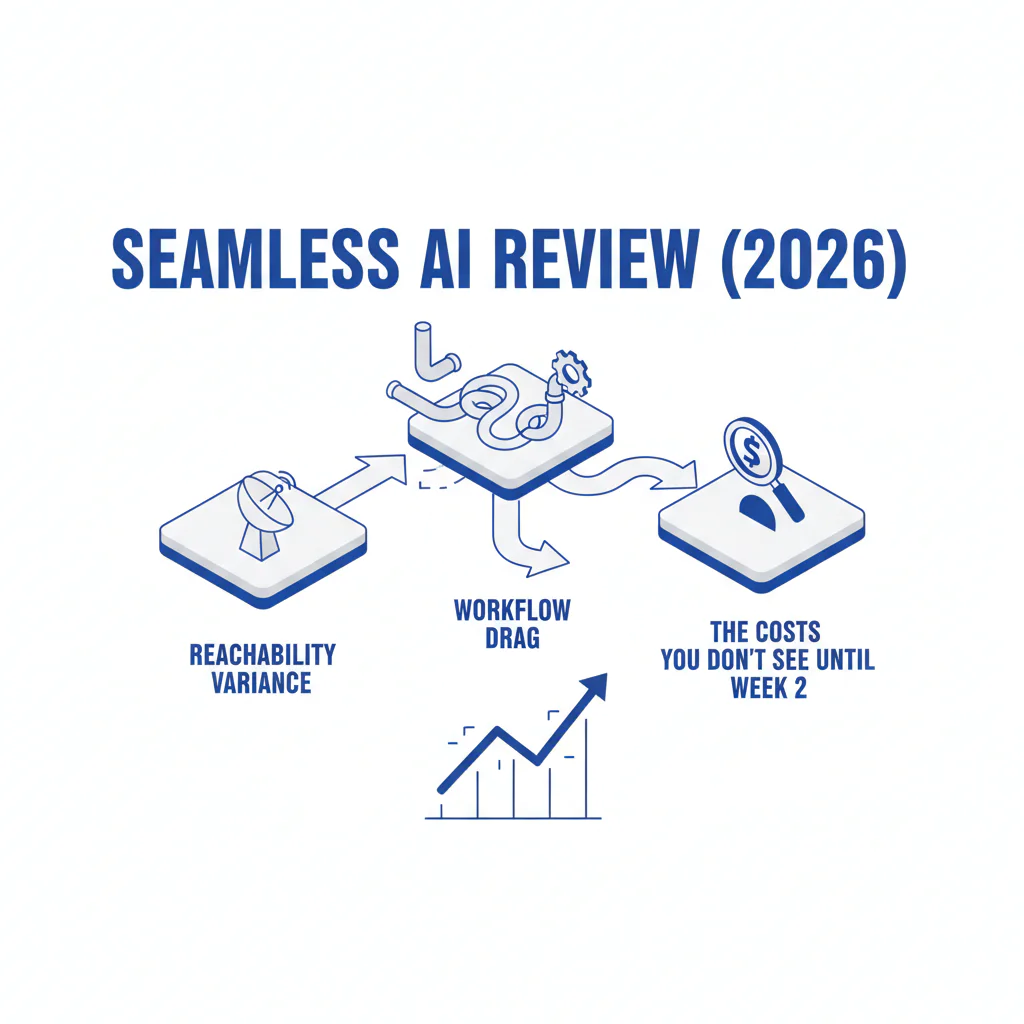
Seamless AI Review (2026): Reachability Variance, Workflow Drag, and the Costs You Don’t See Until Week 2
Byline: Ben Argeband, Founder & CEO of Swordfish.AI
Disclosure: Swordfish.AI sells contact data tools and is not affiliated with Seamless AI. Treat this as a competitor-authored review and validate everything with the Week-2 test plan below.
Who this is for
This seamless review is for teams searching Seamless AI alternatives who want predictable pricing and better reachability.
What Seamless AI is: A contact data and prospecting platform used to find emails and phone numbers for outbound and recruiting workflows.
Human insight (Week 2 reveals truth): Week 1 is demos and sample lists. Week 2 is when the bill shows up as rep time: bounced emails, wrong titles, recycled direct dials, and manual verification inside LinkedIn and the CRM. That’s when adoption drops and the tool becomes shelfware.
Quick verdict
- Core answer
- Seamless AI can work for list-building and basic enrichment, but the buying risk is reachability variance and workflow drag once you scale seats and API usage (extra steps between extension, CRM sync, and dialer-ready records). In this review, reachability means phone connectability plus email deliverability, because “a record returned” is not a conversation.
- Key stat
- No vendor can give a universal accuracy rate that transfers to your environment because outcomes vary by seat count, API usage, list quality, and industry coverage.
- Ideal user
- Teams that can tolerate variance, have ops capacity to QA contact data, and want a broad prospecting workflow while keeping a fallback option when direct dials matter.
Pros (operational): Convenient prospecting workflow and fast list-building when you’re not strict about verification.
Cons (operational): Reachability can vary by segment, data decay shows up after import, and scaling can expose pricing-model ambiguity and CRM hygiene overhead.
Keep vs switch: Keep Seamless if Week-2 reachability holds in your core segment and reps aren’t verifying contacts before dialing. Switch or supplement if reps routinely verify first or if CRM hygiene becomes an ops project instead of a background process.
What Swordfish does differently
Most contact-data tools sell “coverage” and let you discover the reachability problem later. Swordfish is built around contactability outcomes: prioritized direct dials (and mobile numbers where available), plus a model that’s usable at scale: true unlimited with fair use.
- Prioritized direct dials / mobile-first where available: Better prioritization reduces wasted dials, which increases connect attempts per rep-hour when your outbound calling tool depends on the phone field.
- True unlimited + fair use: Clear fair-use terms reduce procurement risk when adoption increases and usage stops looking like a pilot.
- Workflow reliability: If reps don’t trust the data, they stop using the tool. Reliability is an adoption feature because it reduces manual verification steps.
If you want to see what this looks like in practice, start with Prospector, which is designed to stay reliable when you move from a small test list to production volume.
Decision guide
Buying Seamless AI (or any contact-data platform) is less about feature checkboxes and more about variance control. Your results will change based on seat count, API usage, list quality, and industry coverage.
- Seat count: More seats means more inconsistent usage patterns, more duplicate pulls, and more CRM contamination unless governance exists.
- API usage: API enrichment at scale exposes rate limits, match logic edge cases, and silent failures that don’t show up in a UI demo.
- List quality: Messy ICPs (SMBs, high churn roles, contractors) reduce Seamless phone accuracy and title stability, which lowers reachability and wastes rep time.
- Industry and geography: Coverage varies by region and vertical; what works for one segment can underperform in another.
A typical Seamless workflow is straightforward until you try to operationalize it: browser extension pulls contacts, lists get exported or synced, CRM fields get overwritten, and your dialer ends up calling whatever landed in the phone field. Integration headaches usually show up as duplicates, conflicting field precedence, and enrichment that breaks reporting.
Pricing model risk is usually paperwork, not product. Request in writing: fair-use definition, throttling language, overages, seat minimums, API limits, and termination terms. If you can’t get that, assume you’ll renegotiate after adoption increases.
How to test with your own list (5–8 steps)
- Build a representative test list: 200–500 targets across your real segments (industry, seniority, geography) so you’re not testing a cherry-picked slice.
- Define outcomes before you pull data: Reachability (phone connectability + email deliverability), time-to-contact, and adoption signals (rep trust and repeat usage).
- Control for list hygiene: Exclude contacts already in your CRM and avoid stale exports so you’re testing the provider, not your own database rot.
- Run a blind pull: Have ops label outputs by source tool, but don’t tell reps which tool produced which contacts to reduce bias.
- Time the workflow: Measure how long it takes a rep to go from target account to a dialer-ready record inside the actual workflow they use.
- Test outreach in production conditions: Use your normal sequences and your outbound calling tool so you’re measuring reality, not a lab.
- Log outcomes consistently: Track phone dispositions (connected/voicemail/bad number), email status (delivered/bounced), and whether reps had to manually verify.
- Import into CRM and re-check in Week 2: Look for duplicates, overwritten fields, and performance drop after the first wave of outreach.
Checklist: Feature Gap Table
| Area | What buyers expect | Where Seamless AI can surprise you (hidden cost) | What to demand in evaluation (variance control) | Business outcome tied to reachability |
|---|---|---|---|---|
| Reachability (phone) | Consistent direct dials for outbound calling | Seamless direct dials can vary by segment; reps re-check numbers, reducing calls/hour | Run a blind test on your ICP list; measure connect attempts per rep-hour, not “records returned” | More connect attempts per hour reduces cost per meeting without adding headcount |
| Reachability (email) | Deliverable emails that don’t spike bounce | Data decay shows up after import; bounce management becomes an ops burden | Test deliverability on a controlled send; require bounce reporting by source | Lower bounce protects domain reputation and keeps outbound volume stable |
| Workflow fit | Fast prospecting inside rep workflow | Extra steps to verify contacts kills adoption; reps revert to manual sourcing | Time a rep from target account to call-ready contact and compare tools | Less friction increases adoption, which is the only path to ROI |
| Pricing model | Predictable cost as usage grows | “Unlimited credits” can hide soft caps; cost spikes when you add seats or API | Get fair-use terms in writing; model cost at higher seat count and expected API volume | Predictable spend prevents mid-quarter tool churn and pipeline disruption |
| CRM hygiene | Clean enrichment without duplicates | Duplicates and conflicting fields create downstream reporting errors | Require match/merge rules, field precedence, and audit logs for enrichment sources | Cleaner CRM improves routing and reduces wasted SDR cycles |
| Compliance posture | Clear data sourcing and usage terms | Ambiguity forces legal review late; procurement delays adoption | Ask for documentation on sourcing, opt-out handling, and retention controls | Fewer compliance escalations reduces time-to-launch |
Decision Tree: Weighted Checklist
This checklist is weighted by standard failure points that drive real cost: reachability variance, adoption drop, and integration overhead. Use it to score Seamless AI vs Seamless alternatives using the same test list and the same workflow timing.
- Highest weight: Reachability under your ICP (phone + email). If reachability is inconsistent, reps compensate with manual verification, which reduces output per seat and inflates CAC.
- Highest weight: Pricing model predictability at scale (seats + API). If the model changes when usage increases, your “successful rollout” becomes a budget incident.
- High weight: Workflow time-to-contact (UI + extension + CRM). If it takes too long to get a dialer-ready record, adoption drops and your data spend turns into rep frustration.
- High weight: Data quality controls (dedupe, field precedence, auditability). If you can’t trace where a phone/email came from, you can’t debug performance or fix CRM pollution.
- Medium weight: Integration reliability (Salesforce/HubSpot + outbound calling tool). If sync breaks or mapping is brittle, ops becomes the bottleneck and reps route around the system.
- Medium weight: Adoption support (enablement + governance). If reps get burned early by bad numbers, usage collapses and you pay for shelfware.
- Medium weight: Compliance clarity (sourcing, opt-out, retention). If legal questions appear after rollout, you lose time and momentum.
Troubleshooting Table: Conditional Decision Tree
- If your primary KPI is conversations per rep-hour via an outbound calling tool, then prioritize tools that prove reachability on your ICP list, not vendor samples.
- If Seamless phone accuracy looks fine on a vendor-provided sample but drops on your real list, then treat that as segment coverage variance and compare against Seamless AI alternatives using the same blind test.
- If you need API enrichment for CRM at scale, then require rate-limit clarity, match logic documentation, and audit trails before you commit.
- If your team is using a recruiter sourcing tool workflow (high volume, role churn), then assume higher data decay and prioritize tools that minimize manual verification to protect adoption.
- If pricing depends on credits that change with usage, then model cost at higher seat count and expected API volume and compare to the Seamless AI pricing structure.
- Stop condition: If you cannot run a two-week pilot with your own ICP list and measure reachability plus workflow time-to-contact, stop the purchase.
Limitations and edge cases
- Segment variance is normal: Seamless AI may perform acceptably in one vertical and underperform in another. That’s coverage reality.
- “Records returned” is not ROI: A tool can return lots of contacts and still fail on reachability. If reps can’t connect, you’re importing noise.
- Data decay hits churn-heavy roles first: Titles and phone numbers change quickly in SDR and recruiting segments, which increases QA overhead.
- Integration edge cases are where projects die: Field mapping conflicts, duplicate rules, and enrichment overwrites can break reporting and routing.
- Adoption is fragile: If reps get burned early by bad numbers, they stop trusting the tool and you won’t recover usage without re-enablement.
Evidence and trust notes
This review is written from a buyer-auditor perspective: reachability, workflow fit, and adoption. I’m not publishing a single “accuracy %” because it would be misleading without your seat count, API usage, list quality, and industry mix.
To keep the Week-2 test honest, log the same fields for every tool and every segment:
- Contact attributes: role, seniority, geography, and whether the phone is labeled as a direct dial or mobile number.
- Phone outcomes: connected, voicemail, bad number, and whether the rep had to manually verify before dialing.
- Email outcomes: delivered or bounced, plus whether the rep had to find an alternate address.
- Workflow cost: time-to-contact from target account to dialer-ready record, including CRM sync steps.
- Adoption signal: repeat usage without manager push after Week 1.
If you want a direct comparison against Swordfish, use Swordfish vs Seamless AI and focus on reachability and pricing model behavior under real usage.
FAQs
Is Seamless AI good for direct dials?
It can be, depending on your segment. Seamless direct dials performance varies by industry, geography, and role churn. Test on your ICP and measure reachability via actual call outcomes, not just “phone numbers found.”
What are the most common Seamless pros and cons?
Pros: workflow convenience and list-building speed. Cons: reachability variance, data decay after import, and scaling risk if pricing or fair-use terms change when adoption increases.
How should I evaluate Seamless phone accuracy?
Don’t rely on a vendor sample. Run a blind test on your own target list, then measure outcomes after outreach and CRM import. If reps have to verify before dialing, your “accuracy” isn’t operational.
What’s the best way to compare Seamless alternatives?
Use a rubric that prioritizes quality (reachability), model (predictable pricing at scale), and compliance (clear sourcing and opt-out handling). Start with data quality criteria, then test with the same list and the same workflow timing.
Does “unlimited credits” mean unlimited usage?
Sometimes it means “until you hit a soft cap.” Ask for fair-use terms in writing and model your expected usage with higher seat count and expected API enrichment volume. If the vendor won’t clarify, assume throttling risk.
Next steps
- Day 1–2: Define success metrics (reachability, time-to-contact, adoption) and assemble a representative ICP test list.
- Day 3–5: Run a blind workflow test with reps and log phone/email outcomes plus manual verification time.
- Week 2: Import into CRM, run real outreach, and measure bounce/connect outcomes plus rep trust signals.
- Week 3: Compare pricing model behavior at higher seat count and expected API volume, then decide whether to standardize, supplement, or switch.
If Week 2 shows reachability variance that forces manual verification, evaluate a reliability-first workflow with Prospector before you sign a long contract.
About the Author
Ben Argeband is the Founder and CEO of Swordfish.ai and Heartbeat.ai. With deep expertise in data and SaaS, he has built two successful platforms trusted by over 50,000 sales and recruitment professionals. Ben’s mission is to help teams find direct contact information for hard-to-reach professionals and decision-makers, providing the shortest route to their next win. Connect with Ben on LinkedIn.

