


 View Products


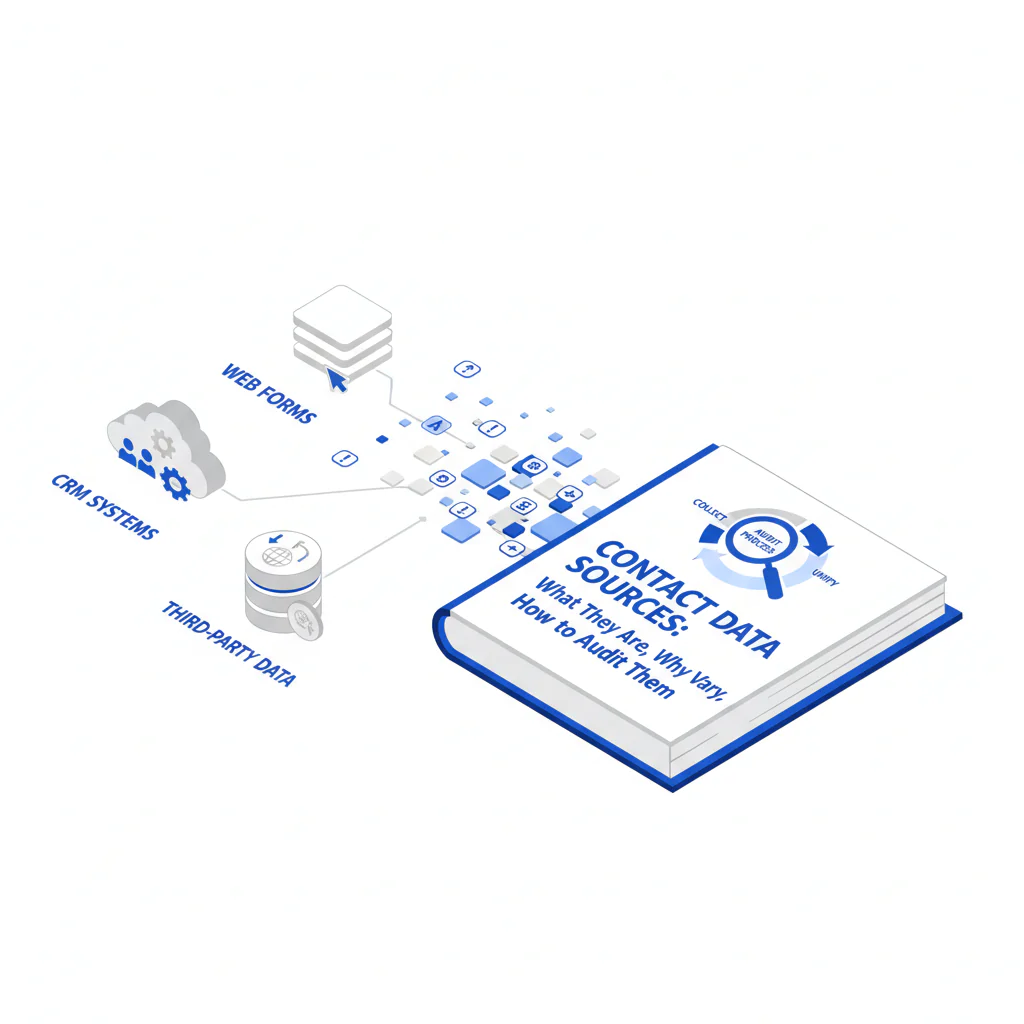
Contact Data Sources: What They Are, Why They Vary, and How to Audit Them
Byline: Ben Argeband, Founder & CEO of Swordfish.AI
Who this is for
This is for leaders and ops teams who keep paying for “coverage” and then spending months cleaning the CRM, explaining bounce spikes, and arguing about which tool is “right.” If you own pipeline hygiene, deliverability, or procurement review, you’re not buying contacts. You’re buying contact data sources with predictable decay, messy variance, and integration side effects you’ll be stuck operating.
Quick verdict
Contact data sources are the upstream inputs used to populate and refresh email, phone, title, and company fields in your systems.
- Core answer
- Most B2B databases blend data sources across first-party data, third-party data, and public data. Source diversity can improve coverage, but it also increases variance, duplicates, and the operational burden of enforcing transparency, compliance, and opt-out handling across every export and integration.
- Key stat
- Different fields go stale at different speeds: role and company association drift faster than firmographics; phone reachability can change due to reassignment and routing changes. Your real cost is refresh + verification, not the subscription line item.
- Ideal user
- Operators who need predictable deliverability and dialing outcomes and want sourcing and opt-out processes that survive legal and procurement.
Why “where data comes from” matters more than people think
Framework: why “where data comes from” matters more than people think is that sourcing determines what breaks first, how expensive it is to fix, and how hard it is to prove you did the right thing when someone audits you. If you don’t understand the sourcing mix, you can’t set a refresh cadence, you can’t forecast API usage, and you can’t enforce opt-outs consistently.
Most teams don’t fail because they picked the “wrong vendor.” They fail because they treated contact data like a static asset and pushed it into systems that assume fields are stable.
Contact data sources (high-level) and what they imply
First-party data is what you collected directly (forms, product signups, event scans, support tickets, outbound replies). It’s usually the easiest to defend in a compliance review because you can document collection context and notice/consent. The tradeoff is coverage and decay: if you don’t refresh, it becomes a record of past roles.
Third-party data is what a vendor collected through their own channels and partnerships. This includes “data enrichment sources” and “data broker sources,” which can expand coverage but also increase field conflicts you have to resolve to keep your CRM stable. Two vendors can disagree on the same person because they weight different signals and refresh on different schedules, and you’ll be the one writing precedence rules to stop your CRM from oscillating.
Public data includes company websites, press releases, and other published materials. It can help validate firmographics and roles, but it doesn’t guarantee reachability. Public availability also doesn’t remove your obligation to honor opt-outs or to follow applicable outreach rules.
Checklist: Feature Gap Table
| What vendors claim | What you should ask (audit question) | Hidden cost / failure mode | Business outcome impacted |
|---|---|---|---|
| “Multiple contact data sources” | Which source types (first-party, third-party, public) are used, and how are conflicts resolved? | Duplicate records and field conflicts; time spent building precedence rules | Lower rep productivity; inconsistent routing and personalization |
| “Fresh data” | What are the freshness signals per field (email vs title vs phone), and how is recency represented? | Paying for “updates” that don’t improve outcomes because you can’t target refresh where decay is highest | Bounce/connect volatility; wasted touches |
| “Compliant sourcing” | How do opt-outs propagate across UI, exports, API, and integrations? | Suppression drift across tools; re-contacting opted-out people after a CSV export | Legal risk; brand damage; deliverability penalties |
| “Easy integration” | Is enrichment real-time via API, batch, or both? What happens when fields are missing or conflicting? | Brittle workflows; unexpected API usage; ops rework when automations fail on nulls | Ops backlog; delayed lead routing; inaccurate scoring |
| “High coverage” | Coverage for which segment (industry, geo, seniority)? What’s excluded? | Buying a database optimized for someone else’s ICP | Lower usable TAM; wasted spend on unusable records |
What Swordfish does differently
Most tools sell “profiles.” Operators pay for outcomes: fewer wasted touches, fewer dead paths, and less CRM cleanup. Swordfish prioritizes direct dials and mobile numbers so reps spend less time dialing nowhere and ops spends less time explaining why “coverage” didn’t translate into connects.
Swordfish also offers true unlimited usage with fair use. That matters because the hidden cost in contact tooling is often metering behavior that discourages refresh. If your process requires frequent verification to manage data decay, a metered model turns basic hygiene into an overage conversation. Variance in your real cost usually comes from seat count, API usage patterns, list quality, and your industry/geo mix.
When you need to sanity-check a record before outreach, use reverse search to check source validity at the point of use. This reduces the “we trusted the database” failure mode when a rep is about to contact the wrong person.
Decision guide
Start with the failure you’re trying to stop: bounces, low connect rates, duplicate creation, or compliance escalations. Then map that failure to the field that decays and the workflow that touches it. “Contact data transparency” only matters if it reduces duplicate creation and suppression drift by making refresh and suppression rules enforceable.
Variance explanation you should expect in any evaluation:
- Seat count: More users means more lookups and more inconsistent workflows unless you lock down enrichment rules.
- API usage: Real-time enrichment can spike usage; batch enrichment can create lag that makes “freshness” irrelevant for fast-moving roles.
- List quality: Messy inputs (old exports, inconsistent domains) amplify errors unless you validate before enrichment.
- Industry and geography: Some segments churn faster and have weaker public signals, which changes how quickly fields decay.
If you want to avoid arguing about “accuracy” in the abstract, test with your own list and log field-level deltas.
- Export a representative slice of your CRM that includes known bad records (bounces, wrong titles, old companies) and known good records.
- Run enrichment the way you would in production (same integrations, same writeback settings), not a one-off demo flow.
- Log field-level conflicts (email, phone, title, company) and decide precedence rules before you write anything back.
- Test missing-field behavior by forcing a few records with null phone or null email through your routing/scoring and see what breaks.
- Test opt-out propagation by marking a record as opted-out and verifying it stays suppressed in UI, exports, and API responses.
- Repeat the same test after a short interval to see which fields drift first and whether your refresh workflow catches it.
Decision Tree: Weighted Checklist
- Highest weight: Freshness signals by field and refresh workflow fit. Data decay is uneven; if a vendor can’t explain recency signals per field, you can’t target refresh where it reduces bounces and wrong-role outreach.
- Highest weight: Opt-out handling across exports, API, and integrations. If suppression isn’t enforced everywhere, you will re-contact opted-out people after a sync or CSV export.
- High weight: Source diversity with conflict resolution rules. More sources can improve coverage, but only if you can control field precedence and dedupe to prevent CRM pollution.
- High weight: Integration mechanics and failure behavior. Missing or conflicting fields break automations; you pay in ops time and routing errors.
- Medium weight: Usage model aligned to refresh frequency (true unlimited + fair use vs metered). Metering discourages refresh, which increases decay and downstream cleanup.
- Medium weight: Segment coverage aligned to your ICP. “High coverage” that misses your geo/industry produces low connect rates and wasted rep time.
For the operational version of this (validation, duplicates, and refresh habits), see data quality.
Troubleshooting Table: Conditional Decision Tree
- If your primary pain is email bounces and domain mismatches, then prioritize vendors that can explain freshness signals for email and support a refresh workflow that matches your outreach cadence; stop if they can’t describe how recency is determined per field.
- If your primary pain is low connect rate on calls, then prioritize prioritized direct dials and mobile numbers and validate segment coverage for your ICP; stop if phone coverage is presented as a single number without segment breakdown. For segment expectations, review cell phone data coverage.
- If legal or procurement is blocking rollout, then prioritize documented compliance posture and opt-out propagation across systems; stop if opt-out handling is limited to a UI setting and not enforced in exports and API. For the compliance angle, use contact data compliance.
- If ops is drowning in duplicates and conflicting fields, then prioritize conflict resolution controls (field precedence, dedupe rules) and integration failure behavior; stop if the vendor’s answer is “clean it in the CRM.”
Limitations and edge cases
No vendor can promise permanent accuracy because the world changes. Roles and company association drift fast; email deliverability changes with domain and policy shifts; phone reachability changes when numbers are reassigned or routed through systems that mask identity. Treating one refresh cycle as “good enough” for every field is how teams end up paying twice: once for the tool and again for cleanup.
| Field | What usually goes wrong first | Operational habit that reduces damage |
|---|---|---|
| Title / role | Drifts with promotions and lateral moves | Refresh role/company association on a tighter cadence than firmographics |
| Company association | People change jobs; old company sticks in CRM | Use conflict rules and require a recency indicator before overwriting |
| Bounces after domain/policy changes or job changes | Verify before sequencing; suppress quickly when bounces occur | |
| Phone | Reassignment, routing changes, or wrong person answers | Validate reachability for your segment and treat phone as channel-specific |
Another edge case is assuming public data equals permission. Public availability doesn’t remove opt-out obligations, and it doesn’t prevent suppression drift when lists move between CRM, sequencing, and enrichment tools.
Integration failures are often governance failures. If marketing ops enriches one way and sales ops enriches another, you’ll get conflicting fields and duplicate creation regardless of vendor quality.
Evidence and trust notes
This page explains sourcing at a high level on purpose. A vendor can provide transparency about source categories, recency signals, and opt-out enforcement without exposing proprietary methods.
If you want evidence you can actually audit, ask for artifacts that map to operations:
- A sample record schema showing source category (first-party/third-party/public), a recency indicator (for example, last-seen or last-verified timestamp), and an opt-out/suppression status field.
- A written description of how opt-outs are enforced in UI, exports, API, and integrations, including what happens when a suppressed record is requested.
- A description of conflict resolution behavior when two sources disagree on title, company, email, or phone, including what happens on writeback.
Test suppression via both export and API, not just UI.
Requirements vary by jurisdiction. Your process should assume opt-out must be honored everywhere you store, sync, or export the record, because that’s where teams usually slip.
Human insight: Data decay is not evenly distributed. What goes stale first is role and company association. Build refresh/verify habits around that reality instead of refreshing everything on the same schedule.
FAQs
What are the main contact data sources in B2B?
At a high level: first-party data (you collected it), third-party data (a vendor collected it), and public data (published information). Most databases blend these, which is why you see variance across tools.
Why do two vendors disagree on the same contact?
Because they’re using different source mixes and different conflict-resolution logic. Variance also comes from segment differences (industry/geo), how recently each source observed the data, and how refresh workflows are implemented.
How often is contact data updated?
There isn’t one answer. Update frequency varies by field and by workflow (real-time API enrichment vs batch refresh). The practical approach is to set a refresh cadence based on what breaks your process first and measure outcomes after each refresh cycle.
What does compliant data sourcing mean in practice?
It means the vendor can explain sourcing categories, provide an opt-out process, and enforce suppression across UI, exports, APIs, and integrations. If opt-outs don’t propagate, your risk returns the moment someone exports a list.
How can I verify a contact when I don’t trust the record?
Use a manual validation step before outreach for high-risk or high-value contacts. Swordfish provides reverse search to check source validity at the point of use.
Next steps
Timeline:
- Day 1–2: Pick the failure metric you’re trying to reduce (bounces, low connect rate, duplicate creation, or compliance escalations) and identify which fields are driving it.
- Day 3–5: Audit your current contact data sources and document refresh cadence, opt-out propagation, and integration points (CRM, sequencing, enrichment jobs).
- Week 2: Run the “test with your own list” plan above using your real inputs; observe variance drivers (seat count behavior, API usage patterns, list quality, industry/geo).
- Week 3: Lock a source-of-truth policy, field precedence rules, and a refresh/verify habit that matches how fast your data decays.
About the Author
Ben Argeband is the Founder and CEO of Swordfish.ai and Heartbeat.ai. With deep expertise in data and SaaS, he has built two successful platforms trusted by over 50,000 sales and recruitment professionals. Ben’s mission is to help teams find direct contact information for hard-to-reach professionals and decision-makers, providing the shortest route to their next win. Connect with Ben on LinkedIn.

