


 View Products


Key takeaways
- Compare contact data pricing by modeling seat licenses, required add-ons, API usage, throttling terms, and renewal conditions—not just the advertised plan price.
- Credits may encourage teams to ration lookups, while an unlimited plan should be evaluated against its written fair-use policy and throttling triggers.
- Normalize vendor comparisons using the same list, required fields, seat count, API pattern, and definition of a "connect."
- Test vendors with a representative provider list and record coverage, missing fields, operational friction, and integration constraints.
- For sporadic list cleanup, credits may fit if usage is predictable and re-verification costs are clear; continuous enrichment may favor a model that avoids lookup rationing.
Last updated: September 3, 2026
By Ben Argeband, Founder & CEO of Swordfish.AI
Healthcare contact data tools can create problems even when the data itself is usable: pricing models may lead recruiters and sales reps to ration lookups, ops teams to build workarounds, and CRMs to accumulate partially enriched provider records that become stale.
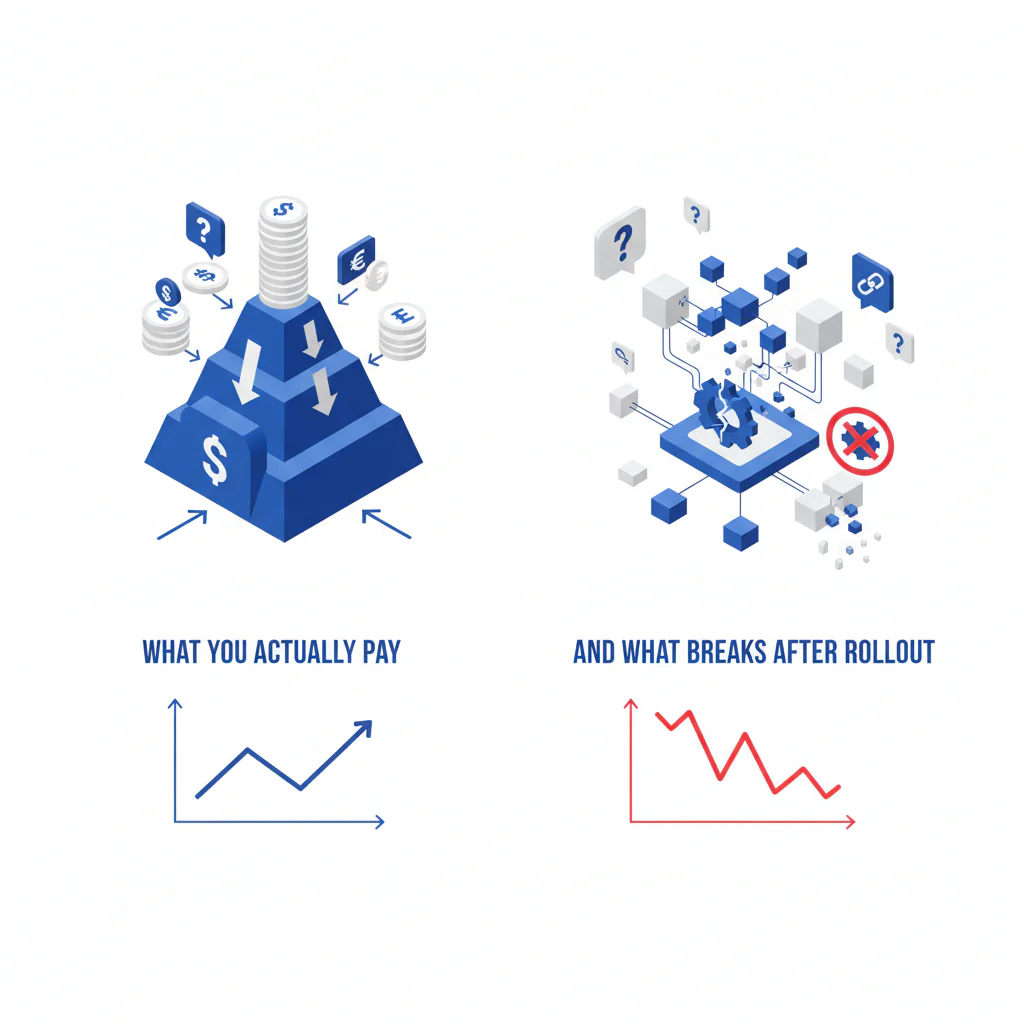
This page is written like a software audit, not a marketing comparison. It focuses on hidden costs (seat licenses, add-ons, throttling), data decay specific to provider contact information, and integration headaches (metered API usage, rate limits, mismatched fields).
Who this is for
This is for healthcare staffing recruiters, provider sales teams, and credentialing outreach teams doing high-volume enrichment who want predictable usage. If your team works with many provider profiles each day, a credit counter can become more than a billing tool: it can influence which profiles get checked and lead to inconsistent coverage.
Quick verdict
- Core answer
- Choose a pricing model that matches your workflow. If you need consistent enrichment at scale across large provider panels, credits vs unlimited determines whether your team verifies every profile or ships partial data to “save credits.”
- Key stat
- There is no universal “cost per connect” for healthcare provider outreach. Outcomes vary by seat count, API usage, list quality, and specialty or facility type. Any vendor quoting one number without those inputs is guessing.
- Ideal user
- Teams that enrich continuously (healthcare staffing sourcing and provider outreach) and want predictable spend without lookup rationing.
Decision guide
Use The Pricing Reality Check: model → hidden costs → workflow fit before you compare contact data pricing pages for provider databases. It’s the fastest way to spot where the “cheap” option becomes expensive after adoption.
Model: Identify what you’re actually buying: a credit bucket, seat-based pricing, “unlimited,” or a hybrid. The model dictates behavior once your team starts working real provider lists.
Hidden costs: Total cost includes seat licenses, add-ons, and throttling. If API usage is metered, integration into your ATS or CRM becomes a second bill and a rate-limit problem.
Workflow fit: Match the model to how your team works. If recruiters live in LinkedIn and your ATS, they need to verify provider contacts as they go, not “later.” Later is where data decay wins, and physician and nurse contact data decays faster than most B2B categories because of frequent job changes, credentialing moves, and practice consolidation.
Normalization rule for comparisons: Compare vendors using the same list source and freshness, the same required fields, the same definition of “connect” (call pickup vs email reply vs meeting), the same seat count, and the same API usage pattern. If you don’t normalize, you’re comparing marketing.
Quote anatomy (what a real pricing quote must include): A usable quote itemizes seat licenses, required add-ons, API usage terms (included vs metered), throttling and fair use terms, and renewal conditions. If any of those are missing, you don’t have a price; you have a placeholder.
What Swordfish does differently
Swordfish is designed around true unlimited usage so teams don’t ration enrichment on the physicians, nurse practitioners, and allied health professionals they’re trying to reach. Credit-based pricing trains people to skip verification on “non-priority” provider profiles, which reduces coverage and increases manual cleanup when those profiles become relevant later in a hiring cycle or sales campaign.
Swordfish says it prioritizes direct dials and mobile numbers where available. For phone-first outreach, confirm whether these fields are included or treated as add-ons. When reps can verify contacts on every profile they touch, teams may have fewer incomplete records and fewer "we’ll enrich it later" tickets.
Make unlimited concrete: “Unlimited” still needs a boundary, but the boundary should be written and aligned with normal business enrichment. A usable fair use policy distinguishes everyday recruiting and sales workflows from abuse patterns like automated scraping, credential sharing, or bulk harvesting that isn’t tied to human review.
Procurement instruction: Ask for the fair use policy and throttling triggers in writing and attach them to the order form. If it’s not written, it’s not enforceable.
Packaging snapshot (no pricing claims): Confirm whether access is sold via seat licenses, whether “unlimited” applies to the extension workflow, whether API usage is included or separately metered, and whether core fields are gated behind add-ons. Those four items determine your real total cost and rollout friction.
If your team works in-browser sourcing providers on LinkedIn or hospital directories, the extension is the shortest path to consistent usage. Unlimited credits means you can verify every profile you visit, not just the best ones. That reduces the hidden cost of rationing: fewer skipped lookups and fewer stale provider records sitting unverified in your system.
Checklist: Feature Gap Table
| Pricing/feature area | What vendors often advertise | What shows up later (hidden cost / integration headache) | What to ask so you can compare apples-to-apples |
|---|---|---|---|
| Credits vs unlimited | “Flexible credits” or “unlimited” | Credits create lookup rationing; “unlimited” can still be constrained by throttling or vague limits | Is it true unlimited for normal workflows? Where is the fair use policy written, and what triggers throttling? |
| Seat licenses | Low per-seat entry price | Total cost scales with seat count; adoption gets punished if occasional users require full seats | Minimum seats? Are admin/export seats priced differently? Any seat-based pricing tiers that change at renewal? |
| Add-ons | “All-in-one provider data” | Mobile numbers/direct dials, license or specialty fields, verification, exports, or API access are gated behind add-ons | Which fields are included by default (mobile, direct dial, personal email, work email, specialty)? What costs extra? |
| Throttling and limits | “Fair use” mentioned in passing | Throttling hits mid-campaign; ops spends time negotiating exceptions instead of running pipeline | What behaviors trigger throttling? What is the escalation path? Is there a written policy you can attach to procurement? |
| API usage | “API available” | API is metered separately; rate limits and field mismatches create integration rework | Is API usage included or billed separately? Rate limits? Do API fields match the UI fields? |
| Data decay and refresh | “Accurate data” | Stale provider records waste time; teams pay twice if re-verification consumes new credits | Do you pay again to re-verify? How is freshness handled? What happens when a provider changes practice or number? |
| Cost per connect claims | One blended ROI number | Variance is driven by list quality and specialty mix; “connect” definitions differ by channel | What is a “connect” (call pickup, email reply, meeting)? What assumptions (specialty, region, list source) drive the claim? |
Decision Tree: Weighted Checklist
This checklist is weighted by standard failure points that drive real cost: rationing behavior from credits, surprise charges from seat licenses and add-ons, and integration drag from metered API usage and rate limits. It avoids made-up point systems because your weights depend on your workflow.
- High weight: Pricing model prevents rationing. Credit-based pricing often reduces enrichment coverage because reps self-censor lookups on lower-priority providers. If your workflow requires frequent verification, this becomes a pipeline quality issue, not a budget win.
- High weight: “Unlimited” is defined in writing. If a vendor sells unlimited but won’t define fair use and throttling triggers, you can’t forecast usage risk or enforce expectations internally.
- High weight: Total cost includes seats and required add-ons. Total cost includes seat licenses, add-ons, and throttling. Model cost at your expected seat count in 6–12 months, not today’s headcount.
- Medium weight: API usage matches your integration plan. If you enrich inside an ATS/CRM, metered API usage becomes a second bill and rate limits become an engineering constraint. Confirm whether API usage is included and whether fields match the UI.
- Medium weight: Field coverage matches your outcome. If your outcome is calls to providers, prioritize mobile/direct dials. If your outcome is email sequences, prioritize verified emails. Paying for fields you won’t operationalize is a quiet waste.
- Medium weight: Vendor explains variance drivers. A credible vendor explains variance using inputs you can validate: list quality, specialty, region, persona, seat count, and API usage patterns.
- Lower weight: Governance and auditability. Procurement and legal will ask for logs and deletion controls, especially when the data touches provider records. If the vendor can’t support audits, you pay with internal time later.
Troubleshooting Table: Conditional Decision Tree
- If your team enriches provider profiles continuously (healthcare staffing sourcing, outbound sales) then prioritize true unlimited so reps verify contacts as they work instead of rationing lookups.
- If your usage is sporadic (occasional list cleanup) then credits can fit, but only if you can forecast usage and re-verification doesn’t force you to pay again as provider data decays.
- If you expect headcount growth then model total cost using seat licenses and required add-ons at your 6–12 month seat count, because that’s where “reasonable” pricing often breaks.
- If you need enrichment inside your systems then validate API usage terms and rate limits before signing, because metering and throttling become integration blockers.
- Stop condition: If a vendor cannot provide a written definition of “unlimited” (including fair use) and cannot explain what triggers throttling, stop the evaluation. You can’t audit what they won’t define.
How to test with your own list (5–8 steps)
- Define the workflow. Decide whether the test is recruiter sourcing for a staffing agency, provider sales outreach, CRM cleanup, or ATS enrichment. Pricing model fit depends on workflow.
- Build a representative list. Use a sample that matches your target specialty, region, and facility type, and reflects your real list quality (freshness, duplicates, and source). If you test on a clean list you never actually have, you’ll buy the wrong plan.
- Set required fields. Decide what “usable” means for you: mobile/direct dial, work email, personal email, and whether verification is required.
- Run the same list through each vendor. Keep the process consistent: same inputs, same time window, same enrichment method (extension vs API) so you’re not comparing different workflows.
- Track operational friction. Note where the tool slows reps down: seat restrictions, add-on prompts, throttling, or missing fields that force a second tool.
- Check integration reality. If you need API usage, test the API fields you actually need and confirm rate limits won’t break your enrichment jobs.
- Document variance assumptions. Record seat count, API usage pattern, list source, specialty, and region so finance can audit why results differ across vendors.
- Model total cost. Combine seat licenses, required add-ons, and any metered API usage. Compare that to the workflow outcome you measured, not a generic ROI claim.
Limitations and edge cases
“Unlimited” still has boundaries. Any provider has to prevent abuse. The operational difference is whether the boundary is clear and aligned with normal enrichment, or vague enough that you discover it when throttling hits.
Data decay is not a rounding error, and provider data decays fast. Physicians and nurses change jobs, hospital affiliations, and phone numbers more often than typical B2B contacts. Industry estimates put contact decay in high-growth and healthcare-adjacent sectors as high as 30 to 40 percent annually, which means a meaningful share of any provider list you buy this year will be invalid within twelve months. If your pricing model charges again to re-verify, your “cheap” plan becomes a recurring tax on freshness.
Seat-based pricing can punish adoption. If every occasional user needs a paid seat, enrichment gets centralized in ops, cycle time increases, and reps work from stale provider records while waiting for updates. Seat creep at renewal is common; model cost at your expected seat count, not your current one.
Integration is where budgets go to die quietly. Metered API usage, rate limits, and field mismatches don’t show up in the demo. They show up when engineering has to build retries, queues, and exception handling around an ATS or CRM sync.
Evidence and trust notes
I’m the CEO of Swordfish.AI, so treat this as an informed but biased view. The reason it’s still useful is that the failure modes are consistent across vendors: pricing models change behavior, and behavior determines whether your provider data stays current or decays into noise.
When you see claims about healthcare recruiter data pricing, provider sales data pricing, or "cost per connect," ask vendors to explain the sources of variation. A useful comparison anchors outcomes to seat count, API usage, list quality, and specialty mix, then validates the assumptions with your own list.
If you want more detail on how unlimited is supposed to work operationally, read how unlimited credits work and the tradeoffs in unlimited credits vs credit-based pricing. If you’re comparing against a common enterprise option, use ZoomInfo vs Swordfish as a reminder to normalize assumptions before you compare invoices.
FAQs
What is contact data pricing?
It’s the commercial model for accessing emails and phone numbers (and sometimes verification). The model matters because it changes behavior: credits encourage rationing; unlimited supports consistent enrichment.
Why do credits create hidden costs?
Because teams adapt by skipping lookups, delaying verification, and enriching only “top” leads. That produces inconsistent coverage and more manual cleanup as records decay.
What does true unlimited mean in practice?
True unlimited means normal day-to-day enrichment isn’t constrained by a credit counter. It still operates under a written fair use policy to prevent abuse, but it shouldn’t force legitimate teams to ration lookups.
What should I watch for in seat-based pricing?
Minimum seat requirements, admin/export seat rules, and whether occasional users require full licenses. Seat licenses often become the largest cost driver as adoption grows.
Where do add-ons usually hide?
Mobile numbers/direct dials, verification, exports, API access, and integrations. If a field is required for your workflow, treat it as base cost during evaluation.
How do I compare cost per connect across vendors?
Define “connect” for your channel (call pickup, email reply, meeting), then test with your own list. Document variance drivers: list quality, industry, region, persona, seat count, and API usage pattern.
Next steps
Week 0 (today): Write down your workflow and constraints: seat count now and in 6–12 months, required fields, and whether you need API usage for ATS/CRM enrichment.
Week 1: Run a pilot on your own target provider list using the test plan above. Track coverage and operational friction (rationing behavior, add-on prompts, throttling, and integration constraints).
Week 2: Model total cost: seat licenses + required add-ons + any metered API usage. Document variance assumptions (list quality, specialty, region) so finance can audit the forecast.
Week 3: Choose the model that fits the workflow you actually have. If you need consistent enrichment, start with unlimited contact credits so usage doesn’t collapse into rationing when budgets tighten.
About the Author
Ben Argeband is the Founder and CEO of Swordfish.ai and Heartbeat.ai. With deep expertise in data and SaaS, he has built two successful platforms trusted by over 50,000 sales and recruitment professionals. Ben’s mission is to help teams find direct contact information for hard-to-reach professionals and decision-makers, providing the shortest route to their next win. Connect with Ben on LinkedIn.

