


 View Products


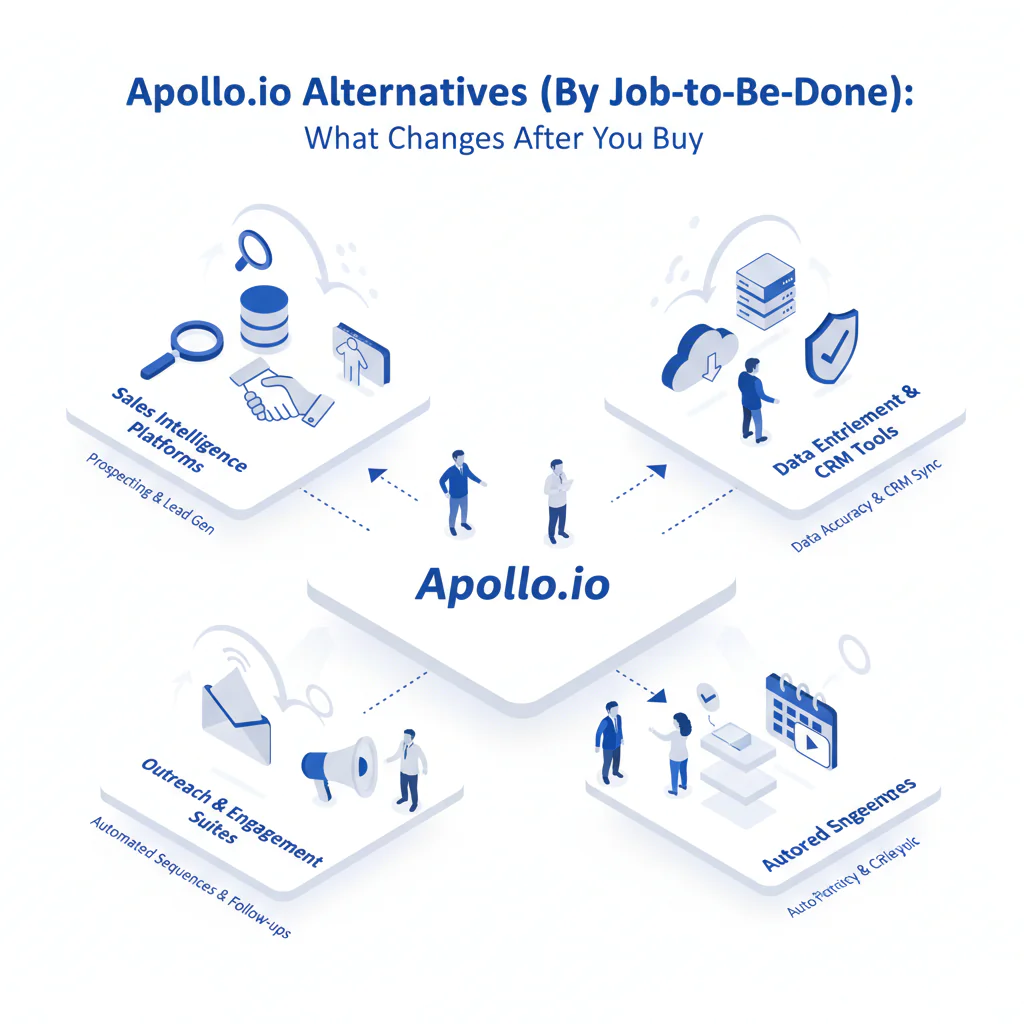
Apollo.io alternatives (by job-to-be-done): what changes after you buy
By Ben Argeband, Founder & CEO of Swordfish.AI
Author note: Review with a reachability lens: “looks similar until you dial,” focusing on mobile reachability and workflow impact.
Who this is for
If you’re reading a Lusha review to predict real calling outcomes, you’re the audience. This is for buyers who have to defend a purchase after the honeymoon: when credits get rationed, numbers decay, and the CRM starts accumulating duplicates.
Quick verdict
- Core answer
- This page groups apollo alternatives by job to be done, because feature checklists don’t predict calling outcomes. Pick phone-first tools when conversations are the bottleneck, enrichment-first tools when CRM hygiene is the bottleneck, and sequencing-first tools when automation is the bottleneck.
- Key stat
- Expect variance driven by seat count, API usage, list quality, and industry. If a vendor claims a universal accuracy rate, treat it as unverified until you test your own list.
- Ideal user
- A cynical software buyer/auditor who wants predictable reachability and fewer integration surprises than “credits + add-ons + sync” usually create.
Decision guide
Framework: What job are you hiring the tool for? If you can’t answer that, you’ll buy overlap and then pay again to patch the gaps.
- If the job is calling outcomes: prioritize phone-first contact data and direct dials because higher mobile reachability reduces wasted dials and increases conversations per rep-hour.
- If the job is CRM hygiene: prioritize enrichment and governance because fewer duplicates and bad overwrites reduce ops hours and reporting errors.
- If the job is outbound automation: prioritize sequencing fit because better deliverability controls reduce wasted touches and “why did replies drop” debugging.
- If the job is recruiting outreach: prioritize recruiter contact tools because candidate mobility increases data decay, which increases bounced outreach and recruiter time waste.
Shortlist by category before you waste time on demos. If you need vendor names, build a shortlist from these categories and force an ICP test before you believe coverage claims.
- Phone-first contact data providers: reduce wasted dials by prioritizing direct dials and mobile numbers.
- Enrichment-first contact data providers: reduce ops hours by controlling overwrites, dedupe, and API behavior.
- Outbound sequencing alternatives: reduce wasted touches by fitting your deliverability constraints and existing email setup.
- Recruiter contact tools: reduce bounced outreach by handling job-change churn better than broad prospecting databases.
If you’re already in a head-to-head evaluation, start with swordfish vs apollo and then run the test plan below.
Checklist: Feature Gap Table
| Job-to-be-done | What breaks with Apollo (typical) | What to demand from apollo alternatives | Pricing risk to audit (no numbers, just mechanics) | Hidden cost that shows up later |
|---|---|---|---|---|
| Phone-first outbound (direct dials) | “Has phone numbers” but reachability varies by industry and seniority; reps burn time dialing non-mobiles. | Prioritized direct dials (ranked mobiles first), clear coverage expectations by region/role, and a workflow that reduces manual verification. | Credits that charge per lookup or per export can force rationing; unlimited plans need a written fair use policy. | Rep time waste and pipeline variance when teams stop looking up marginal leads. |
| High-volume enrichment (CRM hygiene) | API usage grows faster than expected; field mapping and dedupe become ongoing work. | Stable enrichment endpoints, predictable rate limits, and controls for overwrite rules (don’t trash good data with stale data). | API usage limits and overage mechanics; separate charges for enrichment vs prospecting features. | Ops hours spent on dedupe, field conflicts, and backfilling broken reports. |
| Sequencing + deliverability workflow | Sequencing is convenient, but deliverability issues still require separate tooling and policy. | Sequencing that respects deliverability constraints and integrates cleanly with your email infrastructure. | Bundled sequencing can hide costs in required add-ons; watch for forced platform migration. | Inbox placement remediation and time spent debugging drops in reply volume. |
| Recruiting outreach | Coverage gaps for personal mobiles; contact freshness decays quickly for job changers. | Candidate-friendly coverage, fast refresh cycles, and a process that reduces bounced outreach. | Seat-based pricing can punish recruiter-heavy teams; audit export and lookup constraints. | Brand damage from misfires and recruiter time wasted on dead contacts. |
| Territory planning + list building | Large lists look good until you sample; duplicates and stale titles inflate TAM. | List QA workflow, export controls, and enrichment that improves segmentation rather than bloating it. | Export limits and credit burn on list refreshes; audit whether re-checking the same record costs again. | Bad routing decisions and wasted sequences to the wrong personas. |
What Swordfish does differently
Swordfish is not trying to replace your CRM or become your sales operating system. It’s a contact data tool you hire when the bottleneck is reachability and your team is tired of “contacts found” that don’t connect.
- Phone-first output: Swordfish is built to surface prioritized direct dials (including mobile numbers) so reps spend less time dialing dead ends, which reduces wasted dials and increases conversations per hour.
- Unlimited usage with fair use: Credit systems create budget variance when usage spikes (new territories, new hires, list refreshes). Swordfish offers unlimited usage under a fair use policy, and you should ask for the written policy and enforcement triggers before signing so finance can forecast without guessing lookup volume.
- Workflow fit over platform sprawl: If you already run sequencing and a CRM, you don’t need another platform to maintain. You need data that drops into the workflow without creating a second source of truth.
If your job-to-be-done is phone-first prospecting and Apollo isn’t producing reachable numbers in your workflow, start here: Prospector.
How to test apollo alternatives with your own list (5–8 steps)
- Write the job-to-be-done in one sentence: calling outcomes, CRM enrichment, sequencing, recruiting outreach, or territory planning.
- Build an ICP test list: use your real target accounts and roles across the regions you sell into. Keep the list consistent across vendors.
- Define pass/fail outcomes before you run the test: rep usability, reachability for calling, duplicate creation risk, and whether overwrite rules match your governance.
- Run the same workflow you’ll run in production: CRM sync rules, enrichment endpoints (if applicable), and any dialer/sequence handoff.
- Audit integration behavior: check for duplicates, field mapping conflicts, and whether the tool overwrites good data with stale data.
- Audit pricing mechanics under your usage pattern: model seat count and API usage scenarios in writing, including export behavior and re-check costs.
- Collect rep feedback from the first week: where they lost time (manual verification, missing mobiles, UI friction) and what they stopped doing because of limits.
- Decide using variance explanation: pick the vendor that performs on your segment under your constraints, not the one with the best demo.
Decision Tree: Weighted Checklist
This checklist is weighted by standard failure points that drive real cost: data decay, credit economics, and integration overhead. Use it to score any “tools like Apollo” shortlist without pretending a single score fits every team.
- High priority (deal-breakers in most audits)
- Reachability on your ICP sample: if mobile coverage is weak, calling outcomes drop even if the UI looks fine.
- Pricing predictability (credits vs unlimited): if usage is spiky, credits create budget variance and lookup rationing, which reduces pipeline.
- Data freshness controls: you need clarity on refresh behavior because data decay is constant and silent.
- Overwrite rules and auditability: unclear overwrite behavior creates silent CRM corruption and cleanup projects.
- API and sync constraints: rate limits and throttles become operational blockers when you scale enrichment.
- Medium priority (matters once basics pass)
- Workflow fit: avoid paying twice for overlapping features you won’t maintain.
- Permissions and export controls: reduces accidental data leakage and uncontrolled list pulls that inflate costs.
- Coverage by region/industry: variance is normal; what matters is performance on your segment.
- Lower priority (nice, not decisive)
- UI polish: it doesn’t fix bad numbers or messy sync.
- Extra platform features: only pay for what you will operationalize without adding headcount.
Troubleshooting Table: Conditional Decision Tree
- If your job-to-be-done is “get more conversations by calling”
- If reps complain about “no direct dials,” prioritize direct dial providers and mobile number tools because higher mobile reachability reduces wasted dials and increases conversations per rep-hour.
- If spend is hard to forecast, prefer unlimited usage with a written fair use policy because it reduces budget variance caused by list refreshes and new hire ramp.
- Stop condition: if the vendor won’t let you test reachability on your own ICP list or won’t explain variance drivers (industry, role, region, seat count, API usage), stop the evaluation.
- If your job-to-be-done is “keep CRM data clean at scale”
- If you enrich via API, prioritize tools that minimize integration debt because fewer field conflicts reduce ops time spent on dedupe and overwrite rules.
- If multiple teams write to the same CRM fields, prioritize audit logs and overwrite controls because they reduce silent data corruption.
- Stop condition: if overwrite behavior is not documented (what wins when data conflicts), stop until it is.
- If your job-to-be-done is “run outbound sequences”
- If deliverability is already a problem, prioritize outbound sequencing alternatives that reduce inbox placement risk because fewer spam-folder sends reduce wasted touches.
- If you already have sequencing, buy better data first because higher-quality contacts reduce bounce waste and wasted touches.
- Stop condition: if the vendor requires moving your workflow into their platform without a clean export and exit path, stop.
- If your job-to-be-done is “recruiting outreach”
- If candidate contact decay is your pain, prioritize recruiter contact tools because fresher contact data reduces bounced outreach and recruiter time waste.
- Stop condition: if the vendor can’t explain how they handle job-change churn in your target market, stop and test another option.
Limitations and edge cases
- No vendor is uniformly best across industries: contact coverage varies by geography, seniority, and sector. That’s why your test list matters more than any generic comparison.
- Data decay is not a vendor bug: people change jobs, numbers get reassigned, and titles drift. Your process needs refresh cycles and overwrite rules, not just a subscription.
- “Native integration” can still create duplicates: if matching rules are weak, you’ll get parallel records and broken attribution.
- Overwrites can silently damage good data: if a tool overwrites verified fields with stale fields, you’ll spend weeks cleaning it up.
Evidence and trust notes
I’m not going to invent accuracy percentages or claim universal lift. I run Swordfish, so treat this as an operator’s audit guide and verify everything with your own ICP test.
- Seat count: more seats usually means more inconsistent usage patterns, which exposes credit models and permission gaps.
- API usage: enrichment at scale stresses rate limits and increases the cost of mistakes because bad overwrites propagate fast.
- List quality: messy inputs make every tool look worse; clean inputs expose real differences in reachability and freshness.
- Industry and role: some segments have better signals than others. Demand segment-specific testing.
If you’re trying to forecast spend mechanics and constraints, review: apollo io pricing.
If you’re auditing decay and verification, start with: data quality.
If finance is stuck on credit math, see: unlimited contact credits.
FAQs
What are the best apollo alternatives?
The best apollo alternatives depend on the job-to-be-done: phone-first tools for calling outcomes, enrichment-first tools for CRM hygiene, and sequencing-first tools for automation. If you don’t pick based on workflow fit, you’ll pay twice: once for the tool and again for the workaround.
Which Apollo alternative is best for calling?
Pick a phone-first option that prioritizes direct dials and mobile numbers because higher reachability reduces wasted dials and increases conversations per rep-hour. Validate it on your own ICP list because coverage varies by industry, role, and region.
Why do Apollo competitors look similar in demos but fail in production?
Demos hide variance. Production exposes your industry, your roles, your regions, your CRM overwrite rules, and your usage volume. Test with your own list and your real workflow or you’re buying a story.
Is unlimited always better than credits?
No. Unlimited usage can be better when usage is spiky, but only if the fair use policy is written and enforceable in a way you can forecast. Credits can work when usage is stable and controlled, but they often create lookup rationing that quietly reduces pipeline.
What should I ask vendors to show before I sign?
Ask for documented overwrite rules, API rate limit behavior, export limits, and the written fair use policy if they sell unlimited usage. If they can’t show it, assume you’ll discover it after procurement.
Next steps
- Day 0–1: write down the job-to-be-done and the failure you’re trying to stop: low connect rates, credit overruns, CRM duplication, or sequencing overhead.
- Day 2–4: build an ICP test list and define pass/fail outcomes tied to rep time, ops time, and budget variance.
- Day 5–7: run the test in your real workflow and audit duplicates, overwrites, and lookup constraints.
- Week 2: pick the tool that performs on your segment and explain the variance drivers in writing so the decision survives internal review.
If your job-to-be-done is phone-first prospecting and you want higher reachability without credit math dominating the purchase, evaluate Prospector.
About the Author
Ben Argeband is the Founder and CEO of Swordfish.ai and Heartbeat.ai. With deep expertise in data and SaaS, he has built two successful platforms trusted by over 50,000 sales and recruitment professionals. Ben’s mission is to help teams find direct contact information for hard-to-reach professionals and decision-makers, providing the shortest route to their next win. Connect with Ben on LinkedIn.

