


 View Products


Key takeaways
- The article compares 10 ExactBuyer alternatives across B2B contact data, company research, website-visitor identification, CRM, and email outreach.
- Swordfish AI is presented as focused on direct contact discovery, including cell phone numbers and business email addresses.
- ZoomInfo and Adapt.io are described as options for broad company and contact data, while UpLead emphasizes verified contact information and technographic insights.
- Leadfeeder focuses on identifying companies visiting a website; Hunter.io and Snov.io center on email discovery and outreach.
- Salesforce is a CRM platform and LinkedIn Sales Navigator supports prospect research through LinkedIn, so they serve different needs from standalone contact-data tools.
- Prices, plan limits, ratings, and feature availability can change; verify current information with each provider.
Last updated: September 3, 2026
ExactBuyer built its reputation on helping sales and marketing teams find and reach the right buyers. It’s straightforward to use and does a solid job supporting outbound campaigns. But as teams scale or shift strategy, the platform’s limits tend to show: fewer advanced analytics, narrower integration options, and less flexibility in marketing automation than some competitors offer.
This list compares 10 ExactBuyer alternatives by features, pricing information, and user feedback so you can assess which tools may fit your workflow. Pricing, features, and reviews can change, so verify details with each provider before deciding.
Quick List of 10 Alternatives to ExactBuyer
Here’s a quick look at the list of alternatives to ExactBuyer for B2b lead generation:
- Swordfish AI – Best for immense data breadth and AI-powered discovery
- ZoomInfo – Best for strong company and contact database with advanced filtering
- UpLead – Best for unparalleled depth of technographic insights
- Clearbit – Best for focused lead research and 1:1 prospecting
- Adapt.io – Best for connecting over 100 data sources into seamless workflows
- Leadfeeder – Best for tracking anonymous website visitors and turning them into leads.
- Salesforce – Best for integrating directly with CRM for smooth access to high-quality data.
- LinkedIn Sales Navigator – Best for using LinkedIn’s network for precise B2B targeting.
- Hunter.io – Best for finding email addresses associated with any website or company.
- Snov.io – Best for automating email outreach, lead generation, and sales prospecting.
Reasons to Consider an Alternative to ExactBuyer
Here are some of the more common reasons teams start evaluating ExactBuyer alternatives:
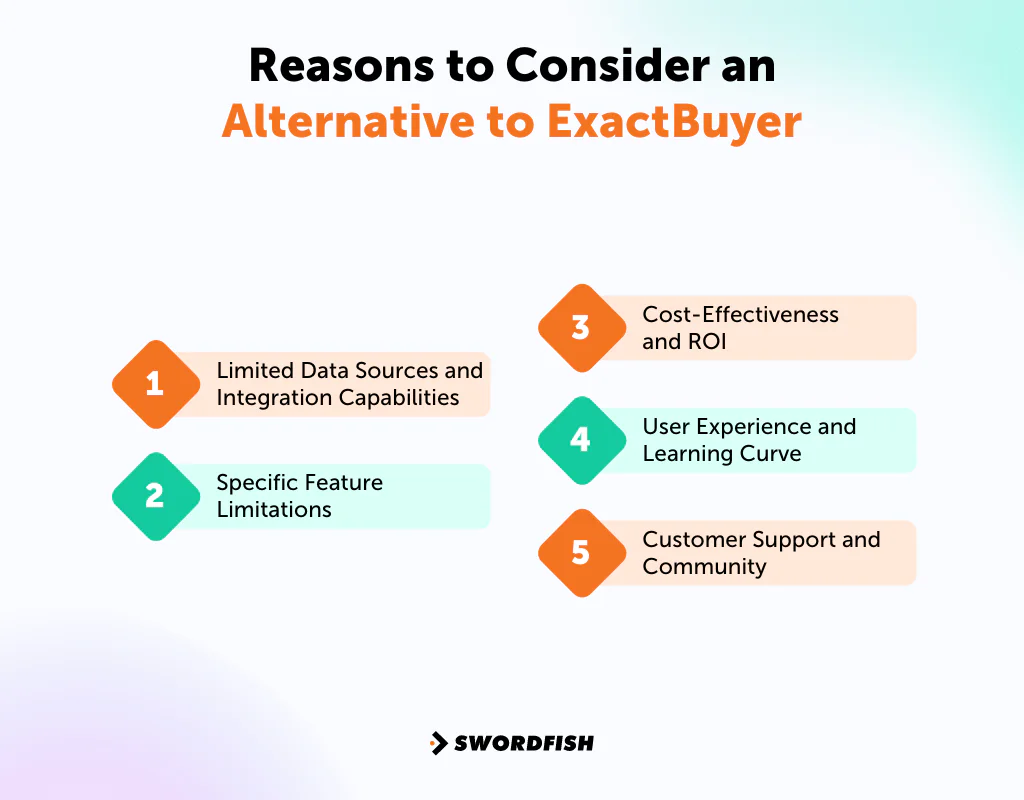
Limited Data Sources and Integration Capabilities
Teams that need data from multiple sources may find ExactBuyer’s integrations insufficient for their workflow. Integration gaps can leave prospect records incomplete and limit downstream analysis.
Specific Feature Limitations
Teams with go-to-market strategies that depend on deeper analytics, AI-driven insights, or industry-specific tools may need features that ExactBuyer does not provide.
Cost-Effectiveness and ROI
Teams may consider alternatives when a platform’s price does not fit their budget or its results do not meet their expectations for return on investment.
User Experience and Learning Curve
A difficult interface or steep learning curve can slow onboarding and leave teams with less time for prospecting.
Customer Support and Community
Responsive support and an active user community can help teams resolve issues and learn how to use a platform. If support is inadequate, it may be harder to address problems or get full value from the tool.
Top 10 ExactBuyer Competitors: Key Differences
Here’s a comparison table for all the ExactBuyer competitors and alternatives:
Company | Database Size | Contact Information | Best For |
 | 3.5 Billion Profiles | Verified individual profiles, In-house verification | B2B lead generation |
 | Over 500 million professionals | Comprehensive contact info | Access to company data |
 | Over 140 million contacts | Verified contact data | Technographic insights |
 | 100+ business data attributes | Verification available | Marketing automation |
 | 150 million contacts, 30 million companies | Extensive B2B Database | Data connectivity and precision in lead targeting |
 | 26 million companies in Europe and 8.5 million companies in the US | Company-based insights | Identifying anonymous website visitors |
 | Assigned 10 GB for data storage | CRM data, integrates with other databases | Complete customer relationship management |
 | More than 550 million companies and 130 million job titles | LinkedIn profiles, InMail contacts | Social selling and networking |
 | Over 102 million email addresses | Email addresses, verification | Email outreach and verification |
 | Maximum limit of 5000 prospects or companies | Email addresses, domain search | lead generation, and verification |
Top 10 Ideal Alternatives to ExactBuyer for Enhanced Lead Generation
The list compares 10 alternatives using criteria including features, pricing information, and reviews. Check current product details and pricing directly with each provider before choosing.
1. Swordfish AI
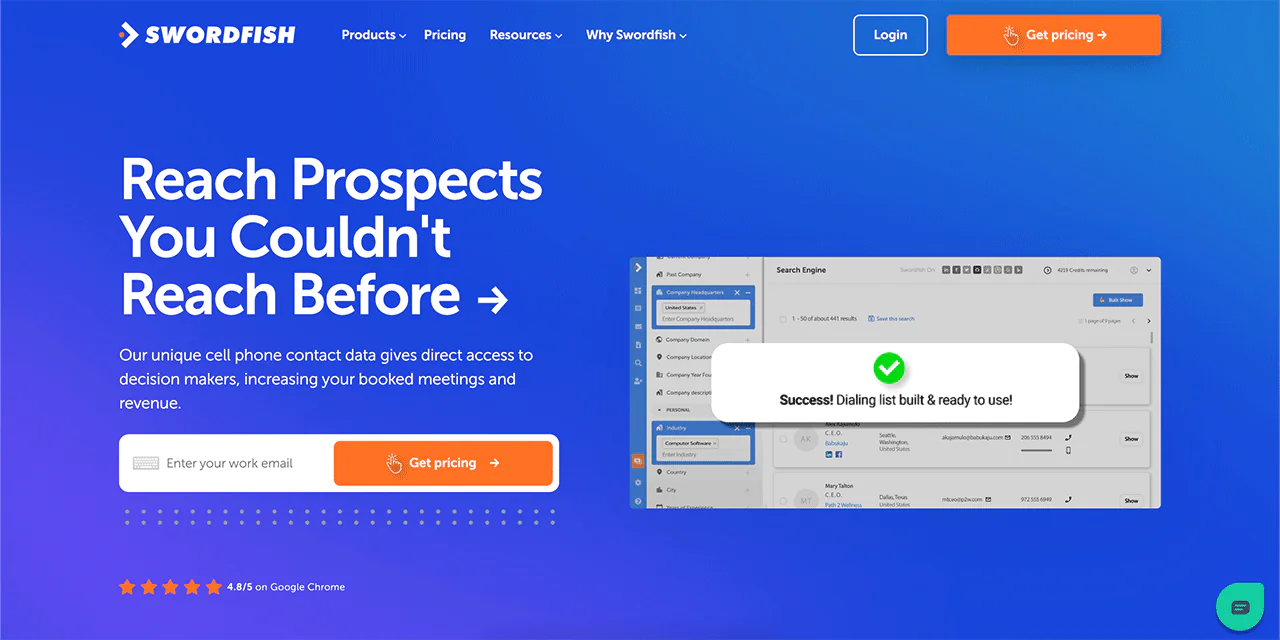
Swordfish AI is positioned for sales and recruitment teams seeking direct contact details rather than only company-level data. The article describes it as providing cell phone numbers and business email addresses.
Swordfish AI describes its cell phone verification system and matching algorithms as tools intended to support sales prospecting and recruitment outreach by reducing unsuccessful contact attempts.
The article presents validated contact data as a way for sales and recruiting teams to reach decision-makers and reduce outreach to bounced email addresses or disconnected numbers.
About Swordfish AI
- Founding year: 2015
- Founding team: Ben Argeband
- No. of users: 50,000
What Sets Swordfish AI Apart?
Swordfish AI’s database of verified individual data profiles includes exclusive cell phone data, which enables direct outreach to prospects and customers rather than relying on generic company inboxes.
Swordfish AI’s cell phone verification system is central to its approach to data reliability and contact accuracy.
This focus on precise, trustworthy contact data is what distinguishes Swordfish AI as an option for B2B lead generation teams that prioritize direct outreach.
Key Features of Swordfish AI
The features that set Swordfish AI apart:
-
Chrome Extension
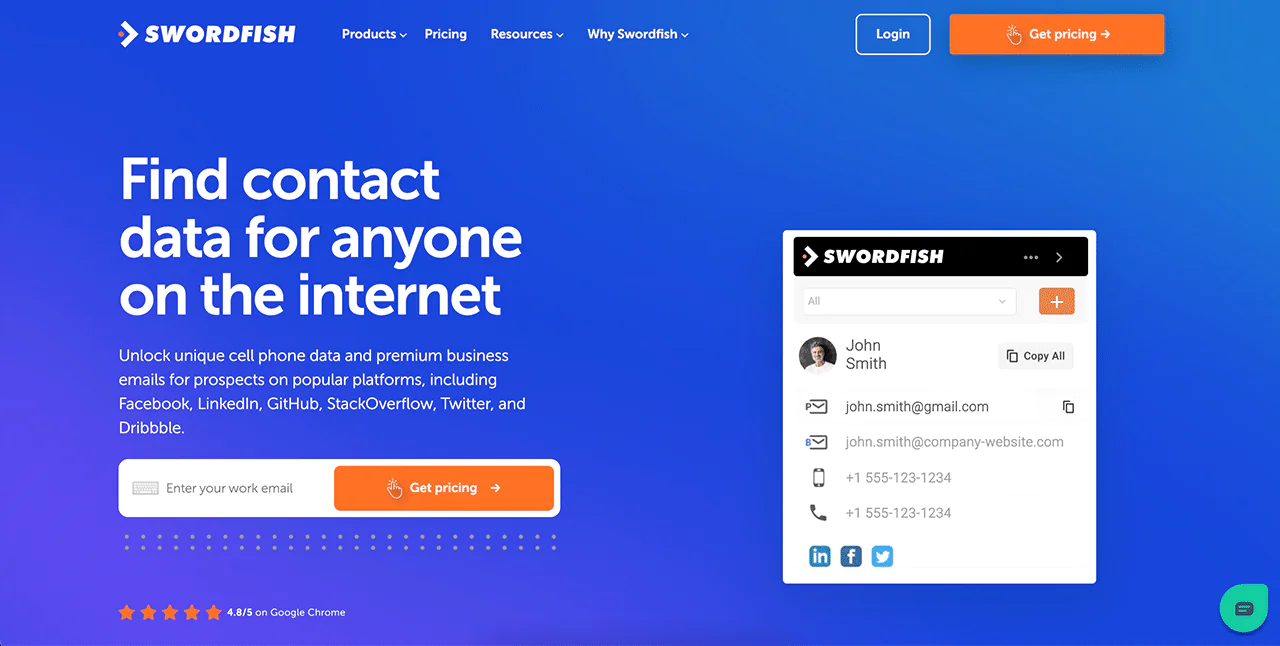
Swordfish AI’s Chrome Extension lets you pull contact information directly from your browser while on LinkedIn, Twitter, Facebook, and other platforms, without switching tabs.
-
Prospector
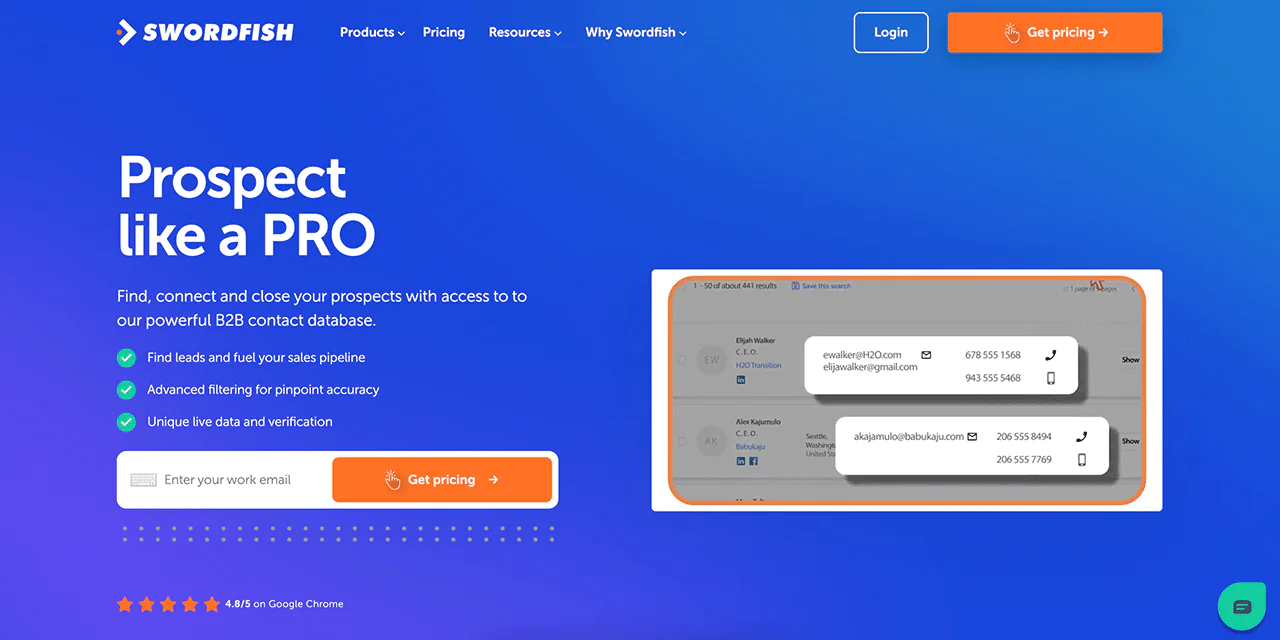
This feature generates targeted dialing and email lists using advanced filters, useful for sales teams building out pipeline lists quickly.
-
File Upload
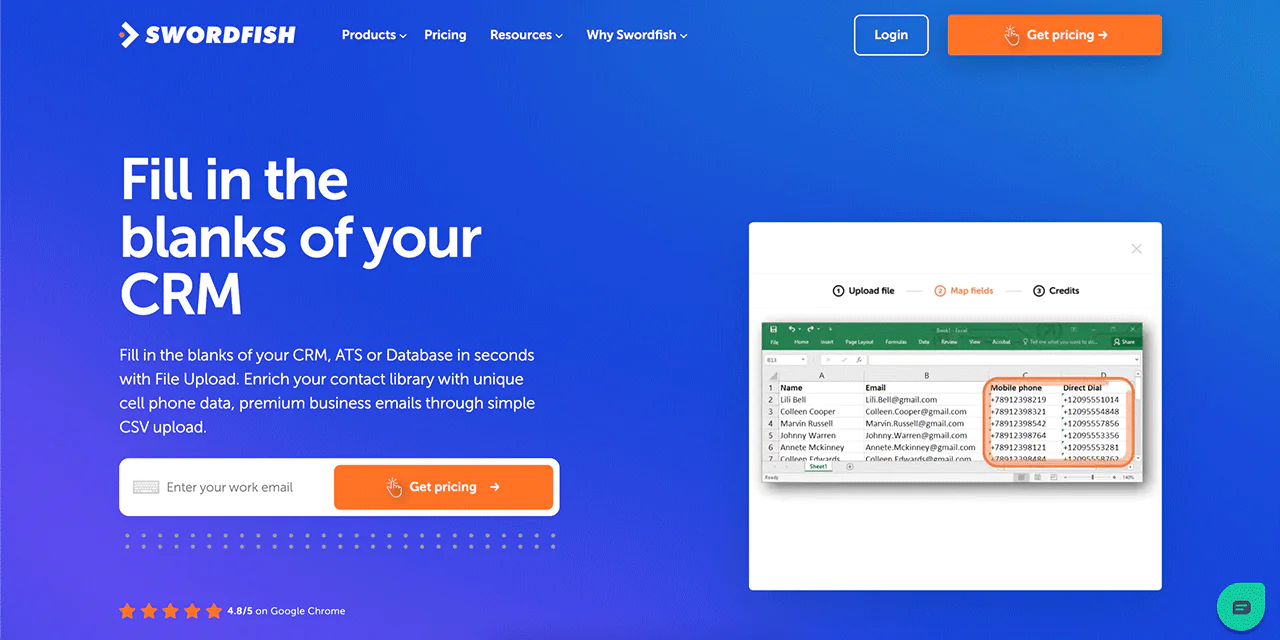
Upload a CSV file to Swordfish and it fills in missing cell phone numbers and emails automatically, which helps keep CRM records complete.
-
Reverse Search
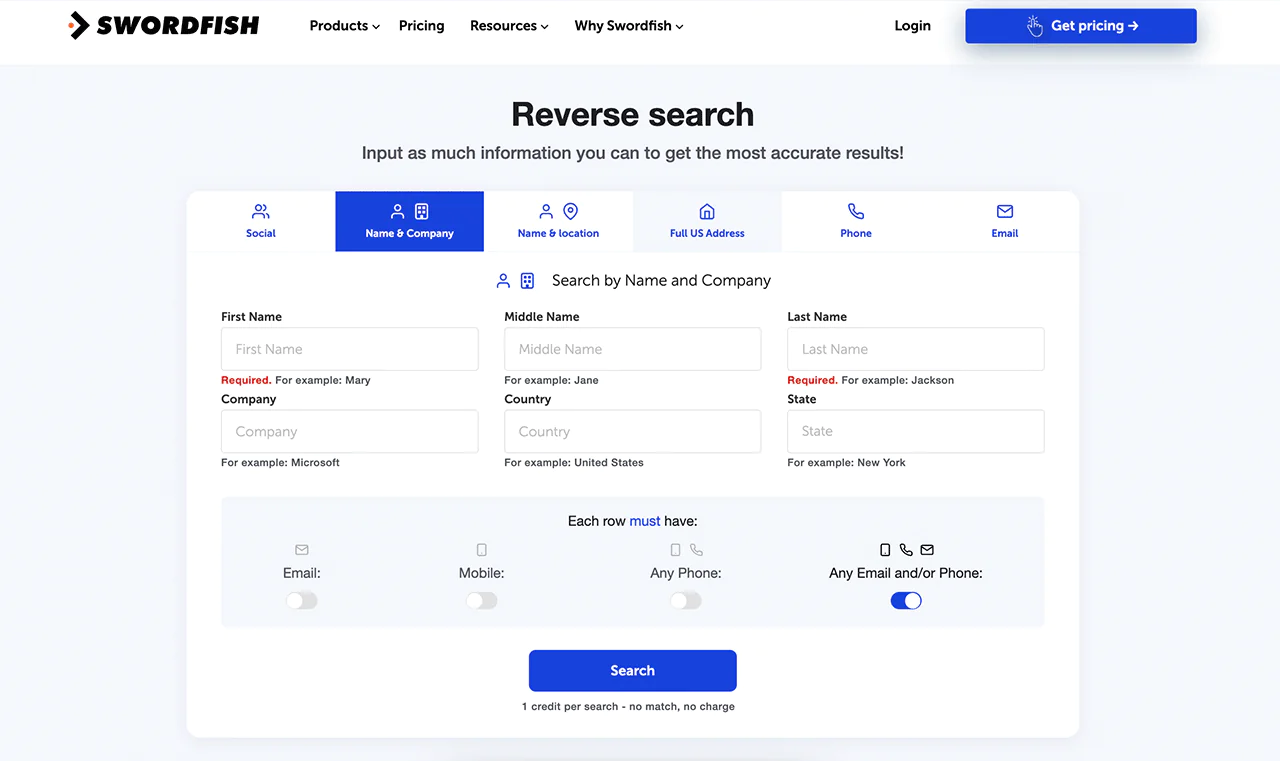
With Reverse Search, Swordfish lets you input any combination of name, company, email, phone, or social profile to locate someone, which is helpful for hard-to-find contacts.
-
API Integration
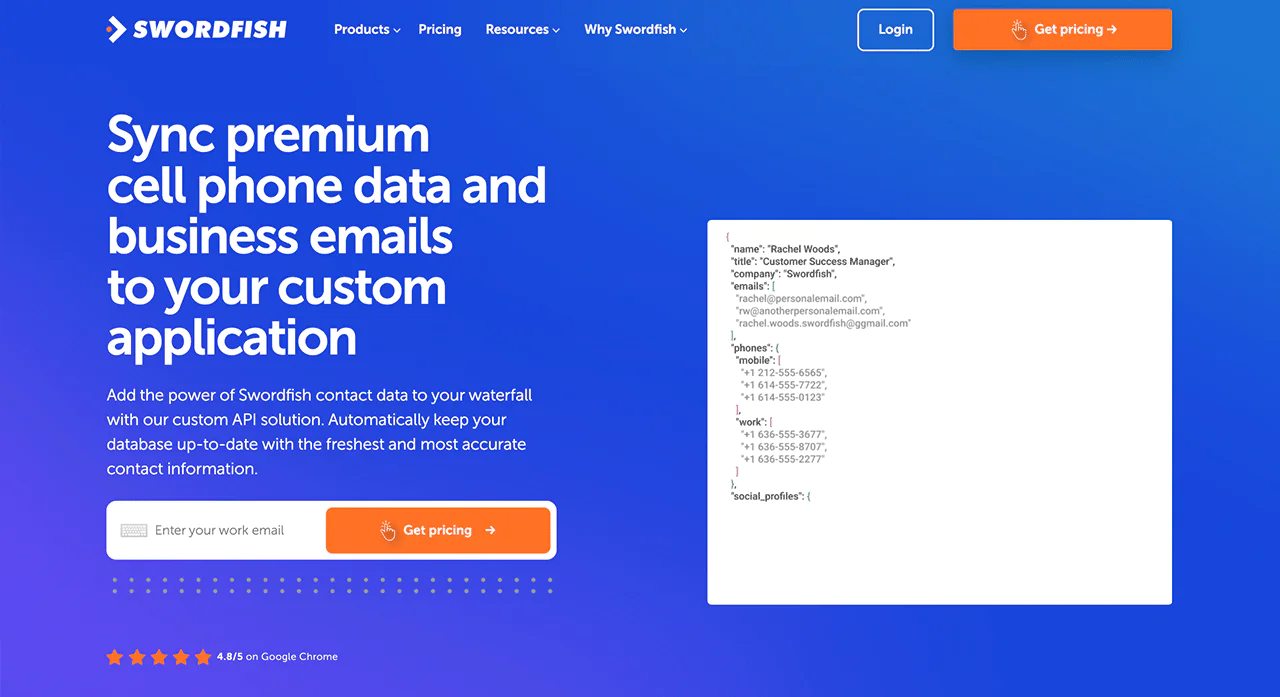
Swordfish’s API integration lets businesses pull Swordfish data into their own applications at scale, useful for teams enriching contact data programmatically.
Best Use Cases of Swordfish AI
Swordfish AI is used most often for:
- Enhanced Customer Communication: Detailed lead information helps teams customize marketing messages to specific audiences.
- Boosted Sales Performance: Direct contact data helps sales reps reach prospects more efficiently and improve connect rates.
- Minimized Data Mistakes: Automated data entry reduces the errors that come with manual data collection.
- Targeted Marketing Efforts: Enriched data helps direct campaigns toward the right people who are more likely to convert.
- Speedier Sales Transactions: Accurate contact data can shorten sales cycles by cutting down on wasted outreach.
- Expanding Customer Base: Useful for businesses actively growing their prospect pool and looking for new accounts.
- Efficient CRM Management: Ongoing enrichment keeps CRM records current so sales teams work from accurate data.
Pros of Using Swordfish AI
- Directly connect with important contacts to increase meeting bookings.
- Save time by quickly confirming the accuracy of contact details.
- Improve your ability to find leads with precise and reliable data.
- Keep your CRM up-to-date automatically, without manual work.
- Easily find contacts anywhere online with a handy browser extension.
Cons of Using Swordfish AI
- Quote based pricing for your needs.
Pricing
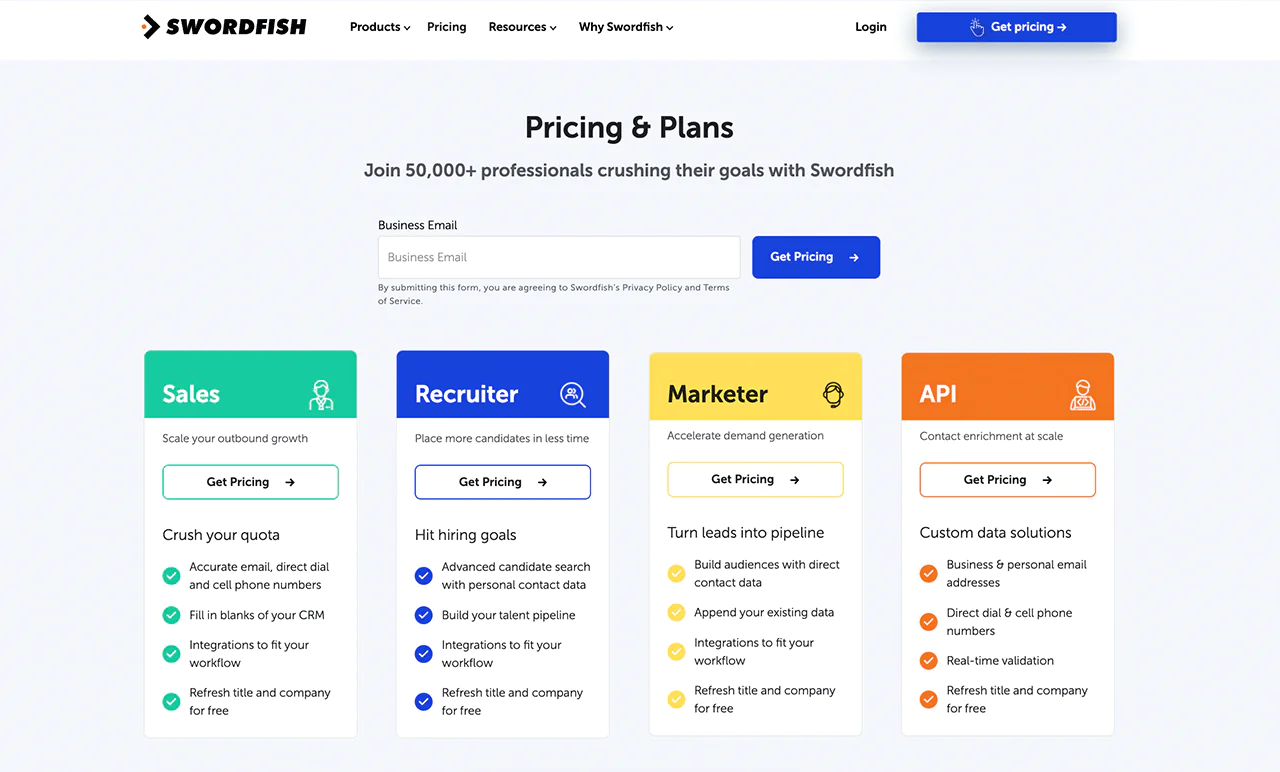
Swordfish AI describes plans for sales teams, recruiters, marketers, and teams that need API access. The article says specific pricing is not published on its site; confirm current rates directly with Swordfish AI.
For detailed pricing, contact Swordfish AI directly.
 Try Swordfish Ai
What Users Say About Swordfish AI
- G2: 4.5 out of 5 (84 reviews)
“After testing numerous competitors to locate valid phone numbers, we’ve found Swordfish to be the most accurate of them all.”- Don A
- Capterra: 4.6 out of 5 (12 reviews)
“We really like that it is easy to use and implement for all of our recruiters. Good leads fast.”- Rebecca M
Why Should You Choose Swordfish AI over ExactBuyer?
Swordfish AI is built around direct contact discovery, which sets it apart from ExactBuyer’s broader account-level focus. ExactBuyer’s own strengths lie in features or integrations tied to specific business use cases.
Here’s a comparison table of how Swordfish AI stands against ExactBuyer.
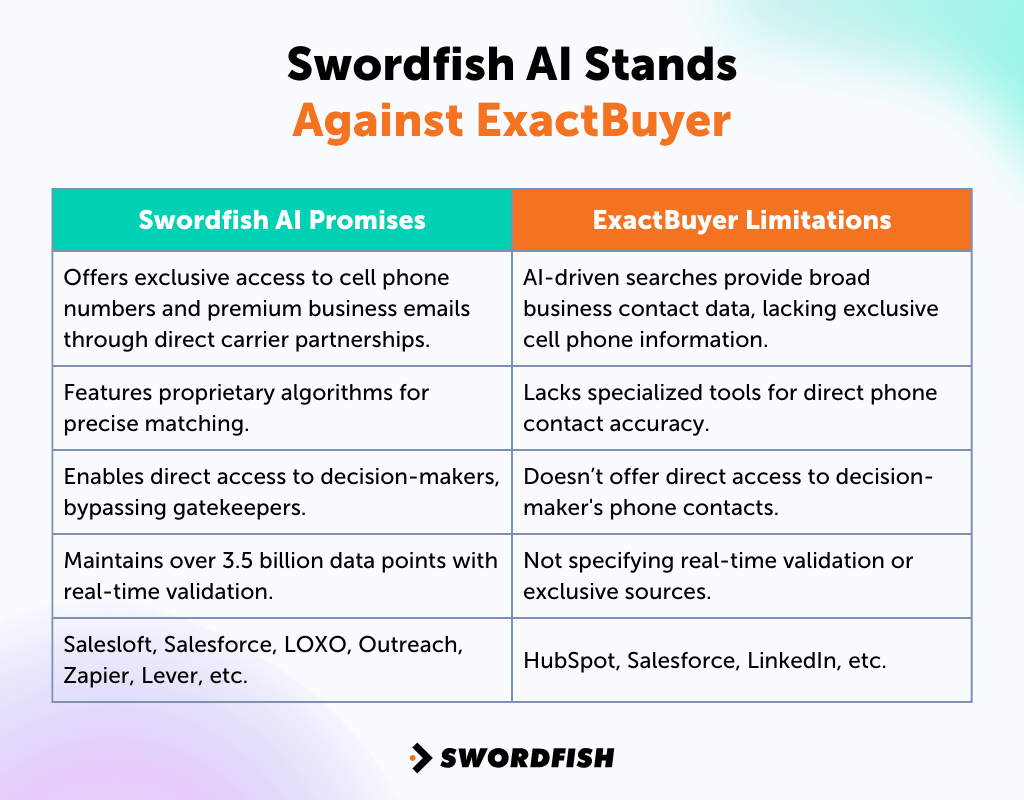
|
Swordfish AI Promises |
ExactBuyer Limitations |
|
Offers exclusive access to cell phone numbers and premium business emails through direct carrier partnerships. |
AI-driven searches provide broad business contact data, lacking exclusive cell phone information. |
|
Features proprietary algorithms for precise matching. |
Lacks specialized tools for direct phone contact accuracy. |
|
Enables direct access to decision-makers, bypassing gatekeepers. |
Doesn’t offer direct access to decision-maker’s phone contacts. |
|
Maintains over 3.5 billion data points with real-time validation. |
Not specifying real-time validation or exclusive sources. |
|
Salesloft, Salesforce, LOXO, Outreach, Zapier, Lever, etc. |
HubSpot, Salesforce, LinkedIn, etc. |
2. ZoomInfo
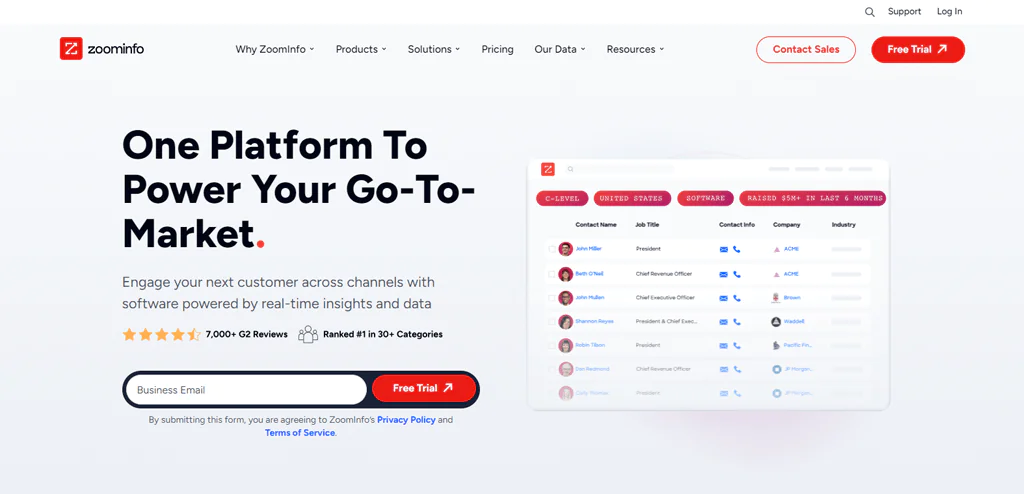
ZoomInfo maintains one of the larger B2B contact and company databases on the market, making it a common choice for sales teams that need broad market coverage alongside contact detail.
The platform provides company-level information intended to support sales research and outreach.
The article lists company profiles, technographic data, and intent signals among ZoomInfo’s dataset features. Confirm current availability and plan requirements with the provider.
It also brings strong search functionality for precise targeting and integrates with a range of CRM platforms and sales tools.
About ZoomInfo
- Founding year: 2007
- Founding team: Henry Schuck
- Employee size: 1,001 to 5,000 employees.
Features of ZoomInfo
Key features of ZoomInfo:
- Extensive Professional Database: ZoomInfo’s database covers a large volume of professional profiles across industries, giving teams broad reach for prospecting.
- Advanced Search Capabilities: Advanced filters let you narrow prospects down by very specific criteria.
- Sales and Marketing Solutions: Purpose-built tools for sales and marketing teams, including lead scoring, pipeline management, and market segmentation.
- Integration with CRM Platforms: Seamless CRM integration expands the efficiency of data management and use across teams.
Pros of Using ZoomInfo
- Provides a wide range of business contacts and detailed company information.
- Gives insights into the technology tools a company uses.
- Gives immediate notifications for focused communication.
- Shares timely updates on company news and events.
- Easily works with CRM systems and other sales tools.
- Strong search functions for accurate targeting.
Cons of Using ZoomInfo
- Smaller businesses might find it relatively costly.
- A few users mention occasional data inaccuracies.
Pricing
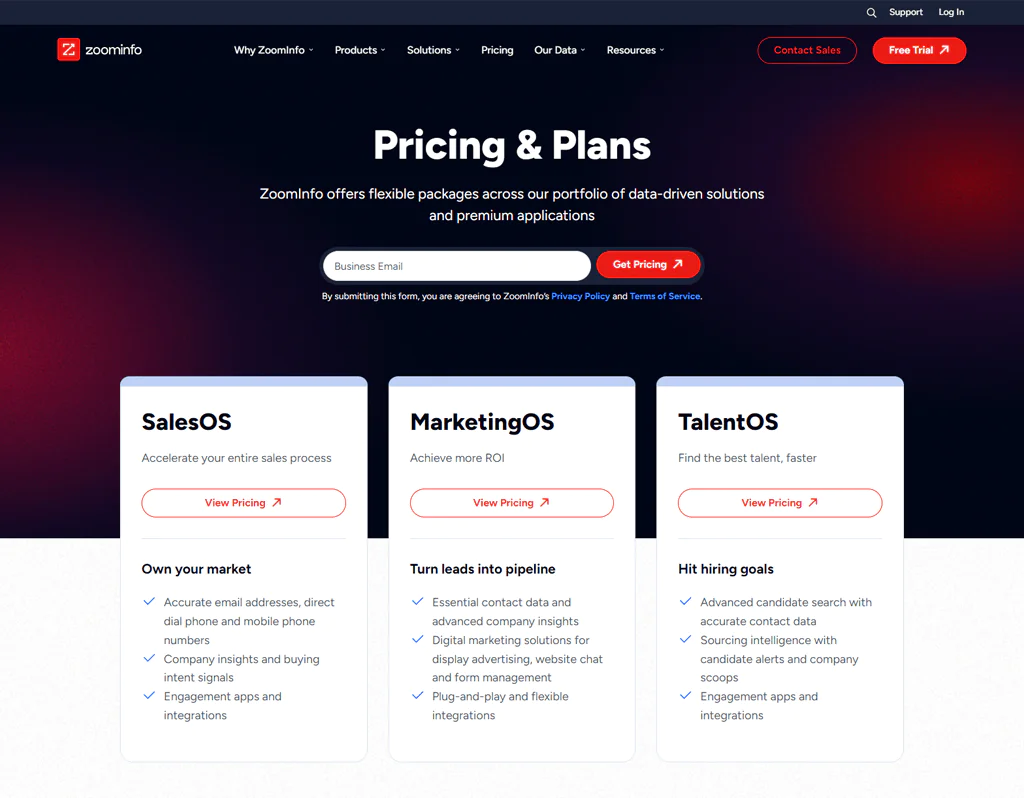
ZoomInfo has different prices depending on what you need, like more features, more users, and more business information. They have tools for sales teams called SalesOS, for marketing teams called MarketingOS, and for hiring teams called TalentOS.
The article reports that ZoomInfo does not publish all pricing online and describes a limited free plan with 10 monthly contacts. Verify current plan availability and limits with ZoomInfo.
The article lists the following reported ZoomInfo plan prices; confirm current pricing, credits, and plan terms with the provider.
- Pro+ Plan: This costs about $8,000 a year.
- Advanced Plan: This one is $12,000 a year and gives each user 1,000 credits every month.
- Elite Plan: This is the most expensive at $40,000 a year, and it has all the best features for using a lot of data and having many users.
What Users Say About ZoomInfo
- G2: 5 out of 5 (7,885 reviews)
“Access to a site’s employee list and the relevant phone #s saves a remarkable amount of time. When you have a specific person you can ask for, it’s easier to get through the gatekeeper.”- Garret P
- Capterra: 4.1 out 5 (279 reviews)
“It’s an extremely helpful tool for sales, that can be customized to your organization’s needs.”- Brigita B
Is ZoomInfo Better Than ExactBuyer?
ZoomInfo suits businesses wanting to strengthen sales and marketing efforts with rich company and contact data. Its scale makes it easier to research potential clients and spot industry trends.
The article positions ExactBuyer as an option for teams seeking specific buyer insights and tailored marketing campaigns.
In short, the article presents ZoomInfo as an option for broad company and contact data, while positioning ExactBuyer for teams seeking targeted buyer insights. The better fit depends on your requirements and the current features available in each plan.
Our Review of ZoomInfo
The article highlights ZoomInfo’s contact database and filtering capabilities, and lists organizational charts, news alerts, and intent data as features for account research.
The article describes ZoomInfo as a higher-cost option with extensive company and contact data. Teams considering it should compare current pricing and features against their data needs and budget.
Meeting preparation is seamless, providing on-the-fly briefs and icebreaker questions. The ability to find and share direct numbers speeds up communication. Integration with CRM data enrichment workflows also helped streamline our process.
3. UpLead
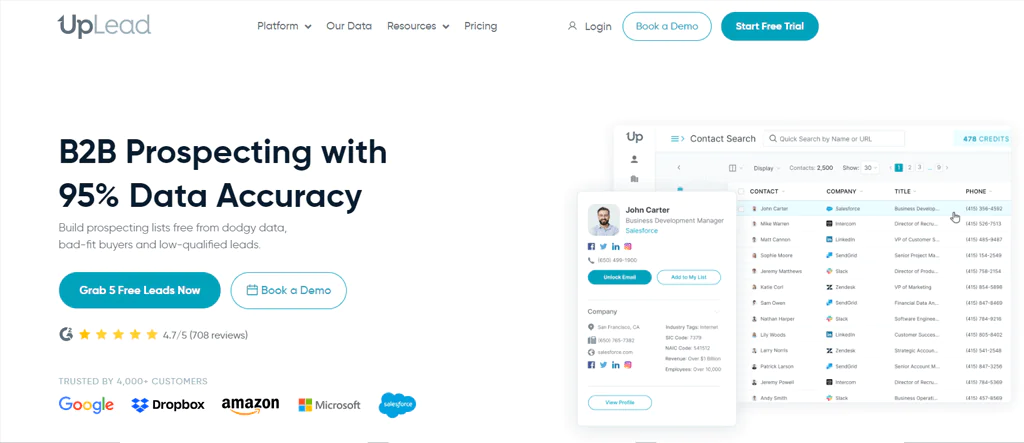
UpLead is a B2B lead generation tool with a large contact database and verified email addresses, built to support outreach and prospecting.
The platform also provides company profiles across a wide range of global businesses, offering insight for business analysis, and tracks a large set of technologies for technographic segmentation.
UpLead promotes a data accuracy guarantee intended to reduce the number of inaccurate contacts. Review the provider’s current terms to understand what the guarantee covers.
About UpLead
- Founding year: 2017
- Founding team: Will Cannon
- Employee size: 50 to 100 employees
Features of UpLead
UpLead offers a range of features designed to enhance B2B lead generation and sales processes:
- Verified Contact Data: UpLead emphasizes data accuracy by providing verified contact information, thereby improving outreach quality.
- Technographic Insights: UpLead offers technographic insights, allowing businesses to understand the technology stack of their prospects.
- Advanced Filters: The platform includes advanced filtering options that help you narrow down your search to very specific demographics, industries, or company sizes.
- User-Friendly Interface: UpLead is designed with a user-friendly interface, making it accessible for users of all skill levels.
Note: Read more here most popular Anymail Finder alternatives.
Pros of Using UpLead
- Real-time email author verification ensures the accuracy of contact data.
- Direct dial numbers facilitate more effective communication.
- Advanced filters allow for precise lead targeting.
- Seamless integration with CRM systems streamlines sales operations.
- Provides comprehensive insights for better targeting strategies.
- The interface is user-friendly, enhancing ease of navigation.
Cons of Using UpLead
- Pricing might be steep for smaller businesses.
Pricing
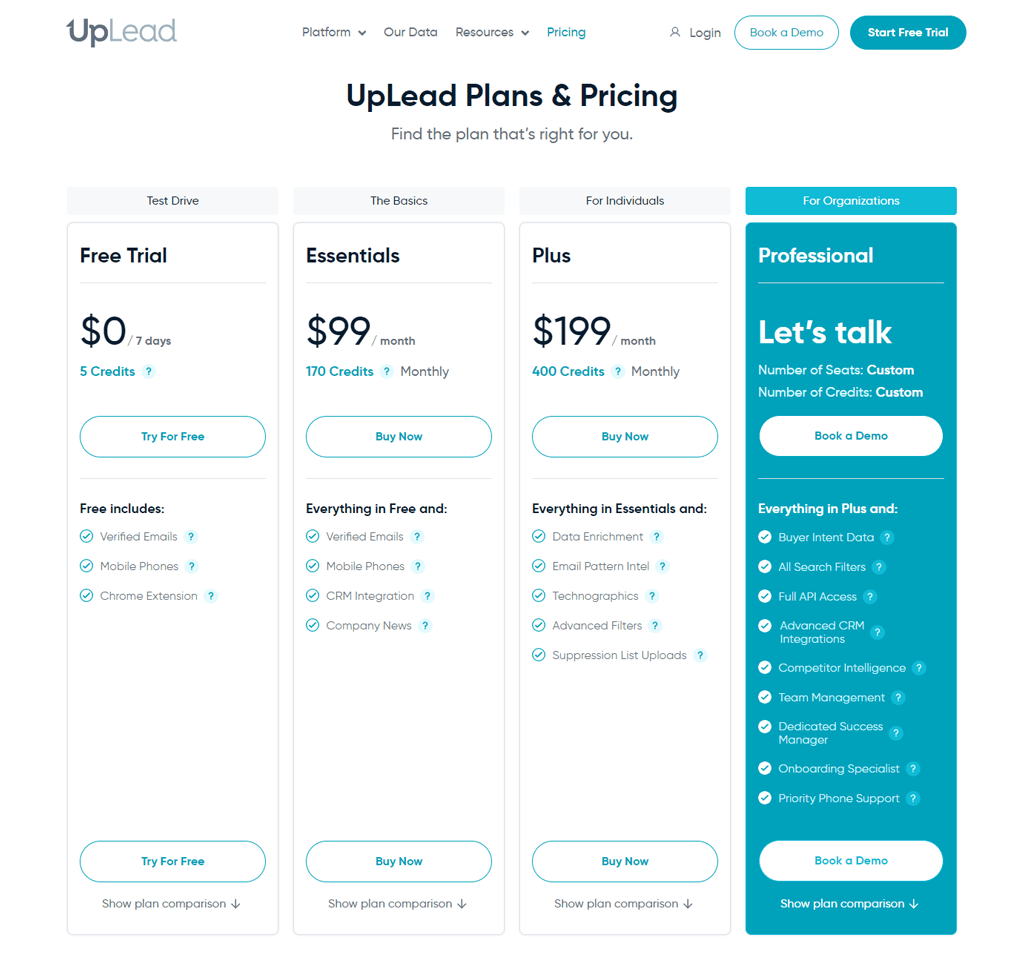
The article lists UpLead’s Test Drive trial at $0 for seven days and five credits, with verified emails, mobile phones, and a Chrome extension. Confirm current trial terms and included features with UpLead.
The article lists UpLead’s Essentials plan at $99 per month with 170 monthly credits, CRM integration, and company news. Verify current pricing, credit limits, and plan features with UpLead.
The article lists UpLead’s Plus plan at $199 per month with 400 credits and features including data enrichment, email pattern information, technographic data, advanced filters, and suppression list uploads. Verify current plan details with UpLead.
What Users Say About UpLead
- G2: 5 out of 5 (736 reviews)
“Ease of implementation is one of the best things about UpLead driven primarily by the ease of use of their product.”- Jeff J
- Capterra: 4.7 out of 5 (75 reviews)
“Excellent, great customer service and have a great experience so far; I have gained 7 new clients in the 6 months I have had it!”- Jim F
Is UpLead Better than ExactBuyer?
UpLead may suit teams focused on building a sales pipeline with verified contact information and filtering tools. Assess its data coverage and verification terms against your prospecting needs.
UpLead may be a fit for teams prioritizing contact data and prospecting workflows, while the article positions ExactBuyer around targeted buyer insights.
UpLead is one option for teams prioritizing lead generation and prospecting. Compare its data coverage, features, and current pricing with ExactBuyer before choosing.
Our Review of UpLead
The article describes UpLead as emphasizing accuracy and efficiency, with email verification and direct dial numbers among its contact features.
The article characterizes UpLead as a higher-priced option and highlights its data verification and list-building features. Teams should compare current pricing and data quality against their needs.
The cost may give some pause, but the capabilities make UpLead worth considering for teams focused on lead generation performance.
4. Clearbit
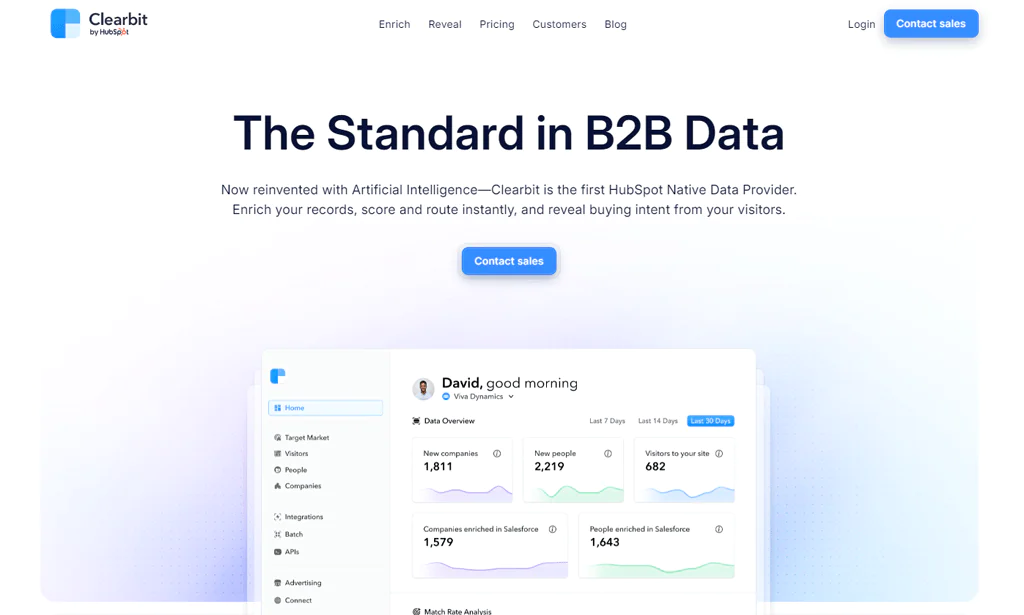
Clearbit positions itself as an early AI-native data provider, offering services to enrich records, surface buying intent, and connect with target customers, serving clients from startups to established enterprises.
The article describes Clearbit as combining public web data, proprietary information, and large language models to standardize unstructured information. Confirm the current product capabilities with the provider.
The article describes a free Clearbit Chrome extension with monthly contact lookups and integrations with CRM and marketing automation platforms. Check current availability, limits, and integrations with the provider.
About Clearbit
- Founding year: 2015
- Founding team: Alex MacCaw, Amit Vasudev, Andrew O’Neal, Harlow Ward, Matt Sornson, and Rob Holland.
- Employee size: 100-120
Features of Clearbit
The features of Clearbit that stand out:
- Complete Data Enrichment: Enriches customer profiles for more personalized and informed business decisions.
- Marketing Automation Integration: Clearbit integrates well with marketing automation tools that support personalized campaigns based on enriched data.
- Real-Time Data Updates: Real-time data updates keep information current and relevant.
- Browser Availability: Available as a browser extension for easy access directly from the web browser.
Pros of Using Clearbit
- Effective lead management enhances categorization.
- A complete dashboard for a complete overview.
- Seamless integration with data systems.
- Lead database enhancement with external sources.
- Real-time notifications for prompt actions.
- User-friendly interface for easy navigation.
Cons of Using Clearbit
- Pricing might be a concern for some businesses.
Pricing
Clearbit offers a range of pricing options suited to different business needs:
The article describes a free account with tools for researching target markets and website visitors, including site-traffic identification, email enrichment, and total addressable market (TAM) calculations. Verify current availability and limits with the provider.
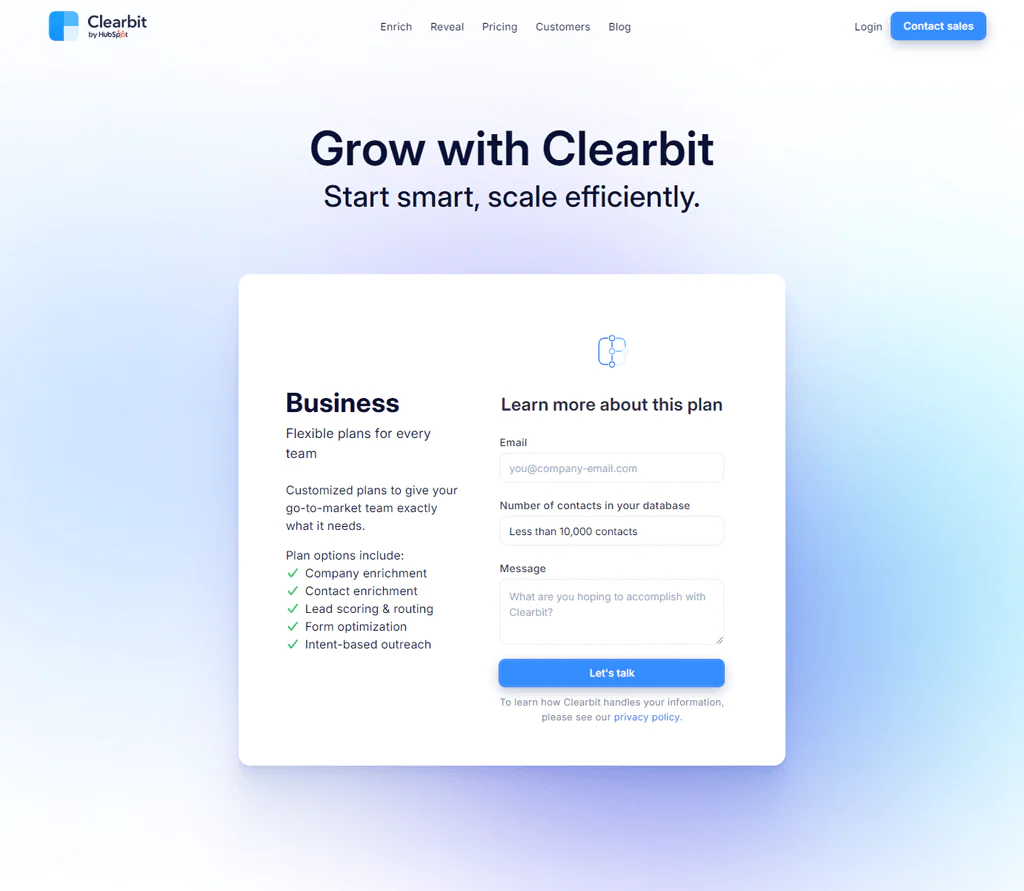
The article describes customized business plans for go-to-market teams, including access to Clearbit Reveal and Enrichment APIs. Confirm current products and plan terms with the provider.
The article describes free API credits for developers, including access to IP de-anonymization, company and contact data, and an account provisioning API. Check current credit availability and API access terms with the provider.
What Users Say About Clearbit
- G2: 4.5 out of 5 (618 reviews)
“The best part about Clearbit is I can use various filter options to qualify relevant data for me like I can check company size, Location Revenue, etc.”- Neel R
- Capterra: 4.5 out of 5 (33 reviews)
“Relatively easy to set up, and a good support team was available to guide how to best establish interactions.”- Evan L
Is Clearbit Better than ExactBuyer?
Clearbit may suit companies seeking data enrichment for sales and marketing. The article describes real-time enrichment as a way to access company and contact information; confirm current capabilities and coverage with the provider.
Enriched prospect data can support personalized outreach, but results depend on data coverage and how a team uses the information. Compare Clearbit’s current capabilities with ExactBuyer for your specific use case.
The article positions Clearbit for teams seeking detailed data for targeting and customization. Assess its current data coverage and features against your requirements.
Our Review of Clearbit
The article highlights Clearbit’s lead targeting and sales personalization capabilities as part of its data offering.
The article describes Clearbit’s lead management and data connectivity features as supporting data-driven workflows.
Clearbit may suit teams that want prospect context for personalized outreach. Confirm that its current data and features meet your needs.
Note: For those considering more reliable choices, competitors of Clearbit are available.
5. Adapt.io
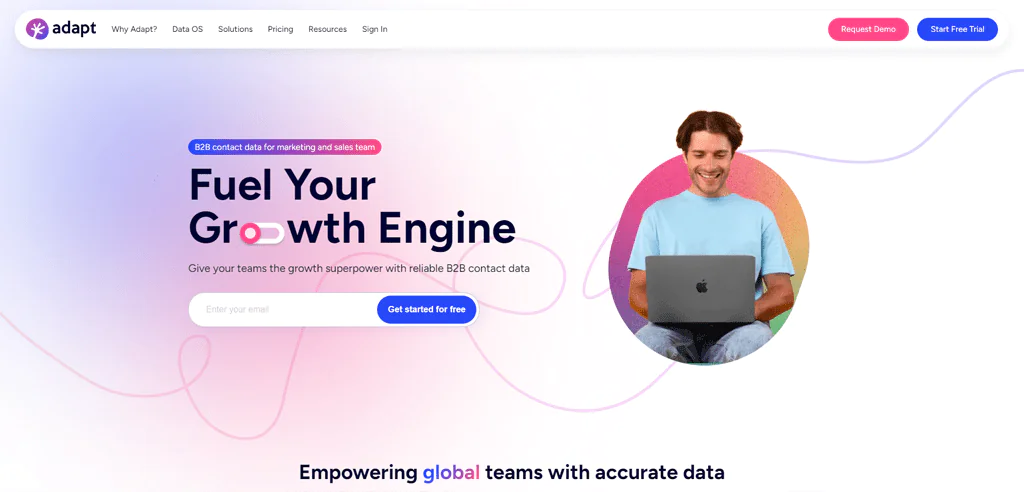
Adapt.io is used by companies globally for its database and accuracy in B2B lead generation, with contact and company profiles built from sources like SEC filings, social media, SMTP validation, and web crawlers, enhanced by AI, ML, and community contributions.
The article lists direct-dial numbers, mobile numbers, and email addresses among Adapt.io’s data attributes for prospecting.
The article describes Adapt.io as offering a broad B2B database and advanced filters, while noting that some users may find the interface less intuitive.
About Adapt.io
- Founding year: 2016
- Founding team: Pradeep Muruganandam
- Employee size: 80-100
Features of Adapt
Key features of Adapt.io to look out for:
- Extensive B2B Database: A sizeable database of contacts and companies makes Adapt.io useful for businesses seeking B2B leads.
- Dynamic Lists and Advanced Filters: Dynamic lists and advanced filtering let you build and manage targeted lists based on specific criteria.
- Precision in Lead Targeting: Detailed insights help identify the most suitable prospects.
- Varied User Experiences: Some users find Adapt.io less intuitive, but once mastered, its feature set can significantly improve lead generation and data management.
Pros
- Enables refined searches by location, title, industry, etc.
- The large lists ensure real-time, accurate data updates.
- REST API provides versatile and flexible data retrieval.
Cons
- Some users may encounter difficulties in obtaining results for specific leads
Pricing
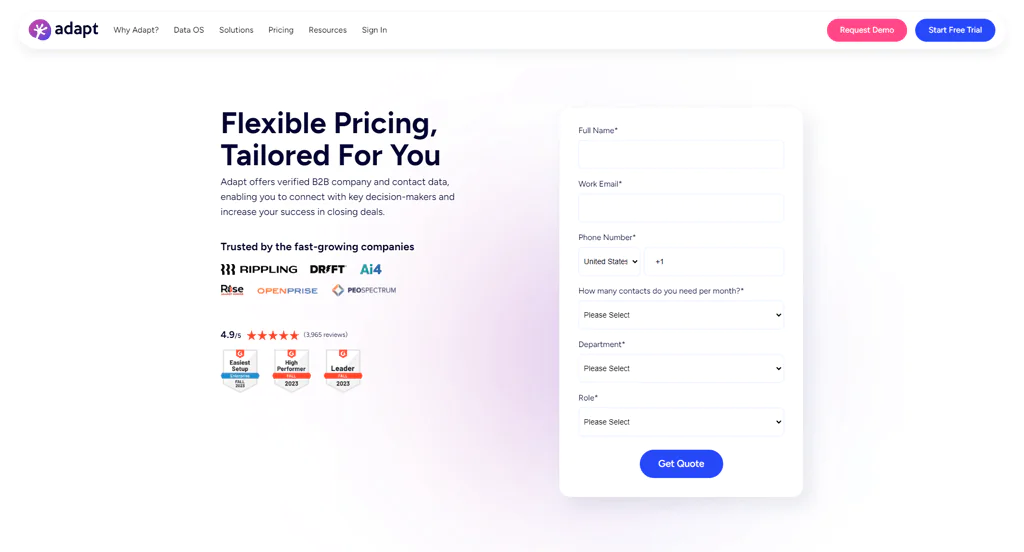
Adapt provides flexible pricing options tailored to meet various business needs. The platform specializes in offering verified B2B company and contact data, useful for connecting with key decision-makers.
What Users Say About Adapt.io
- G2: 4.5 out of 5 (2749 reviews)
“The interface is easy and the quality of leads is great. The Customer service is great.”- Collin M
- Capterra: 5 out of 5 (51 reviews)
“My overall experience of using this software is good for bulk email finding. Because it gives accurate leads within a few times.”- Prasad D
Is Adapt.io Better than ExactBuyer?
Adapt.io may suit businesses seeking a broad database of B2B contacts and companies for sales and marketing prospecting.
The article describes Adapt.io’s data and filters as supporting targeted searches and lead discovery.
The article positions ExactBuyer as a possible fit for teams seeking more focused buyer insights. Compare current features and data coverage with Adapt.io for your use case.
In summary, the article presents Adapt.io as an option for broad lead discovery and ExactBuyer as an option for more focused buyer profiles.
Note: Read more here most popular VoilaNorbert alternatives.
Our Review of Adapt.io
We found Adapt.io to offer real value through its database of contacts and companies, which empowers precise lead targeting.
Advanced filtering allows for highly tailored searches by specific criteria to pinpoint ideal prospects. The platform may seem slightly less intuitive than some competitors, but the depth of data more than compensates.
It ultimately gives sales and marketing teams good value through enhanced lead discovery and segmentation.
For organizations seeking solid databases to extract qualified leads, Adapt.io proves itself a capable option.
6. Leadfeeder
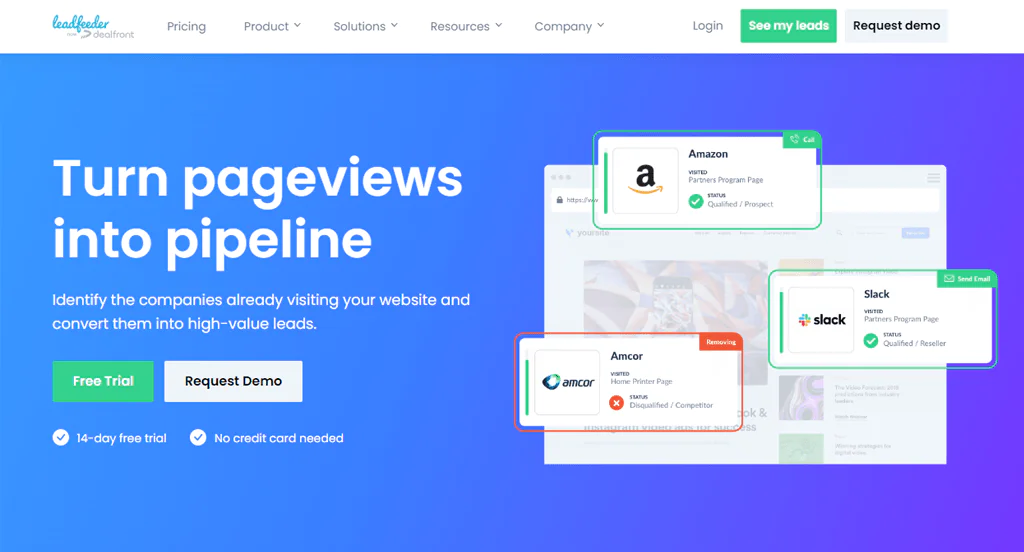
Leadfeeder uncovers the companies visiting your website, turning anonymous traffic into real leads. It integrates with CRM and email marketing tools to support personalized follow-ups.
Businesses use Leadfeeder to identify potential customer interests based on website activity, prioritize leads with scoring, and enrich sales strategies through visitor insights.
That makes it a solid platform for B2B companies aiming to optimize their sales process and improve conversion rates.
About Leadfeeder
- Founding year: 2012
- Founding team: Pekka Koskinen
- Employee size: 100+ employees
Features of Leadfeeder
Here are the features of Leadfeeder:
- Website Visitor Identification: Leadfeeder identifies companies visiting your website, providing insight into potential leads by tracking their behavior.
- Lead Scoring: Prioritizes leads based on website activity, helping sales teams focus on prospects showing genuine interest.
- CRM Integration: Integrates with popular CRM systems, automatically updating lead information so sales teams have current data.
- Customizable Alerts: Set up alerts for when specific companies visit the site or when activity spikes from a particular sector.
- Email Marketing Tool Integration: Integrating with email marketing platforms supports personalized email sequences for lead nurturing.
Pros
- Identifies potential leads by tracking anonymous website visitors.
- Lead scoring helps optimize sales efforts.
- Simplifies workflow by automatically updating lead information.
- Keeps sales teams informed about important website visits.
- Promotes targeted marketing strategies based on visitor behavior.
Cons
- Effectiveness is directly connected to the volume of website visitors.
Pricing
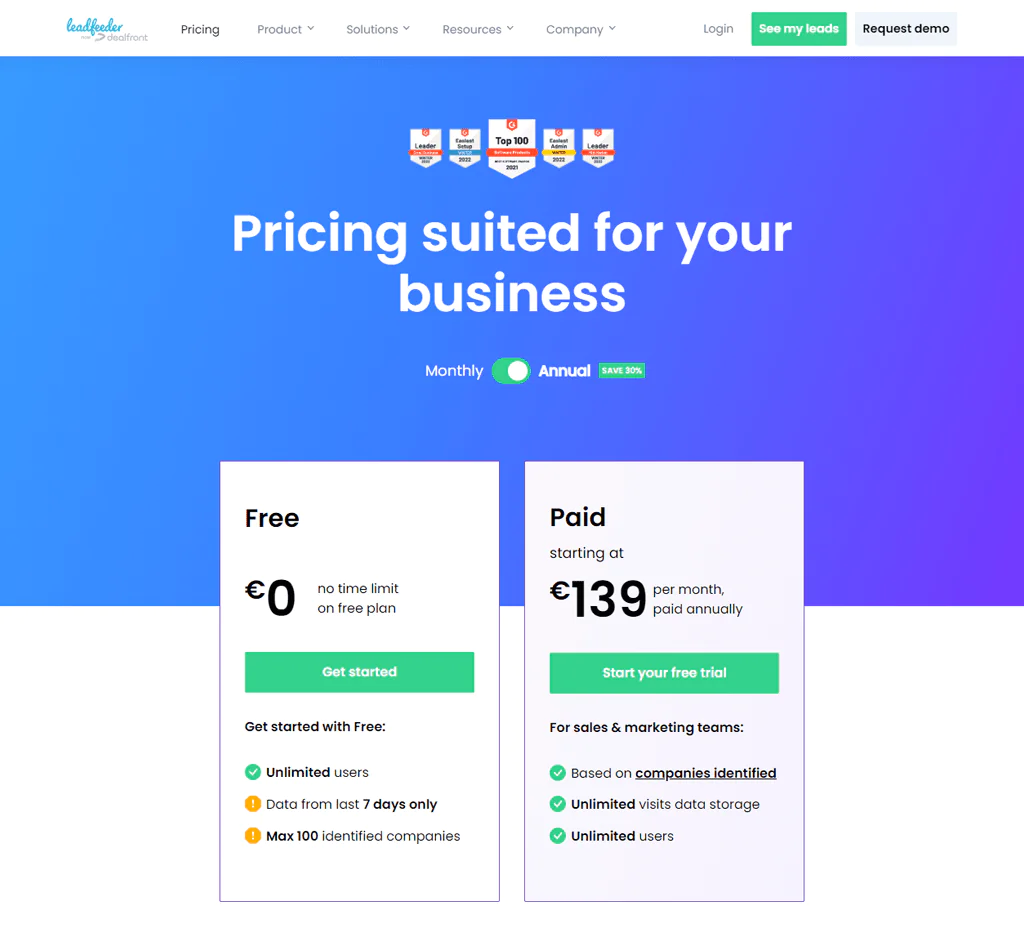
Leadfeeder offers a Free and Paid pricing plans starting at $139 per month when paid annually.
The article describes Leadfeeder’s free plan as providing data from the previous seven days for up to 100 identified companies. Check current limits and plan availability with the provider.
The article describes Leadfeeder’s paid plan as offering unlimited data storage and users, with pricing based on the number of companies identified each month. Verify current plan limits and pricing with the provider.
What Users Say About Leadfeeder
- G2: 4.5 out of 5 (772 reviews)
“I can view website visits and see exactly what they were looking at on the website”- Savannah L
- Capterra: 4.3 out of 5 (129 reviews)
“Absolutely love the product and recommend it to all colleagues, since it’s a great way to gain insight into what both customers and potential clients are looking at on your website.”- Alex F
Is Leadfeeder Better than ExactBuyer?
Leadfeeder may suit businesses seeking to identify companies visiting their websites and use that activity to inform sales follow-up. The article describes it as revealing companies behind some anonymous website traffic.
This suits companies that want to understand their online audience and tailor outreach accordingly.
Leadfeeder may be a fit when website activity is a primary lead-generation signal. Teams seeking detailed buyer profiles and direct contact information may prefer a tool that offers those capabilities.
For website-visitor identification, Leadfeeder offers a different approach from tools focused on contact data or buyer profiles.
Our Review of Leadfeeder
We were impressed by Leadfeeder’s ability to surface potential leads by tracking anonymous website visitors, which makes it a useful tool for B2B sales and marketing teams.
Its CRM integration streamlines the sales process, and the lead scoring feature helps teams prioritize prospects for focused outreach.
Leadfeeder’s value may depend on website traffic volume, which can limit its usefulness for businesses with fewer site visits. It may complement other lead-generation tools.
Note: Have a look at some other alternatives for Leadfeeder.
7. Salesforce
Salesforce is the long-standing foundation of many CRM stacks, offering a suite of tools to manage customer interactions, sales, and marketing from a single platform.
Its cloud-based architecture supports accessibility and scalability for businesses of all sizes.
Salesforce drives operational efficiency through automation, real-time insights, and personalized customer journeys, aiming to build a fuller view of the customer to support growth and retention.
About Salesforce
- Founding year: 1999
- Founding team: Ben McCarthy
- Employee size: 70,000 global employees
Features of Salesforce
The features of Salesforce are given below:
- Customer 360: A complete view of each customer by integrating data from sales, service, marketing, and more, supporting personalized interactions.
- Sales Automation: Automates routine sales tasks like data entry and lead routing, freeing reps to focus on relationships and closing.
- AI-Powered Insights: Salesforce’s AI, Einstein, provides predictive analytics, forecasting, and recommendations for data-driven decisions.
- Customizable Dashboards: Real-time visibility into sales performance, customer interactions, and business trends.
- AppExchange Ecosystem: Access to thousands of third-party apps through AppExchange, extending Salesforce’s functionality.
Pros
- Has a 360-degree view of the customer, enhancing relationship management.
- Adapts to businesses of all sizes, growing with your company.
- Increases efficiency by automating routine tasks, freeing up time for sales teams.
- Access to a wide range of apps and integrations through AppExchange.
- Empowers businesses with actionable insights through advanced analytics.
Cons
- The extensive features demand a large investment in training.
Pricing
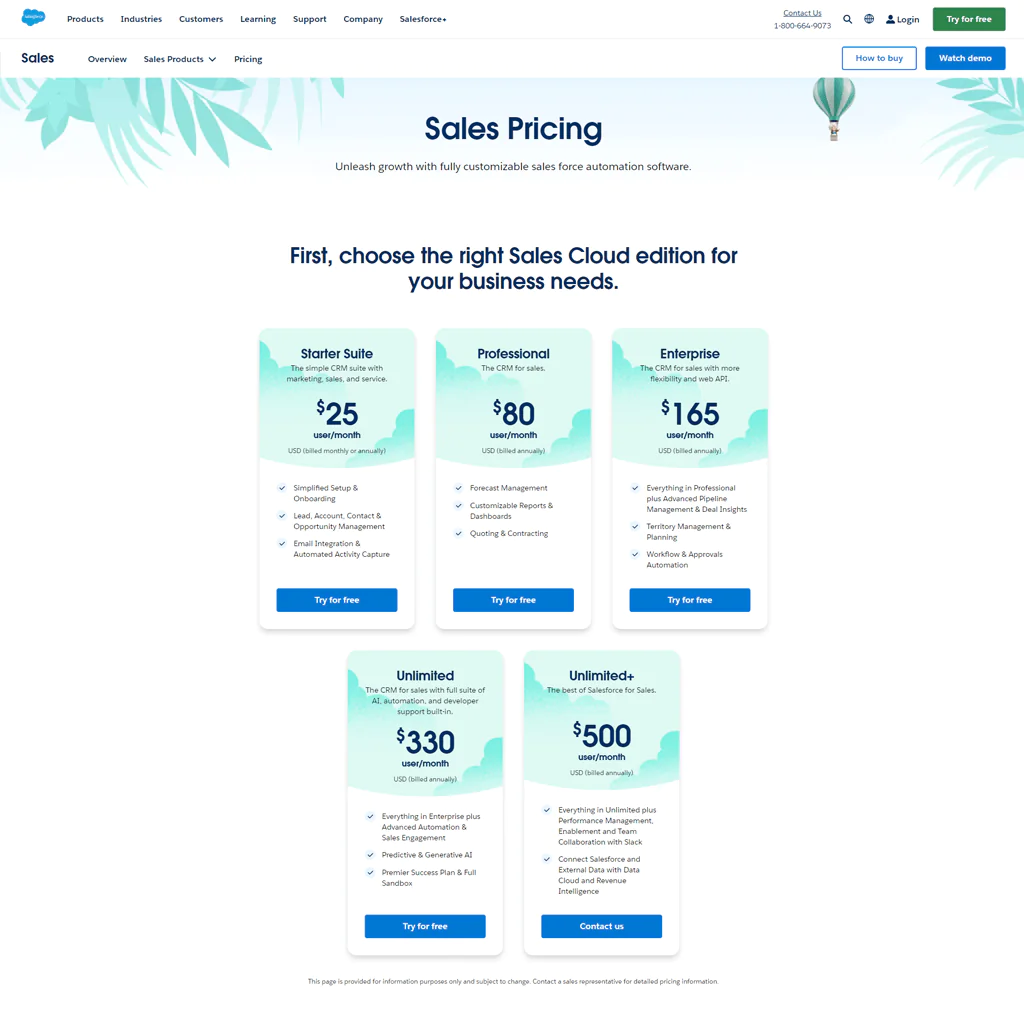
The article lists Salesforce’s Starter Suite at $25 per user per month, Professional at $80, and Enterprise at $165. Confirm current prices, billing terms, and included features with Salesforce.
The article lists Salesforce’s Unlimited plan at $330 per user per month and Unlimited+ at $500. Confirm current pricing and plan details with Salesforce.
What Users Say about Salesforce
- G2: 4.5 out of 5 (1822 reviews)
“Salesforce is the necessary component for sales work (or so it seems) these days.”- Cody
- Capterra: 4.4 out of 5 (18195 reviews)
“My experience using Sales cloud bends towards positive side only. It’s Automation, Customizations, Efficiency, and Insights are some of the liked things in Sales Cloud.”- Chinmay Subray B
Is Salesforce Better than ExactBuyer?
Salesforce fits businesses looking for an all-in-one CRM that manages customer relationships plus sales, marketing, and customer service solution needs.
Salesforce’s customization options and AppExchange ecosystem may suit businesses seeking an integrated CRM. Evaluate the setup and features needed for your team’s workflows.
The article positions Salesforce for broader customer-relationship management and ExactBuyer for specific buyer insights. These tools serve different needs, so compare their current capabilities before choosing.
Our Review of Salesforce
Salesforce remains a standard-bearer among CRM solutions, offering a wide feature set for managing customer relationships.
Based on the feedback we reviewed, it automates sales processes and provides a fuller view of the customer journey. Its versatility and AppExchange ecosystem support tailored solutions across business needs.
Its complexity and cost can be daunting for small businesses without dedicated IT support. Even so, Salesforce’s analytics and customization capabilities make it a strong business tool overall.
8. LinkedIn Sales Navigator
LinkedIn Sales Navigator is a social selling platform built for sales professionals that taps LinkedIn’s network directly.
The article describes LinkedIn Sales Navigator as offering advanced search, lead recommendations, and company updates to support prospect research and relationship-building.
The article lists InMail and profile-view information among Sales Navigator’s engagement features. Feature availability may vary by plan, so check current terms with LinkedIn.
About LinkedIn Sales Navigator
- Founding year: 2002
- Founding team: Reid Hoffman
- Employee size: 10,001+ employee
Features of LinkedIn Sales Navigator
Here are the features of LinkedIn Sales Navigator:
- Advanced Lead and Company Search: Uses LinkedIn’s network for advanced search, helping you find and target potential leads and companies with precision.
- Lead Recommendations: Personalized lead recommendations based on user preferences and past interactions.
- InMail Messages: Send InMail directly to prospects, even those outside your network, for direct and personalized communication.
- Sales Insights: Insights into company news, industry trends, and individual prospects to help adjust approach.
- Integration with CRM: Integrates with various CRM systems, keeping lead and account information synchronized.
Pros
- Uses the world’s largest professional network for sales prospecting.
- Helps discover new leads that match your sales preferences.
- Enables reaching out to prospects outside one’s network.
- Provides valuable insights for personalized outreach.
- Keeps sales data synchronized with CRM platforms.
Cons
- Effectiveness depends on prospects’ activity on LinkedIn, which limits engagement.
Pricing
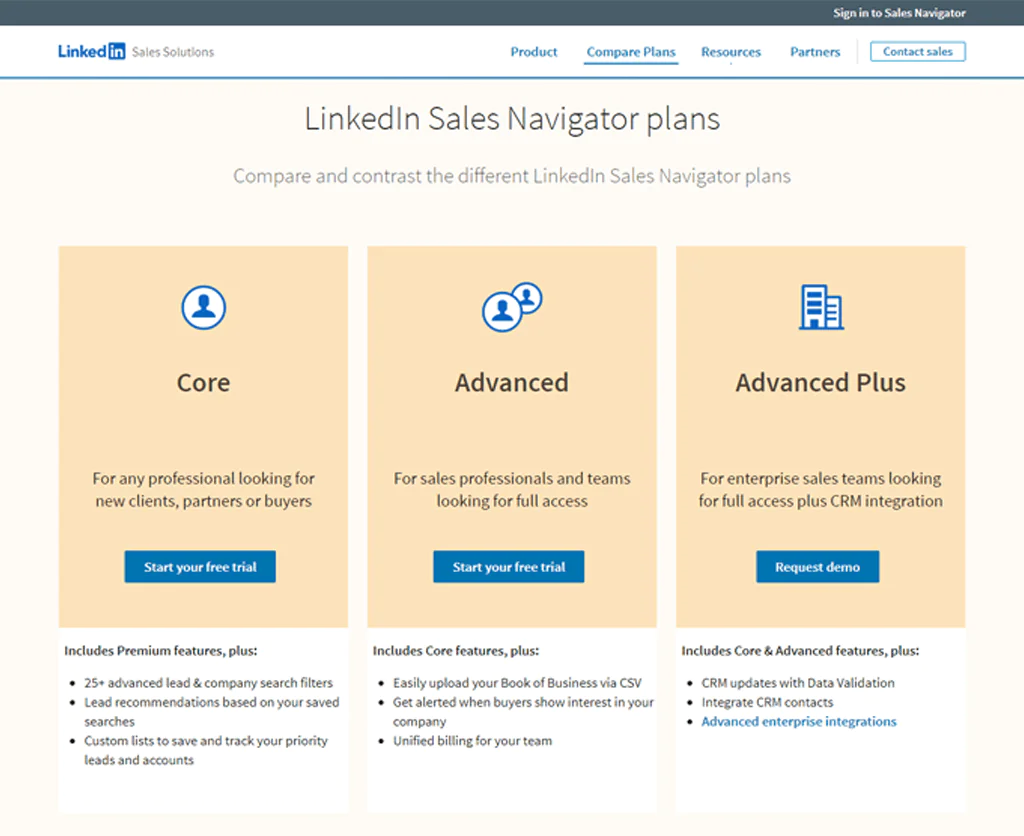
The article lists Core, Advanced, and Advanced Plus as LinkedIn Sales Navigator plans. Confirm current plan names and features with LinkedIn.
Core is for any professional looking for new clients, partners, or buyers, with essential tools to find and connect with the right people.
Advanced is designed for sales professionals and teams seeking full access to Sales Navigator’s capabilities, including team collaboration tools.
Advanced Plus helps enterprise sales teams needing full access plus CRM integration for broader sales processes.
What Users Say About LinkedIn Sales Navigator
- G2: 4.5 out of 5 (1835 reviews)
“I like that it uses a permission-based marketing approach. Cold emailing is a very tricky thing, and really can hurt the reputation.”- Maricka B
- Capterra: 4.6 out of 5 (136 reviews)
“I’m pleased with the Sales Navigator. I know it is not a cheap platform, but I feel like this is a must-have for any sales rep who is doing Enterprise sales.”- Ken S
Is LinkedIn Sales Navigator Better than ExactBuyer?
LinkedIn Sales Navigator may suit professionals who want to find and research prospects through LinkedIn, using search, lead recommendations, and network insights.
It provides a unique advantage for teams focused on networking and social insights to reach the right people.
Sales Navigator may be a fit for teams that prioritize LinkedIn-based prospect discovery and engagement. The article positions ExactBuyer around targeted buyer insights; compare current features for your needs.
Our Review of LinkedIn Sales Navigator
LinkedIn Sales Navigator uses the LinkedIn network to offer targeted sales insights and opportunities, which makes it a standout tool for sales professionals.
Its advanced search and personalized lead recommendations are effective for identifying and nurturing potential clients.
Sales Navigator’s InMail can provide a way to contact prospects outside your network, subject to current product limits. Its usefulness also depends on prospects’ LinkedIn activity and the subscription cost.
Overall, Sales Navigator is a useful tool for social selling strategies.
9. Hunter.io
Hunter.io specializes in finding and verifying professional email addresses, a go-to tool for marketers, recruiters, and sales teams.
Hunter.io lets users search for professional email addresses associated with a domain and check deliverability before email outreach.
Hunter.io focuses on finding and verifying professional email addresses for outreach. Verification can help teams assess addresses, but does not guarantee that every message will reach its intended recipient.
About Hunter.io
- Founding year: 2015
- Founding team: Antoine Finkelstein and François Grante
- Employee size: 11-50 employee
Features of Hunter.io
The features of Hunter are given below:
- Email Finder: Finds the email addresses of professionals associated with a given domain, simplifying the process of connecting with decision-makers.
- Email Verification: Offers an email verification service to check deliverability, reducing the risk of bounces.
- Domain Search: Enter a domain to get a list of associated email addresses, allowing you to target specific departments or roles.
- Campaigns: Create and send personalized email campaigns directly from Hunter.io, with tools for tracking opens, clicks, and replies.
- Chrome Extension: Integrates with LinkedIn and other websites, letting you quickly find email addresses.
Pros
- Optimizes the process of finding professional email addresses.
- Offers reliable email verification, reducing bounce rates.
- Easy to use, even for those new to email marketing tools.
- Assuring sending personalized outreach emails directly from the platform.
- Expands productivity by allowing email search on the go.
Cons
- Lacks broader sales or marketing tool integrations, limiting its scope to email prospecting.
Pricing
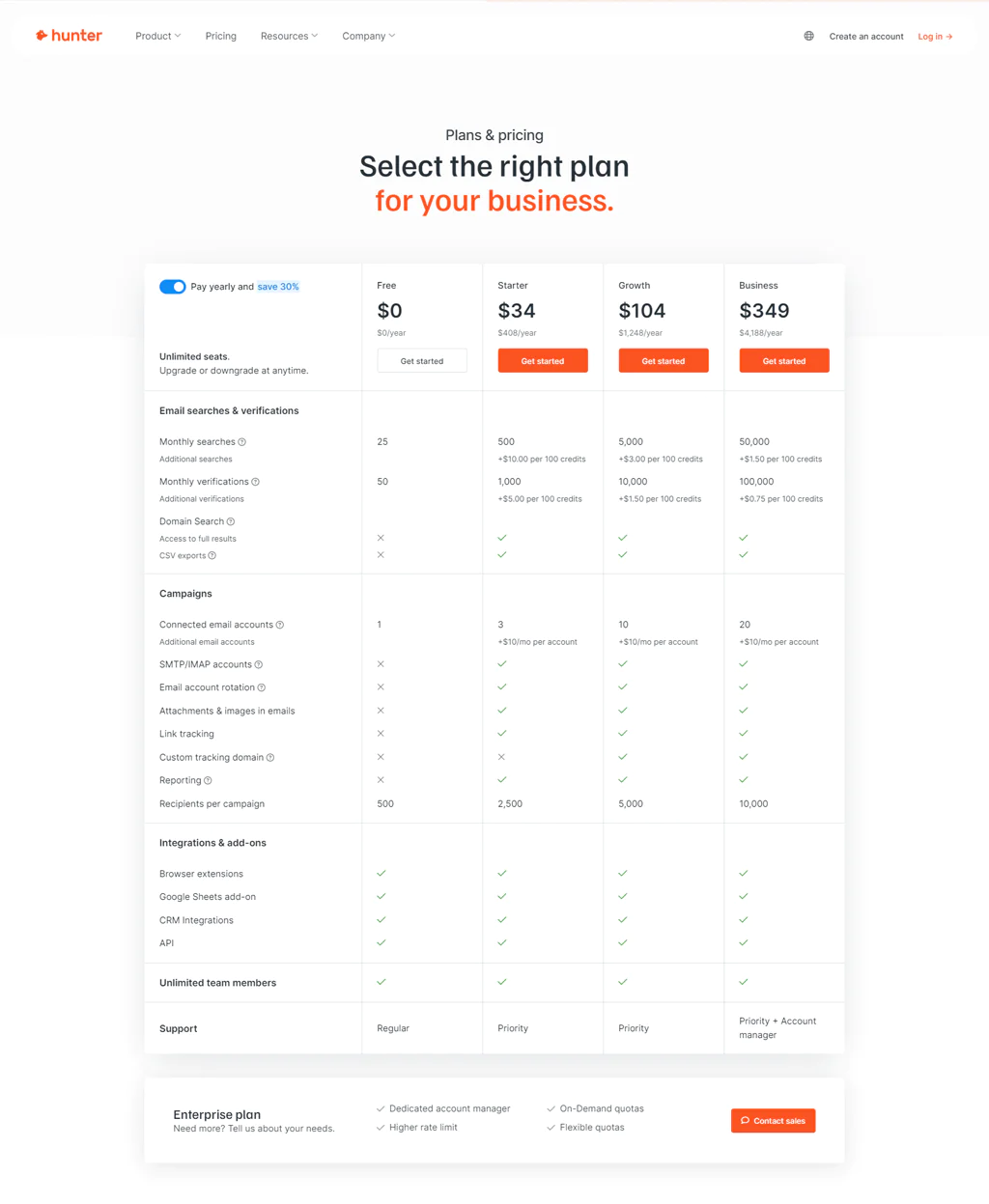
Hunter.io offers different plans for everyone, from people just starting out to big companies.
The article lists Hunter.io’s Starter plan at $34 per month for 500 searches and 1,000 checks. Confirm current plan names, prices, and usage limits with Hunter.io.
The article lists Hunter.io’s Growth plan at $104 per month and Business plan at $349 per month. Confirm current prices and included searches and checks with Hunter.io.
Each plan fits different needs, from beginners to large companies running high-volume email outreach.
What Users Say About Hunter.io
- G2: 4 out of 5 (527 reviews)
“This is the easiest tool for finding reliable email addresses.”- Dave M
- Capterra: 4.6 out of 5 (609 reviews)
“Lots of love here, Highly accurate and up-to-date”- Marc
Is Hunter.io Better than ExactBuyer?
Hunter.io may suit businesses focused on finding and verifying professional email addresses for outreach.
Its strength depends on optimizing the process of gathering contact information for efficient, targeted email campaigns.
Hunter.io may be a fit when email discovery and verification are central to a team’s outreach workflow. ExactBuyer is described in the article as focused on buyer insights.
Our Review of Hunter.io
The article highlights Hunter.io’s Domain Search and Email Finder tools. Contact-data coverage and accuracy can vary, so test the service against your own requirements.
Its user-friendly interface simplifies email outreach, and CRM integration is a notable feature that helps workflow efficiency.
Hunter.io focuses primarily on email data, which may not meet broader contact-data needs. It may suit teams whose prospecting is centered on professional email addresses.
10. Snov.io
Snov.io is an easy-to-use tool for finding email addresses and confirming they’re correct, well suited for sales or marketing outreach to new contacts.
Snov.io includes email outreach automation and tools for managing contacts. Check its current integrations and features against your workflow.
That focus simplifies how you connect with others online, making outreach work smoother.
About Snov.io
- Founding year: 2017
- Founding team: Oleksii Kratko
- Employee size: 100 – 500 employees
Features of Snov.io
Below here are the features of Snov.io:
- Email Finder: Quickly locates email addresses by name, company, or domain, ideal for building targeted outreach lists.
- Email Verifier: Reduces bounce rates by verifying email addresses in real-time, keeping lists clean.
- Email Drip Campaigns: Automates follow-up emails and personalizes outreach with scheduled sequences.
- CRM Integration: Integrates with popular CRM systems for easy lead management.
- Chrome Extension: Finds and verifies email addresses while browsing LinkedIn or company websites.
Pros
- Improves productivity by automating repetitive tasks.
- Simplifies finding and contacting new leads.
- Improves email campaign success rates.
- Reduces time spent on manual data entry.
- Confirms efficient lead tracking and management.
Cons
- The costs escalate quickly with team size.
- Initial setup and feature mastery take time.
Pricing
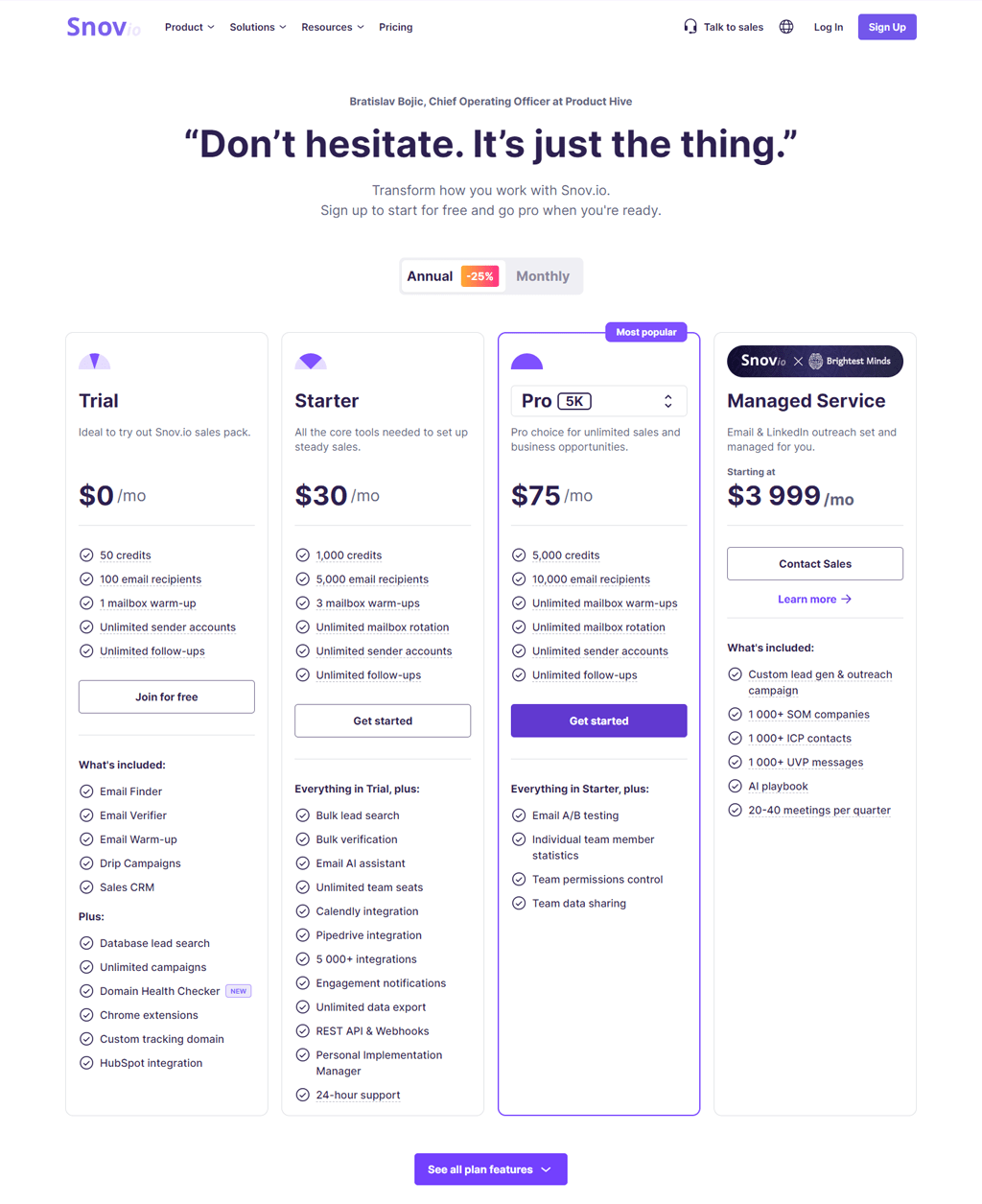
Snov.io has pricing plans for everyone.
The article lists Snov.io’s Trial plan as free with 50 credits. Confirm current trial terms and credit limits with Snov.io.
The article lists Snov.io’s Starter plan at $30 per month for 1,000 credits, Pro at $75 per month for 5,000 credits, and Managed Service starting at $3,999 per month. Confirm current prices, credit terms, and service details with Snov.io.
Each plan fits different needs, from starting out to full-scale operations.
What Users Say About Snov.io
- G2: 5 out of 5 (348 reviews)
“I liked the speed of technical support the most – I get a response in a matter of minutes, unlike other services.”- Pavlo B
- Capterra: 4 out of 5 (207 reviews)
“In Snov io I can add multiple email IDs and send emails in bulk, this tool has proven to be good for me for marketing.”- Sunny k
Is Snov.io Better than ExactBuyer?
Snov.io may suit businesses that prioritize email-based prospecting, with tools for finding, verifying, and contacting leads.
The platform supports smooth email campaigns with automation tools and response tracking.
Snov.io may be a fit for teams that rely heavily on email outreach, while the article describes ExactBuyer as focused on buyer insights. Compare their current features against your workflow.
For organizations where email campaigns are central to marketing strategy, Snov.io offers a solid way to improve efficiency and outcomes.
Our Review of Snov.io
The article describes Snov.io’s Email Finder and Email Verifier as tools for locating and checking email contacts. Test data coverage and verification results for your target audience before relying on them.
Its user-friendly interface keeps operations smooth, and automating email drip campaigns stood out for enhancing engagement.
Snov.io focuses on email-related tasks, which may not cover the needs of teams seeking broader marketing or contact-data features.
Note: Explore alternatives to Snov.io for the solution that suits you best.
How to Choose the Best ExactBuyer Alternative for Your Business?

Choosing an ExactBuyer alternative requires comparing tools against your use case, budget, and workflow. These steps can help narrow the options:
Figure Out What You Need
Start by identifying your goals, such as finding new customers, researching markets, or recruiting. Decide whether breadth of data, freshness, or verified contact details matter most.
Check if It’s a Good Match
Compare each tool’s features and current price with your requirements and budget. Check that it supports the tasks you need, such as contact discovery or data analysis.
Try Before You Buy
Use a free trial, when available, to test the tool with representative tasks such as finding prospects or researching accounts.
Start Using It Slowly
After choosing a tool, start with the most important tasks and expand its use as your team becomes familiar with the workflow.
Use the provider’s available help and training resources to support onboarding and help your team use the platform effectively.
So, What’s the Best Alternative to ExactBuyer?
Swordfish AI may suit teams that prioritize direct contact discovery, including cell phone numbers. The article describes its cell phone verification approach as part of its focus on contact-data accuracy; verify coverage and current terms with the provider.
Swordfish AI may fit teams prioritizing direct contact data over broad account-level coverage. Compare its current pricing, support, and data coverage with your budget and requirements.
Other options include ZoomInfo, which the article describes as offering broad company and contact data, and UpLead, which promotes a data accuracy guarantee. Review the guarantee’s terms and each provider’s current coverage before deciding.
Both are useful tools for sales and marketing efforts alongside Swordfish AI.
Conclusion
The right alternative depends on your team’s needs. The article describes Swordfish AI as focused on direct contact data, including cell phone numbers, rather than treating it as a broad account-level database.
Consider ZoomInfo if broad company and contact data are a priority, UpLead if its verified-contact features fit your needs, and Clearbit if you are looking for data enrichment and lead research. Confirm current capabilities with each provider.
The other ExactBuyer alternatives on this list are worth considering too, depending on your specific requirements.
The right sales intelligence solution can give your team the visibility needed to improve pipeline growth and reach revenue goals.
All the best!
Frequently Asked Questions (FAQs)
What is ExactBuyer?
ExactBuyer is described here as a sales intelligence platform offering contact data for B2B prospecting and outreach. The article also lists AI-assisted search, targeted account lists, contact profiles, data updates, and workflow integrations among its capabilities; verify current features with ExactBuyer.
Is ZoomInfo more extensive than ExactBuyer?
The article characterizes ZoomInfo as having a broader company and contact database than ExactBuyer. Database coverage can vary by market and data type, so compare both against your target audience.
Can UpLead replace ExactBuyer for B2B lead generation?
UpLead may be an alternative for B2B prospecting, including teams that use technographic insights to segment leads. Assess its data coverage and current features against ExactBuyer for your needs.
Are Clearbit and Adapt.io suitable for smaller businesses?
Clearbit and Adapt.io may suit businesses of different sizes, but smaller teams should compare current pricing, plan limits, and feature availability before choosing.

