


 View Products


- Core answer
- To build a call list that produces pipeline, stage your inputs, then dedupe validate rank contacts before reps dial. Segment only when it changes the talk track or call timing.
- Primary metric
- Time to Connect: minutes from list publish to first live conversation, tracked by segment and list source.
- Ideal role
- Sales Ops and SDR managers who own outbound throughput and pipeline velocity.
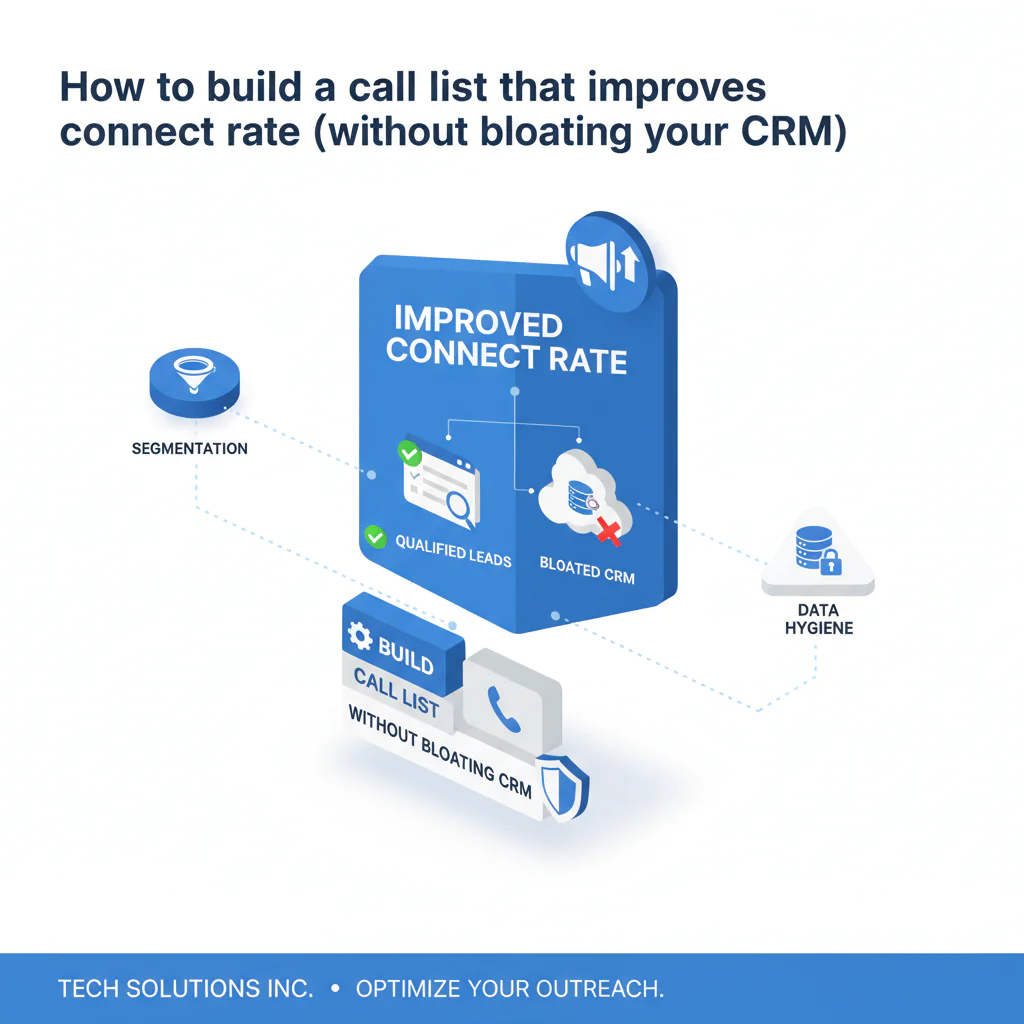
How to build a call list that improves connect rate (without bloating your CRM)
Byline: Ben Argeband, Founder & CEO of Swordfish.AI
List quality determines rep output when you build a call list for outbound. Duplicates, unvalidated numbers, and unranked dialing order turn calling blocks into admin time, which slows Time to Connect and drags pipeline velocity. This is the difference between an outbound call list that produces conversations and one that burns hours.
Who this is for
- Sales ops teams standardizing outbound list builds across SDRs and AEs.
- SDR managers who need higher connect rate without adding headcount.
- Teams inheriting CRM exports and multi-source “Frankenlists” that create duplicates and dead dials.
Playbook
Framework (Frankenlist problem): when you stitch together multiple sources, you get inconsistent identifiers, duplicates, and mixed-quality phone fields. The operational fix is to stage the list, normalize identifiers, then dedupe validate rank before assignment.
-
Define the unit of work and attempt plan. Set a standard list size per rep (example: 200–400 contacts) and a default attempt schedule (example: attempts on days 1, 3, 7, 10, 12, 14). This keeps throughput measurable and prevents reps from hoarding oversized lists.
-
Write inclusion rules before you pull data. Your outbound call list should start from ICP filters and target personas, not from “who has a number.” Enforced relevance reduces wasted attempts and increases meetings per hour because reps spend dials on buyers who can act.
-
Stage raw inputs outside the CRM. Pull from approved sources into a staging sheet/table first. Staging prevents partial records and duplicates from polluting the CRM and keeps cleanup work contained.
In staging, store the source name and pull date per record so you can trace bad segments back to the input.
-
Normalize identifiers so matching is deterministic. Standardize company domain, company name, contact full name, title, country, and phone fields. If domain and person fields aren’t consistent, dedupe contacts becomes guesswork and reporting by segment becomes unreliable.
-
Dedupe contacts across all sources before assignment. Duplicates inflate activity, create double coverage, and waste attempts. Dedupe using a hierarchy: (1) unique person ID if available, else (2) email, else (3) name + company domain, else (4) phone number. Merge into one “golden record” per person.
-
Run phone number validation to remove obvious dead dials. Phone number validation should standardize formatting, confirm country/area alignment, and flag obvious invalid patterns (too short, placeholder values, wrong country for the account). This reduces wasted attempts and improves Time to Connect because reps spend more dials on callable numbers.
-
Enrich missing mobile coverage only where it changes output. If your motion depends on calling, prioritize mobile coverage for the personas you actually target. Targeted lead list enrichment improves connect rate because it increases the share of attempts that reach a person instead of a switchboard or dead end.
-
Rank contacts and numbers so the first dial is the best dial. “Use ranked mobile numbers by answer probability to call the best number first.” Ranking reduces attempts-to-first-connect, which increases conversations per hour and shortens Time to Connect.
-
Segment only when it changes what reps say or when they call. Call list segmentation should reflect differences that change the opener, objection handling, or call timing (example: existing customer expansion vs net-new). When the opener is tighter, reps get to a qualified conversation in fewer attempts, which supports pipeline velocity.
-
Load to your dialer/SEP with guardrails. Enforce required fields, time zone handling, and number order so reps don’t improvise the dialing sequence. If reps can reorder numbers or edit identifiers, you lose the benefit of ranking and you can’t trust segment reporting.
-
Run a one-week pilot with an explicit measurement plan. Compare the new list process to your baseline on Time to Connect, connect rate, attempts-to-first-connect, and meetings per hour.
Sales Ops should publish a weekly view by segment and list source so managers coach to inputs, not anecdotes. Publish the weekly view in the same place managers run pipeline reviews so it gets used.
Checklist: Diagnostic Table
| Symptom (what you see) | Root cause (what’s actually happening) | Fix (what Sales Ops should change) |
|---|---|---|
| High dials, low connects | Numbers not validated; mixed phone types; reps guessing which number to try | Run validation, separate mobile vs other fields, and enforce ranked dialing order in the dialer |
| Reps say “the list is bad” but can’t name a failure mode | No inclusion rules; list built from convenience instead of ICP | Document inclusion/exclusion rules and require them as filters before list creation |
| Multiple reps call the same person | Frankenlist duplicates across sources; dedupe happens after assignment | Dedupe across all sources first, then assign ownership from the deduped golden record |
| Activity looks strong, pipeline doesn’t move | Low relevance; segmentation doesn’t change talk track | Rebuild segments around talk-track differences; remove segments that don’t change rep behavior |
| New SDR ramp is slow | Manual cleanup steps (formatting, dedupe, number guessing) are embedded in the rep workflow | Move normalization, dedupe, validation, and ranking upstream so lists are dial-ready |
| CRM trust declines over time | Raw enrichment written directly into CRM; duplicates accumulate | Stage lists, apply quality gates, then write back only verified fields |
Metrics to track
- Time to Connect: minutes from list publish to first live conversation per rep, tracked by segment and list source.
- Connect rate: live conversations / dials, tracked by segment and number type (mobile vs other).
- Attempts to first connect: dials required to reach a live person. Ranking should reduce this.
- Meetings per hour: meetings set / calling hours. This ties list quality to pipeline velocity.
- Duplicate rate: duplicates found / total contacts in raw input.
- Invalid number rate: invalid or obviously non-callable numbers / total numbers after normalization.
Stop-ship gates (internal QA): If any of these are true, do not publish the list to reps until fixed.
- Duplicate rate is rising week-over-week after you apply your dedupe logic.
- Invalid number rate is worse than your last clean baseline for the same segment/source mix.
- Time to Connect is flat or worse in the pilot while dials increase, which indicates wasted attempts from list inputs.
Diagnostic: Common mistakes
- Building the list from “who has data” instead of “who can buy.” This increases dials but reduces meetings per hour because relevance is low.
- Letting the Frankenlist reach reps. If you merge sources without normalization and dedupe, you create duplicates and inconsistent fields that slow calling blocks.
- Calling unvalidated numbers. If you don’t validate, reps pay the cost in dead dials and slower Time to Connect.
- Not ranking numbers. If reps guess which number to call first, attempts-to-first-connect increases and pipeline velocity slows.
- Over-segmenting. If segmentation doesn’t change talk track or call timing, it adds admin without improving connect rate.
- Writing raw enrichment into CRM. This creates long-term cleanup work and reduces trust in reporting.
Decision Tree: Weighted Checklist
How to use: Review your current process. Prioritize “High impact” items first because they map to standard failure points that directly affect rep output: relevance, dedupe, validation, and ranking.
- ICP inclusion rules are documented and enforced before list pull (High impact). Without this, you increase wasted attempts and reduce meetings per hour.
- Contacts are deduped across all sources before assignment (High impact). Without this, you get double coverage and inflated activity.
- Phone number validation is run and obvious invalids are removed/flagged (High impact). Without this, dead dials slow Time to Connect.
- Numbers are ranked so reps call best-first (High impact). Without this, attempts-to-first-connect increases.
- Call list segmentation changes talk track or call timing (Medium impact). Without this, segmentation becomes admin overhead.
- Time zone and local calling windows are enforced (Medium impact). Without this, connect rate drops due to poor timing.
- List is staged and quality-gated before CRM writeback (Medium impact). Without this, CRM trust declines and cleanup work grows.
- Outcomes by segment feed the next list build (Medium impact). Without this, you repeat the same list mistakes.
Tools and data checklist
- Source systems: CRM plus an account source of truth keyed on company domain.
- Required dial-ready fields: company domain, contact full name, title, segment tag, time zone/region, validated phone fields, and a ranked dialing order.
- Data hygiene controls: documented data hygiene rules for normalization, dedupe, and validation before reps touch the list.
- Ranking capability: ability to order numbers and contacts so the first dial has the highest answer probability.
- Dialer/SEP configuration: field mapping, required fields, time zone handling, and number-order enforcement.
- Quality monitoring: reporting that ties connect rate and meetings per hour back to list segments and list sources.
- CRM writeback control: write back only verified fields to CRM after the list passes stop-ship gates.
- Fair-use access model: “A true unlimited, fair-use model prevents reps from rationing lookups and calls.” If reps ration, enrichment and ranking get skipped and list quality degrades mid-month.
- Fast list build workflow: If you want the shortest path from filter → enrich → rank, use Prospector to produce a dial-ready outbound call list. This reduces list build cycle time and prevents Frankenlists because filtering, enrichment, and ranking happen in one workflow.
Evidence and trust notes
- Why this works operationally: Removing duplicates and obvious invalid numbers reduces wasted attempts. Ranking reduces attempts-to-first-connect. Both shorten Time to Connect and increase conversations per hour.
- What to audit weekly: duplicate rate, invalid number rate, and Time to Connect by segment and list source. If any trend worsens, fix inputs before increasing rep activity targets.
- Scope of “validation”: Treat validation as a quality gate for formatting and obvious invalids, not a guarantee that every number will connect.
For deeper context on using phone numbers in outbound, see sales prospecting with phone numbers. For how mobile coverage affects connect rate, see B2B mobile number data. For how to evaluate and monitor list cleaning outcomes, see data quality.
Troubleshooting Table: Scoring Rubric
Purpose: Decide if a list is ready to ship. Grade each dimension as Green/Yellow/Red. If any Red exists in a high-impact dimension, do not publish the list.
- Relevance (ICP fit)
- Green: Inclusion rules applied; disqualifiers removed; segments map to talk tracks.
- Yellow: Inclusion rules exist but aren’t consistently enforced.
- Red: List built from convenience with no enforced ICP filters.
- Data hygiene (dedupe)
- Green: Dedupe across sources; golden record created; ownership is clean.
- Yellow: Partial dedupe (email-only) or dedupe happens after reps start calling.
- Red: Known duplicates remain; multiple reps can contact the same person.
- Phone readiness (validation)
- Green: Validation run; obvious invalids flagged/removed; time zone is reliable.
- Yellow: Formatting standardized but country/area alignment is inconsistent.
- Red: Raw numbers pushed to reps with no validation gate.
- Execution efficiency (ranking)
- Green: Numbers are ordered best-first; reps don’t choose which number to try.
- Yellow: Some ordering exists but reps still guess often.
- Red: No ranking; dialing order is rep-dependent.
- Measurement
- Green: Time to Connect, connect rate, and meetings per hour tracked by segment/source; feedback loop exists.
- Yellow: Metrics exist but aren’t tied back to list inputs.
- Red: Only top-line dials are tracked; list quality is invisible.
Limitations and edge cases
- Compliance and consent: Calling rules vary by region and industry. Enforce local calling windows and internal compliance requirements in your dialer/SEP.
- Small TAM: Strict inclusion rules and dedupe can shrink volume. In small TAM motions, ranking and validation matter more because each contact gets more attempts.
- Channel mismatch: If your buyers rarely answer calls, list quality won’t fix channel fit. Keep the same hygiene and ranking, but shift primary effort to the channel that produces conversations.
- Shared territories: If multiple teams work the same accounts, assignment rules must be explicit or dedupe won’t prevent double coverage.
FAQs
What’s the fastest way to build a call list without creating duplicates?
Stage the list outside the CRM, normalize identifiers (domain + person), dedupe across all sources, then assign ownership before publishing. If you dedupe after reps start calling, you already paid the cost in wasted attempts.
How do I improve connect rate without increasing dials?
Fix list inputs: validate numbers to remove obvious invalids, prioritize mobile coverage for target personas, and rank numbers best-first. This reduces attempts-to-first-connect and increases conversations per hour.
How often should we rebuild our outbound call list?
Weekly is a practical default because it keeps data fresh and supports a feedback loop by segment and source. Rebuild faster if invalid number rate or duplicate rate trends worse.
What fields are non-negotiable for a dial-ready list?
Company domain, contact full name, title, segment tag, time zone/region, validated phone fields, and a ranked dialing order.
Next steps
- Day 1: Document ICP inclusion rules, define list size per rep, and set the attempt schedule.
- Day 2: Pull raw inputs into staging, normalize identifiers, and dedupe to a golden record.
- Day 3: Run validation, enrich targeted mobile coverage where needed, then rank numbers best-first.
- Day 4: Load to dialer/SEP with enforced number order and time zone rules.
- Days 5–10: Pilot and report Time to Connect, connect rate, attempts-to-first-connect, and meetings per hour by segment/source. Apply stop-ship gates before scaling.
About the Author
Ben Argeband is the Founder and CEO of Swordfish.ai and Heartbeat.ai. With deep expertise in data and SaaS, he has built two successful platforms trusted by over 50,000 sales and recruitment professionals. Ben’s mission is to help teams find direct contact information for hard-to-reach professionals and decision-makers, providing the shortest route to their next win. Connect with Ben on LinkedIn.

