


 View Products


Key takeaways
- Compare Seamless AI alternatives by data quality, workflow fit, and compliance before comparing headline prices.
- Test the same representative targets in each tool and define what counts as usable data before the test begins.
- Verify export caps, throttling triggers, and credit definitions in writing.
- Test CRM or ATS integrations in a sandbox, paying attention to deduplication, field mapping, and overwrite rules.
- Results can vary with seat count, API usage, list quality, and industry, so document those factors when evaluating tools.
Last updated: September 3, 2026
Byline: Ben Argeband, Founder & CEO of Swordfish.AI
Who this is for
Sales reps, recruiters, and RevOps teams evaluating Seamless AI alternatives may prioritize day-to-day reachability (verified mobiles/direct dials), predictable usage, and workflows that turn LinkedIn or exported lists into real connects. Teams targeting healthcare providers should also test how well contact details hold up as clinicians change practices, systems, and affiliations; these records may need regular validation.
A common risk when auditing tools like Seamless is paying for data you can’t operationalize: export limits can restrict use, stale data may not connect, and integrations can create cleanup work through duplicates, overwrites, or broken routing.
Quick verdict
- Core answer
- Seamless AI alternatives fall into three buckets: prospecting UI (browser-first), enrichment (database-first), and API plumbing (ops-first). Prospecting UI reduces manual research steps, enrichment reduces list prep work, and API plumbing reduces ops handoffs. Pick the model that matches your workflow, then audit quality, model, compliance before you compare pricing.
- Key stat
- Expect variance in outcomes based on seat count, API usage, list quality, and industry. If a vendor claims universal improvements without those qualifiers, you can’t audit the claim.
- Ideal user
- Teams that prospect daily from LinkedIn and lists, need predictable usage, and want fewer surprises around exports, enrichment, and CRM hygiene.
Decision guide
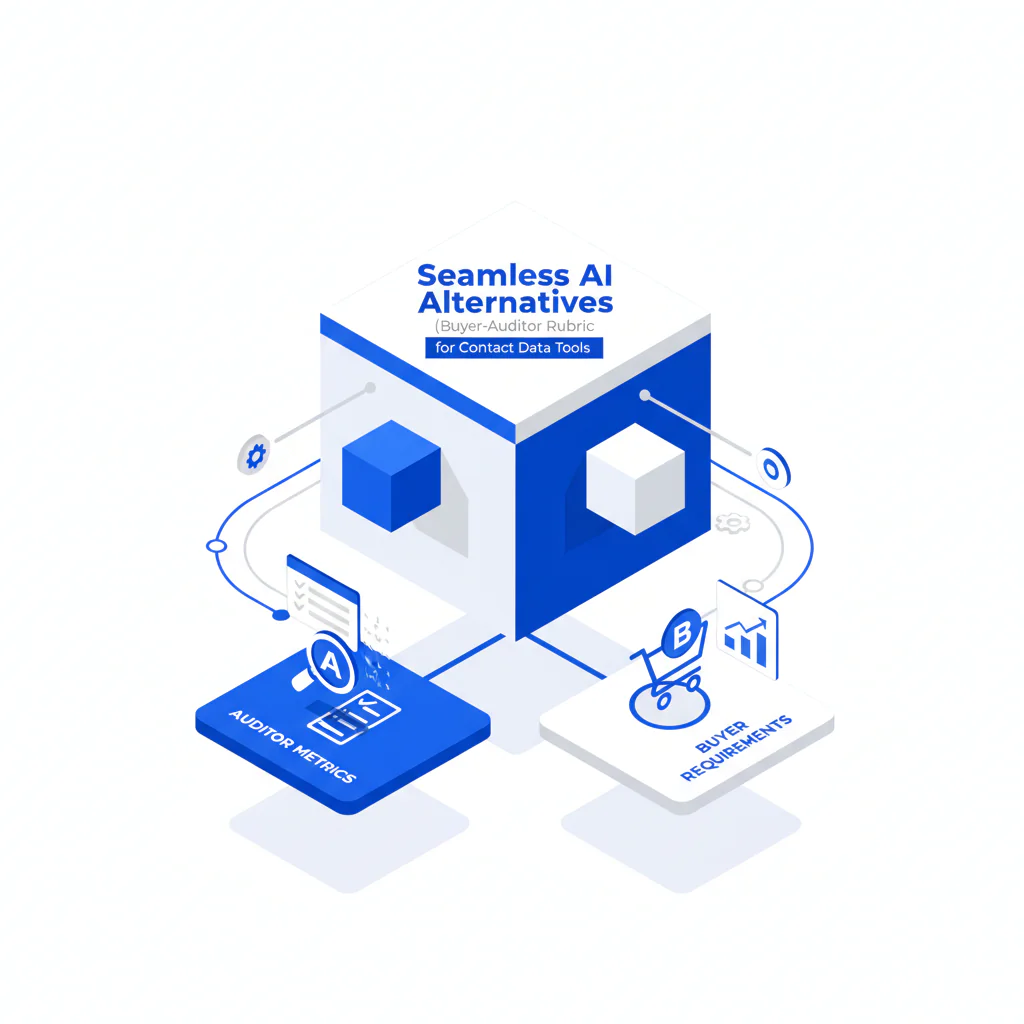
This page uses an alternatives rubric because “tools like Seamless” is a procurement trap. Listicles don’t show you the contract limits that block output; the rubric does.
If you’re searching Seamless competitors, the fastest way to avoid a bad pick is to force written answers on exports, throttles, and overwrite rules before you compare headline price. That reduces rollout surprises and the admin work that follows.
Evaluate quality, workflow fit, and compliance before price: a tool that fails on any of these can create operational costs that headline pricing won’t show.
- Quality: If mobiles/direct dials don’t connect, reps burn time and your pipeline math lies.
- Model: If the tool doesn’t match your workflow (LinkedIn-first vs enrichment vs API), you’ll build workarounds and adoption drops.
- Compliance: If you can’t explain sourcing and opt-out handling, you inherit risk you can’t price. Requirements vary by jurisdiction and internal policy, so document what your team will and won’t do. This isn’t legal advice; it’s an audit step.
- Price last: Pricing pages rarely reflect export limits, throttles, and what “unlimited” actually means.
For Seamless-specific context on cost drivers and plan mechanics, cross-check Seamless AI pricing against your real usage pattern (exports per rep, enrichment volume, and CRM sync frequency). For workflow friction and day-to-day usability, see Seamless AI review.
How to test Seamless competitors with your own list (7 steps)
- Pick one workflow: LinkedIn prospecting, list enrichment, or API automation. Don’t mix them in one test.
- Build a test set: 50–100 real targets from your ICP slice (same industry and seniority you actually sell/recruit into, including specific specialties if you target providers).
- Define “usable” upfront: Decide what counts as success for your team (mobile vs direct dial, email deliverability expectations, and whether you need both).
- Run the same targets through each tool: Capture what you get back and how many steps it takes to get it into your system.
- Audit limits while you test: Note any export caps, throttles, or “view vs export” credit rules that change rep behavior. Log any throttle messages and export errors so you can show them in procurement.
- Test integration behavior in a sandbox: Check dedupe, field mapping, and overwrite rules. Log overwrite events and duplicate creation so you can estimate cleanup work.
- Write down variance drivers: Seat count, API usage, list quality, and industry. If a result depends on one of these, document it so you don’t overgeneralize.
Checklist: Feature Gap Table
| Audit Area | What buyers assume they’re getting | Where hidden costs show up | What to verify in writing (before you buy) | Business outcome impacted |
|---|---|---|---|---|
| Verified mobiles / direct dials | “Has phone numbers” | Low reachability forces more touches per meeting; reps compensate with more sequences and more dials | Definition of “verified,” refresh cadence, and whether results are ranked (best number first) | More connects per hour; fewer wasted dials |
| Unlimited credits tools | Unlimited means unlimited | Fair-use throttles, daily caps, or feature gating (export/enrichment) turns “unlimited” into rationing | Exact fair-use language, throttling triggers, and whether exports are capped per seat | Predictable rep output; stable cost per meeting |
| Export limits | “I can export what I find” | CSV limits or CRM sync caps create shadow ops and duplicate work | Export caps by day/month, per-seat vs pooled, and whether enrichment counts against export | Lower admin time; cleaner handoffs to CRM |
| Contact data quality | Database accuracy is static | Data decay turns last quarter’s “good” list into this quarter’s bounce/voicemail list | How the vendor handles refresh, conflict resolution, and stale records | Lower bounce rates; fewer dead-end calls |
| Recruiting contact tools vs sales prospecting tools | One tool fits both | Recruiting often needs personal mobiles more often; sales may prioritize direct dials and firmographics | Coverage by persona/industry and whether the tool prioritizes the right number type | Faster candidate outreach or faster pipeline creation |
| Integrations (CRM/ATS) | “Native integration” means low effort | Field mapping, dedupe rules, and enrichment timing create CRM pollution if misconfigured | Sync direction, dedupe logic, and whether enrichment overwrites existing fields | Fewer duplicates; higher trust in CRM data |
| API access | API is included | API is often a separate tier; usage-based billing can spike with automation | API pricing model, rate limits, and whether API calls consume the same credits as UI | Stable automation costs; fewer broken workflows |
| Compliance posture | Vendor “handles compliance” | You still own downstream usage; unclear sourcing creates audit risk | Data sourcing explanation, opt-out handling, and contractual terms around permitted use | Lower legal/compliance exposure; fewer forced process changes |
| Pricing transparency | Sticker price reflects total cost | Add-ons for exports, enrichment, seats, and integrations inflate TCO | Seat minimums, renewal terms, and what happens when you exceed “fair use” | Lower surprise spend; easier budgeting |
What Swordfish does differently
Some Seamless alternatives combine a database with a prospecting interface. When comparing them, look beyond the UI: check usage constraints, data freshness, and how well the tool fits your workflow before rollout.
- Prioritized direct dials / ranked mobile numbers: When a tool returns multiple numbers, the order matters. Ranking the most likely-to-connect number first reduces wasted dials and rep churn.
- “True” unlimited credits with fair use explained: “Unlimited” is a contract definition, not a feature. Swordfish is built to make usage constraints explicit so you don’t discover throttles after onboarding. If you’re comparing unlimited models, see unlimited contact credits and match the fair-use language to your seat count and workflow.
- Workflow-first prospecting: If your team lives in LinkedIn and exported lists, the tool should reduce steps from “profile/list” to “call/email,” not add CSV handling and dedupe cleanup.
If you want the direct head-to-head framing, use Swordfish vs Seamless AI to map feature differences to operational cost (rep time, admin time, and predictability).
Product context: Info Prospector is positioned for teams that want “True” Unlimited credits without building a spreadsheet workflow to stay under caps.
Decision Tree: Weighted Checklist
This checklist prioritizes potential failure points in contact data deployments: hidden limits, integration friction, and data freshness. Treat the weighting as a buyer’s evaluation framework, not as a measured ranking of vendors.
- High weight (deployment breakers)
- Quality: Verified mobiles/direct dials that support day-to-day reachability. If this fails, rep output drops and you can’t fix it with process.
- Model: Fit to your workflow (LinkedIn-first prospecting vs list enrichment vs API-first). Wrong model creates manual workarounds and low adoption.
- Compliance: Clear sourcing explanation and opt-out handling. If you can’t explain it internally, you can’t defend it in an audit.
- Export limits and throttles: Any cap that forces rationing changes rep behavior and makes forecasting unreliable.
- Medium weight (TCO multipliers)
- Integrations: CRM/ATS sync behavior, dedupe rules, and overwrite controls. Bad defaults create duplicates and field corruption.
- Pricing transparency: Seat minimums, renewal terms, and add-ons for API/export/enrichment. This is where “budget” turns into “exception request.”
- Data refresh/decay handling: How stale records are corrected and how conflicts are resolved. Decay is guaranteed; the question is who pays for it, and in healthcare outreach it tends to be faster given frequent practice moves and credential changes.
- Low weight (nice-to-have unless you have a specific constraint)
- UI polish: Helpful, but it won’t fix low connect rates or export caps.
- Extra filters: Useful for targeting, but only after you trust the underlying contactability.
Variance explainer: your results will vary based on seat count (more reps amplify caps), API usage (automation can trigger rate limits or usage billing), list quality (bad inputs produce bad outputs), and industry (some verticals, including healthcare, have faster role churn and higher decay).
Troubleshooting Table: Conditional Decision Tree
- If your reps prospect primarily from LinkedIn and need phones that connect daily, then prioritize tools that return ranked mobile numbers or prioritized direct dials and make exports predictable.
- If your workflow is enrichment of inbound leads or CRM records at scale, then prioritize API terms, rate limits, and whether enrichment overwrites existing CRM fields.
- If you see “unlimited” on a pricing page, then ask what triggers throttling, what counts as usage, and whether exports are capped per seat.
- If the vendor can’t explain sourcing and opt-out handling in plain language, then treat compliance as your problem, not theirs.
- Stop condition: If you cannot get written answers on export limits, fair-use throttles, and data handling (refresh and overwrite rules), stop the purchase. Request the exact artifacts: the pricing addendum that defines usage, the export policy, and the API rate-limit/usage terms if you plan to automate.
Limitations and edge cases
- Industry variance: High-churn industries, including healthcare provider networks, will experience more decay. Expect more stale titles and disconnected numbers regardless of vendor; the differentiator is refresh behavior and number prioritization.
- Seat count effects: A plan that “works” for a couple reps can fail at scale when export caps and throttles become daily blockers.
- API vs UI mismatch: Some tools behave one way in the UI and another way under automation. If RevOps plans to operationalize enrichment, audit API terms early.
- Recruiting vs sales: Recruiting often needs personal mobiles more frequently; sales may lean on direct dials and firmographics. Test on the profiles you actually target.
- CRM hygiene risk: Auto-enrichment can backfire if overwrite rules are sloppy. You can lose manually verified fields and introduce duplicates that break routing.
For a deeper view on why “accuracy” claims don’t survive real workflows, see data quality and evaluate how each vendor handles decay and stale records over time.
Evidence and trust notes
I’m not going to invent performance metrics because they’re not portable across teams. Connect rates and coverage vary with seat count, API usage, list quality, and industry. Any comparison that ignores those variables is marketing, not procurement.
Disclosure: I’m the founder of Swordfish.AI. This rubric focuses on criteria buyers can verify in writing, whether or not they choose Swordfish.
When reviewing pricing pages, look beyond the headline price and ask the vendor to define usage, limits, and what happens when you exceed them:
- Ask whether limits are per seat or pooled. Per-seat caps punish growth.
- Ask what counts as a “credit” (view, export, enrichment, API call). Vendors define usage to protect margin.
- Ask whether exports are limited separately from lookups. Export limits are where tools quietly control your output.
- Ask what happens when you exceed fair use (throttle, overage billing, or forced upgrade). You need the failure mode in writing.
FAQs
What are the most common reasons teams switch from Seamless AI to an alternative?
Predictability and workflow friction. Teams usually don’t leave because the tool has zero data; they leave because export limits, throttles, or low reachability create more work than the tool removes.
How should I compare Seamless alternatives without relying on vendor demos?
Run the same targets through each tool and evaluate quality, model, compliance. Use a test set that matches your real targeting (industry and seniority) and document export behavior, throttling, and CRM overwrite rules. Results will vary with list quality and industry, so don’t generalize from a convenient sample.
Are direct dial providers and mobile number tools the same thing?
No. Some tools skew toward corporate direct dials; others return more mobile numbers. The business outcome is whether your team reaches the person in your segment with fewer wasted dials.
What does “unlimited” usually mean in contact data tools?
It depends on the vendor’s fair-use definition. “Unlimited” can still include throttles, export caps, or feature gating. Treat “Unlimited” as a contract question and compare it to your seat count and expected usage.
What’s the fastest way to reduce integration headaches?
Decide upfront whether the tool is allowed to overwrite existing CRM fields, and define dedupe rules before you sync. Most integration pain comes from turning on automation without governance.
What does “unlimited” usually mean in contact data tools?
It depends on the vendor’s fair-use definition. Unlimited can still include throttles, export caps, or feature gating. Treat Unlimited as a contract question and compare it to your seat count and expected usage.
Next steps
- Day 1: Write down your workflow (LinkedIn prospecting, list enrichment, or API automation) and constraints (seat count, CRM/ATS, export needs).
- Days 2–3: Test 50–100 real targets and compare outcomes using the rubric: quality, model, compliance. Record export behavior and any throttling.
- Days 4–5: Validate integration behavior (dedupe and overwrite rules) in a sandbox or limited sync.
- Week 2: Negotiate based on written answers: export limits, fair-use triggers, API terms, and renewal conditions. If you can’t get those answers, use the stop condition and walk.
If you want an alternative designed around predictable usage and daily prospecting workflows, review Info Prospector and compare it against your current process.
About the Author
Ben Argeband is the Founder and CEO of Swordfish.ai and Heartbeat.ai. With deep expertise in data and SaaS, he has built two successful platforms trusted by over 50,000 sales and recruitment professionals. Ben’s mission is to help teams find direct contact information for hard-to-reach professionals and decision-makers, providing the shortest route to their next win. Connect with Ben on LinkedIn.

