


 View Products


Last updated: September 3, 2026
Byline: Ben Argeband, Founder & CEO of Swordfish.AI
Author note: Export is the easy part. Usable mobile numbers are the hard part, and ranking plus verification is what actually improves call efficiency after export.
Who this is for
This is for teams running a LinkedIn-export-to-dial workflow who need better downstream reachability, including recruiting and healthcare staffing teams that depend on reaching providers directly. If your process is export leads, enrich, dial, the hidden cost isn’t the export itself. It’s wasted dials from stale or low-confidence numbers, plus the ops time spent cleaning up a list after an “unlimited” plan turns out to behave like a quota.
Quick verdict
- Core answer
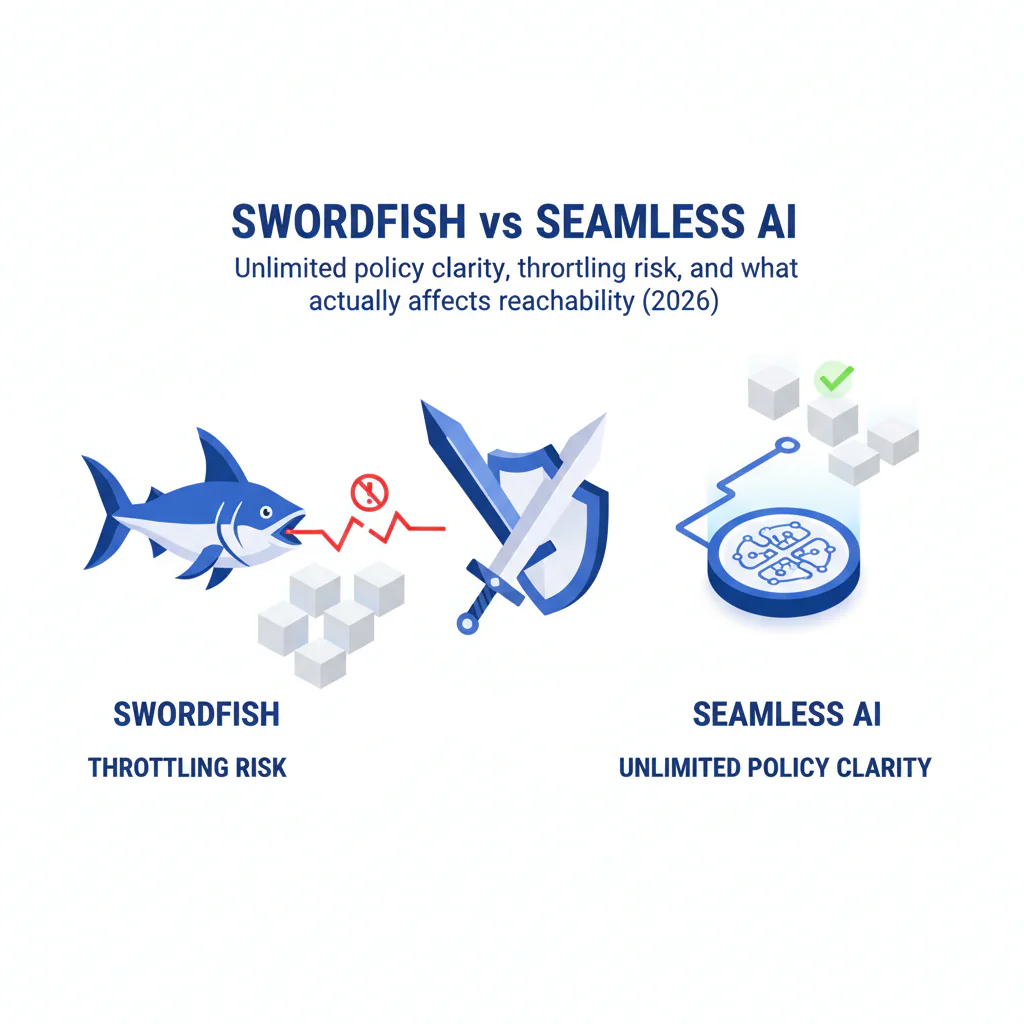
- If you’re deciding swordfish vs seamless ai, the practical difference is what happens once you hit real usage and whether you can operationalize the data. Swordfish is built around a clearer unlimited policy with fair use guardrails plus ranked and verified phone results, while some Seamless AI buyers report throttling or workflow friction depending on plan terms, usage patterns, and list quality.
- Key stat
- There is no honest universal accuracy number for either vendor. Your variance will come from seat count, API usage, list quality (freshness and match rate), and industry, and this matters more in a specialty field like healthcare provider data than in generic B2B. Require both vendors to run the same sample list and return match outcomes plus verification metadata, not just “contacts found.”
- Ideal user
- Operators who want predictable usage behavior and fewer wasted call attempts, and who don’t want RevOps rebuilding the pipeline after limits or missing metadata show up post-rollout.
- Pick this if
- Pick Swordfish if you need written fair use boundaries and ranked mobiles or direct dials to cut wasted dials. Pick Seamless AI if your workflow is low-volume and you have plan terms in writing that spell out throttling behavior for your usage mode.
What Swordfish does differently
Most contact tools look fine in a demo. The problems surface later: data decay, unclear usage limits, and integration cleanup when exports don’t carry the metadata you need to route leads.
Ranked mobile numbers and prioritized direct dials: Swordfish emphasizes ranked results so reps call the most likely-to-connect number first. That cuts wasted attempts and keeps your outbound call list from turning into dial three numbers and hope, which matters a lot when you’re trying to reach a physician or clinician between patient visits.
Contact data verification you can use downstream: Verification only matters if it shows up in the export so you can route records accordingly. When verification metadata is present, you can auto-dial high-confidence mobiles and push low-confidence records into email-first sequences. That’s how contact data verification reduces wasted rep time, without pretending there’s one accuracy figure that applies to every industry or provider type.
Unlimited policy clarity, not marketing copy: “Unlimited” only means something if it stays predictable under load. Swordfish positions an unlimited policy with fair use guardrails so buyers can plan for scale. The operator question is simple: what happens at the limit? If the answer is vague, assume throttling and budget for disruption.
Prospector as a more transparent search engine for contacts: If you want a workflow that behaves like repeatable research instead of credit rationing, use Info Prospector. The practical payoff is fewer enrichment retries and less time reconciling mismatched records after export.
Checklist: Feature Gap Table
| Audit area | What buyers assume | Where hidden cost shows up | What to verify in Swordfish | What to verify in Seamless AI |
|---|---|---|---|---|
| Unlimited access | Unlimited means no practical ceiling | Usage spikes trigger throttling, slowed workflows, or soft caps that force plan changes mid-quarter | Get the unlimited policy in writing; confirm fair use boundaries and what triggers review | Get plan terms in writing; ask what unlimited excludes (bulk, API, exports) and how throttling is applied |
| Automation/API policy clarity | API usage is just more efficient enrichment | Automation patterns get flagged as abuse; workflows slow down or break when limits are enforced | Ask how API usage is governed under fair use and what rate/concurrency behavior to expect at your seat count | Ask how automation is treated under plan terms and what throttling looks like for API and bulk actions |
| Mobile vs direct dial coverage | A phone number is a phone number | Low-connect numbers inflate dial attempts; reps burn time and blame the dialer | Confirm ranked mobile numbers or prioritized direct dials and that rank is included in exports | Confirm whether results are ranked by likelihood-to-connect or returned as an unranked list |
| Verification signals | Verified means the same thing everywhere | Teams treat weak signals as truth; CRM fills with false confidence and decays faster | Ask what verification means operationally and whether verification fields export cleanly | Ask for the definition of verification and whether it’s available in exports/API for routing |
| Export usability | CSV export solves integration | Missing rank/verification fields forces manual QA and custom scripts | Request a sample export showing rank and verification metadata for phone fields | Request a sample export and check whether confidence metadata exists or you only get raw values |
| Pricing transparency | Seat price predicts total cost | API usage, bulk enrichment, and unlimited exclusions create surprise spend | Confirm what usage patterns are included under fair use and what is excluded | Confirm how pricing changes with seats, bulk, and API usage; document any throttling triggers |
| Data quality variance | Accuracy is a single number | Performance swings by industry, geography, and list freshness; pilots mislead if samples are biased | Run a pilot on your ICP list and measure outcomes by segment | Run the same pilot and compare segment-by-segment; ignore blended averages |
Decision guide
Use one framework: ask what happens at the limit. That’s where unlimited plans turn into procurement problems and where your outbound engine stalls out mid-campaign.
Start with the failure mode you can’t afford:
- If reps complain they can’t reach people, prioritize ranked mobiles/direct dials and verification metadata over raw volume.
- If finance is already skeptical, prioritize pricing transparency and written policy terms over we’ll figure it out later.
- If RevOps is the bottleneck, prioritize exports that include rank/verification fields so routing and QA can be automated.
Pricing normalization, no spreadsheets required: Normalize any cost comparison by seat count, API usage, bulk enrichment volume, and export behavior. If a vendor can’t explain how those variables affect access and throttling, you don’t have a predictable budget, only a headline number.
Pricing questions to ask, and save the answers:
- What usage patterns are covered under the unlimited policy, and what is excluded under fair use?
- What triggers throttling: concurrency, bulk actions, API usage, or export volume?
- What happens when you hit the limit: slower responses, blocked actions, or account review?
- Which fields are guaranteed in exports (rank, verification status, recency), and are they available consistently?
Why your results won’t match someone else’s: Outcomes vary based on seat count (parallel usage), API usage (automation patterns), list quality (fresh LinkedIn profiles vs old CRM records), and industry. Recruiter and healthcare sourcing often need personal mobiles for hard-to-reach professionals, while some B2B segments skew toward office lines. Treat any single blended accuracy claim as marketing, not an audit artifact.
If your evaluation keeps circling back to unlimited, read unlimited contact credits. The goal is avoiding a mid-quarter tool swap when usage grows and the plan stops behaving the way it did in the pilot.
If stakeholders are stuck on pricing narratives, route them to Seamless AI pricing and make them answer the same question you will: what happens at the limit for your seat count and usage mode.
Decision Tree: Weighted Checklist
Score each vendor 0-2 (0 = missing, 1 = partial, 2 = clear/strong), then weight the score High or Medium. These weights reflect the standard failure points in contact data buying: policy ambiguity, data decay, and integration overhead.
- Unlimited policy clarity (Weight: High) — Is the unlimited policy written in plain terms, including what triggers review and what fair use means in practice?
- Throttling disclosure (Weight: High) — Is throttling behavior disclosed (rate limits, bulk limits, concurrency limits), and can you plan around it?
- Automation/API governance (Weight: High) — Can you document how API usage is treated under fair use so your workflow doesn’t get flagged later?
- Mobile/direct dial prioritization (Weight: High) — Are results ranked so reps call the best number first, improving mobile reachability by reducing wasted attempts per lead?
- Verification metadata in exports (Weight: High) — Do exports include verification/confidence fields so ops can automate routing and QA?
- Sample export audit (Weight: High) — Can the vendor provide a sample export showing phone rank plus verification fields that map cleanly into your CRM/dialer?
- Pricing transparency by usage mode (Weight: Medium) — Are seat, bulk, and API usage explained without gaps that become surprise spend?
- Data decay controls (Weight: Medium) — Are freshness/recency signals available so you can decide what to refresh first?
- Workflow fit for LinkedIn-based sourcing (Weight: Medium) — Does it support the reality of LinkedIn export tools without manual rework?
Troubleshooting Table: Conditional Decision Tree
- If your team’s biggest complaint is we can’t reach anyone, then test connect outcomes using ranked mobiles/direct dials and verification metadata, not total contacts found.
- If your pilot only works at low volume, then simulate real usage (multiple seats, bulk actions, automation) and document what happens at the limit.
- If the vendor cannot provide written terms for the unlimited policy, fair use, and throttling behavior, then stop and treat the plan as capped for budgeting and workflow design.
- If exports don’t include rank/verification fields, then assume manual QA work and price that ops time into the decision.
- If you’re comparing cost models, then normalize by seat count, API usage, and list quality; don’t compare sticker prices across different workflows.
Limitations and edge cases
Unlimited still has boundaries: Any vendor offering unlimited access will enforce some form of fair use. The difference is whether the boundaries are explicit and predictable. If your workflow includes automation, bulk enrichment, or high concurrency, treat policy ambiguity as a cost risk, not a technicality.
Data decay is not optional: Contact data decays, and healthcare provider records in particular shift with practice changes, credentialing updates, and staff turnover. If you enrich once and expect it to stay correct, your CRM becomes a liability. Plan refresh logic by segment and require verification/confidence metadata so you can prioritize what to refresh first.
Industry variance is real: Recruiter and healthcare sourcing often need personal mobiles for hard-to-reach professionals, while some industries skew toward switchboards or VoIP. Test on your actual ICP and measure outcomes by segment rather than trusting a blended number.
Integration headaches show up after the demo: If exports don’t include rank/verification fields, ops ends up building manual review steps. That cost never shows up on the invoice, but it shows up in cycle time.
Evidence and trust notes
Disclosure: I’m the founder of Swordfish.AI. Treat this as an operator’s audit template and verify everything using the artifacts below.
This page avoids invented metrics because contact data performance depends on your inputs and usage patterns. If a vendor tries to sell you a single accuracy number, they’re selling you a story, not an audit trail.
Artifacts to request, non-negotiable:
- A written unlimited policy and a plain-language definition of fair use.
- Written documentation of throttling behavior (rate limits, concurrency limits, bulk limits) for your usage mode.
- A sample export showing phone rank/prioritization and verification/confidence fields.
- A description of how verification is defined and how it appears in exports/API.
Procurement tip: Attach these documents to the purchase request so the unlimited policy and throttling terms don’t get lost after the pilot ends.
How to test with your own list (5-8 steps)
- Build a representative sample: Pull a list that matches your real workflow (fresh LinkedIn profiles plus a slice of older CRM records).
- Segment it: Split by industry, geography, and role type so you can see variance instead of averages.
- Run the same enrichment: Process the identical list through Swordfish and Seamless AI with the same fields requested.
- Audit exports: Verify whether rank and verification metadata are present and usable in your downstream systems.
- Simulate real usage: Test with your expected seat count and any automation/API usage to expose throttling behavior.
- Measure operational friction: Track manual QA time, dedupe effort, and field-mapping fixes required to get data into your CRM/dialer.
- Run a small dialing slice: Use the ranked number first and track how often reps need a second attempt; compare across segments.
- Decide on risk, not demos: Choose the tool whose policy terms and export metadata reduce surprises when you scale.
For more context on why this variance happens, see data quality.
FAQs
What does “unlimited” mean in practice?
It depends on the vendor’s unlimited policy and fair use terms. In practice, unlimited can still include throttling, concurrency limits, exclusions for bulk/API, or review triggers when usage patterns look automated. It’s only real if the boundaries are written and predictable.
What is throttling, and how do I detect it during a pilot?
Throttling is any enforced slowdown or restriction that changes tool behavior when usage increases. Detect it by simulating your real seat count, bulk actions, and any API usage, then documenting response times and blocked actions. If the vendor can’t provide written throttling terms for your usage mode, treat the plan as capped.
How do I compare Swordfish vs Seamless AI without getting misled by a demo?
Run the same sample list through both and score outcomes that affect revenue: mobile/direct dial availability, verification metadata, and how often reps need a second attempt. Then simulate real usage volume to see whether throttling changes behavior after the pilot ends.
Why does my team get different results than another company using the same tool?
Variance comes from list quality (fresh vs stale), industry, geography, and usage mode (seats plus API plus bulk). A vendor can look strong on one segment and weak on another. Budget and design your workflow for variance instead of averages.
Is Seamless pricing unlimited?
Some plans are marketed around unlimited concepts, but treat unlimited as a policy question, not a headline. Get the terms in writing and ask what happens at the limit for your seat count and usage mode. For more detail, see Seamless AI pricing.
What should I ask sales before signing?
Ask what happens at the limit: how throttling works, what fair use means, what usage patterns trigger review, and whether exports include verification/rank fields. If answers are vague, assume caps and price in ops time.
Next steps
Timeline:
- Day 1-2: Define your ICP sample list and success criteria (match rate by segment, mobile/direct dial presence, export metadata usability).
- Day 3-5: Run side-by-side tests and import exports into your actual workflow. Log every manual fix.
- Week 2: Simulate real usage volume (seats, bulk actions, any automation) and document throttling/policy behavior.
- Week 3: Decide based on cost model comparison and operational risk, not headline features.
If you’re still validating Seamless, read Seamless AI review and Seamless AI alternatives.
About the Author
Ben Argeband is the Founder and CEO of Swordfish.ai and Heartbeat.ai. With deep expertise in data and SaaS, he has built two successful platforms trusted by over 50,000 sales and recruitment professionals. Ben’s mission is to help teams find direct contact information for hard-to-reach professionals and decision-makers, providing the shortest route to their next win. Connect with Ben on LinkedIn.

