


 View Products


Last updated: September 3, 2026
By Ben Argeband, Founder & CEO of Swordfish.AI
Who this is for
This is for recruiting and sales leaders in healthcare and healthcare-adjacent industries who need compliant outreach guidance and vendor due diligence. If you’re buying contact data tools, auditing a vendor, or trying to keep your team from turning a physician’s “public” NPI listing or hospital directory entry into a compliance incident, this page is for you.
Quick verdict
- Core answer
- Contact data compliance is a workflow: define permissible use, document legitimate interest where applicable, control retention, and run a reliable opt-out process. “Public” is not automatically permissible, and that’s especially true when the contact is a licensed provider whose mobile number or work email shows up in multiple public registries.
- Key stat
- There is no universal “compliance score” across vendors because outcomes vary by seat count, API usage, list quality, region, and your internal retention/opt-out handling.
- Ideal user
- Teams doing outbound recruiting or sales to healthcare providers who need a defensible process under GDPR and CCPA, plus vendor controls that don’t collapse under real-world volume.
Decision guide
Most “compliance” conversations die in procurement because everyone argues about a vendor’s marketing page instead of the workflow you’ll actually run. If you can’t explain why you contacted a provider, how long you keep the record, and how you honor an opt-out, you don’t have a compliance program — you have a list.
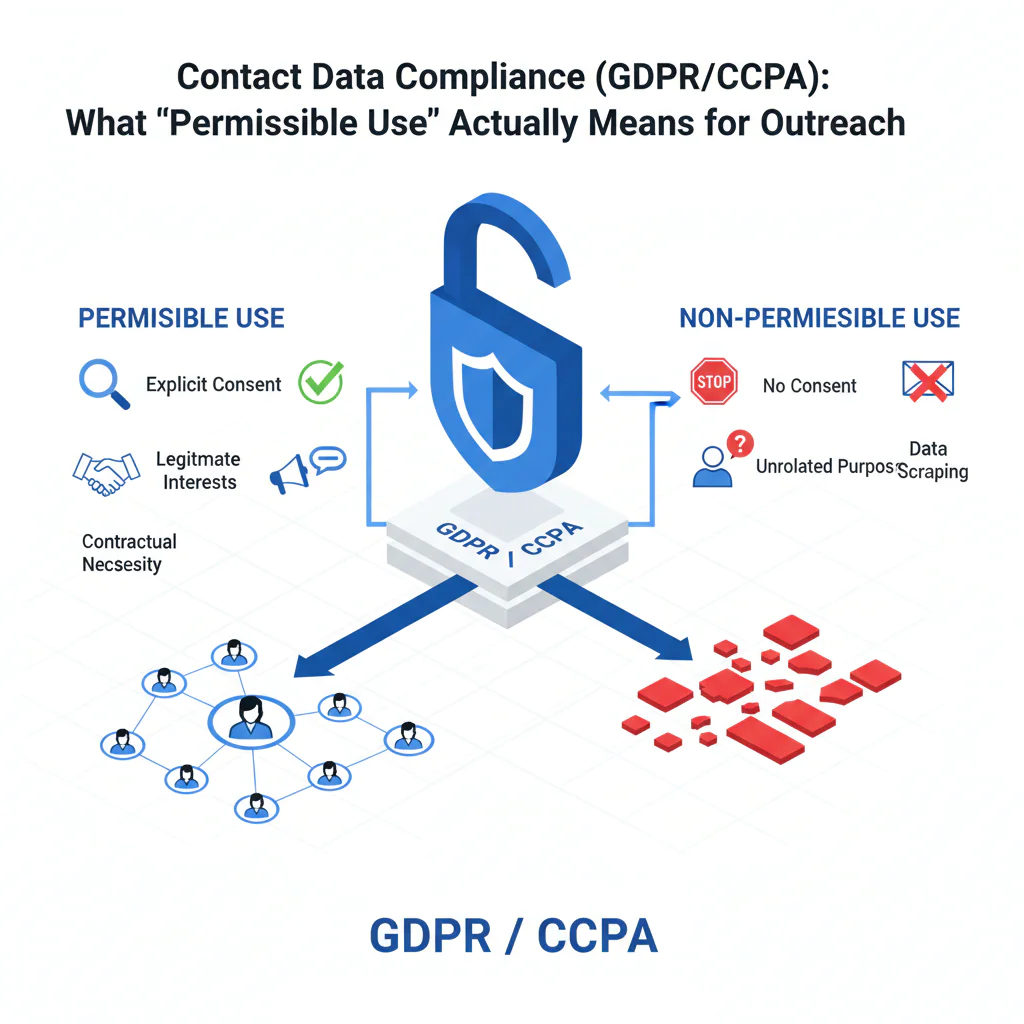
Plain-English definition: permissible use means you have a specific business purpose for contacting a person, you collect only the fields needed for that purpose, and you can stop and suppress outreach when asked.
Under GDPR, many B2B outreach programs rely on legitimate interest. That can be reasonable, but lawful basis selection is context-specific and should be reviewed with counsel for your exact workflow. Under CCPA, as amended by the CPRA, the operational pain is usually “Do Not Sell/Share” handling, vendor contract terms, and making sure suppression actually suppresses across systems; what applies depends on your data flows and contractual role. The CPRA also expanded opt-out obligations to cover sharing of personal information for cross-context behavioral advertising, not just outright sales, and regulators have continued to sharpen expectations around how opt-out signals and confirmations are handled going into 2026.
Myth bust: “public” ≠ “free to use”
This is the compliance myth that keeps showing up in audits. A provider directory listing, an NPI registry entry, or a cached hospital staff page may be public, but your use still needs to be permissible for your purpose, and you still need to honor opt-out and retention expectations. Treat “public” as “discoverable,” not “consented.”
Do
- Write down your outreach purpose in one sentence (role relevance + business reason) and keep it consistent across teams.
- Minimize fields collected and stored; if you don’t use it, don’t keep it.
- Set a retention window and delete or refresh on schedule to reduce data decay and repeat-contact mistakes.
- Prove your opt-out suppression works across CRM/ATS, sequencers, enrichment, and exports.
Don’t
- Don’t treat “public” as permission or assume a vendor’s sourcing claim transfers responsibility to you.
- Don’t bulk-export lists unless you can enforce suppression and deletion downstream.
- Don’t keep “just in case” contact records with no purpose and no retention plan.
Troubleshooting Table: Conditional Decision Tree
- If you can’t state the outreach purpose in one sentence (role relevance + business reason), then don’t contact and don’t enrich. Stop condition: no defined purpose.
- If the contact is in the EU/UK (or you target them), then document your legitimate interest rationale and minimize fields to what you need for that purpose. Stop condition: you can’t justify why you need the data you’re storing.
- If the contact is in California (or you do business there), then confirm your process for “Do Not Sell/Share” and whether your vendor relationship is structured appropriately. Stop condition: you can’t operationalize suppression across systems.
- If you can’t reliably process an opt-out across CRM/ATS, sequencing, enrichment, and any exports, then pause outbound until suppression is enforced end-to-end. Stop condition: opt-out doesn’t propagate.
- If you plan to store contact data “just in case,” then set a retention window and delete/refresh on schedule. Stop condition: no retention policy.
- If you’re buying a data vendor, then ask for sourcing categories, refresh expectations, and how they handle suppression requests. Stop condition: vendor can’t explain sourcing and opt-out handling in operational terms.
What Swordfish does differently
Most tools sell you “more contacts.” The hidden cost shows up later: stale records, duplicate identities, and an opt-out process that only works inside one product while your team exports lists everywhere.
Prioritized direct dials and ranked mobile numbers: When you’re trying to minimize data collection, “grab everything” is the wrong behavior. Swordfish returns the most useful phone options first (ranked mobile numbers and prioritized direct dials) so teams don’t hoard extra fields “just in case,” which reduces retention scope and downstream copies.
True unlimited with fair use: “Unlimited” often means “until you hit the quiet throttle.” Swordfish offers true unlimited access with a fair use policy designed for normal business operations. Your real cost still varies with seat count and API usage because governance, monitoring, and downstream integrations scale with volume.
Compliance-friendly usage patterns in the extension: The Chrome Extension supports workflows where users view only the necessary data at the moment of use, rather than bulk-exporting entire lists by default. Bulk exports are where retention and suppression controls usually fail.
Carrier-grade compliance protocols (how to audit it): Swordfish maintains strict carrier-grade compliance protocols around data handling, access control, logging, and abuse monitoring. In due diligence, don’t accept the phrase — ask for the controls that matter to your workflow (including suppression handling) and verify they match your internal requirements.
Checklist: Feature Gap Table
| Compliance workflow step | Where buyers get burned (hidden cost) | What to verify in a vendor | Variance explainer (why results differ) |
|---|---|---|---|
| Permissible use definition | Teams treat “public” as permission and expand use cases without review | Clear terms on permissible use, documented allowed/prohibited use cases, and internal guidance for users | Industry and region: recruiting vs. sales, EU/UK vs. US, and whether you target regulated roles |
| Lawful basis / legitimate interest | No written rationale; outreach becomes hard to defend when challenged | Support for documenting legitimate interest decisions and minimizing fields collected | List quality and targeting: broad lists increase complaints; tight ICP targeting reduces risk |
| Opt-out handling | Opt-outs honored in one tool but ignored in exports, sequences, and spreadsheets | Operational opt-out process, suppression list support, and guidance for downstream systems | Integration footprint: more tools (CRM + sequencer + enrichment + data warehouse) increases failure points |
| Retention & refresh | Data decay creates repeated outreach to wrong numbers/emails; increases complaints and wasted spend | Retention guidance, refresh expectations, and deletion workflows | Seat count and usage: high-volume teams accumulate stale records faster without automated cleanup |
| Access control & auditability | Anyone can export everything; no traceability when something goes wrong | Role-based access, logging, and admin controls appropriate to your org size | Org maturity: startups tolerate manual controls; larger teams need enforceable governance |
| Data subject requests and suppression proof | Policy says “we honor requests,” but nobody can prove suppression across copies | How suppression is stored, how it propagates, and what evidence you can export for audits | API usage and exports: automation and CSV workflows increase the number of copies you must suppress |
| Vendor due diligence | Procurement checks a box; security/compliance questions show up during an incident | Sourcing categories, security posture, and documented handling of suppression requests | Seat count and integrations: more users and systems increase governance overhead |
Limitations and edge cases
Bulk enrichment is where compliance controls break. The moment your team exports a list to a sequencer, uploads it to a shared drive, or syncs it into multiple CRMs, your suppression logic fragments. If you can’t guarantee that an opt-out suppresses across every downstream copy, you’re accumulating risk with every export.
Recruiting outreach has different sensitivities than sales. “Compliant recruiting outreach” often involves personal context (job history, location, sometimes inferred details), and for healthcare recruiting specifically, credentialing status and practice location often factor in too. If your recruiters are collecting more fields than they use, you’re paying for risk you didn’t need.
CCPA operational risk is often contractual and procedural. The failure mode is not a single email; it’s whether you can honor “Do Not Sell/Share,” whether your vendor relationship is structured correctly, and whether your suppression list is enforced. The CPRA’s expansion of “sharing” to cover cross-context behavioral advertising, regardless of whether money changes hands, means this obligation can apply more broadly than many teams assume.
Data ethics is operational, not philosophical. If your outreach ignores relevance and opt-outs, you get more complaints and more internal cleanup work. That’s time your team could have spent on qualified conversations.
Decision Tree: Weighted Checklist
Use this to evaluate a contact data tool for GDPR contact data and CCPA contact data workflows. The weights are qualitative because vendors don’t publish comparable compliance metrics, and your outcome depends on seat count, API usage, list quality, region, and your internal process.
- High weight: End-to-end opt-out process (collection, suppression, propagation to CRM/sequencer/exports). This is the most common failure point because exports and tool sprawl create multiple copies.
- High weight: Clear permissible use terms plus user guidance. If reps interpret “public” as permission, your risk scales with activity.
- High weight: Retention controls (time limits, deletion workflows, refresh expectations). Data decay drives misdirected outreach and repeat-contact mistakes.
- Medium weight: Support for documenting legitimate interest where applicable and enforcing data minimization. This reduces unnecessary storage and downstream exposure.
- Medium weight: Admin controls and auditability (roles, logs, export controls). The bigger the team, the more “one bad export” becomes your incident.
- Medium weight: Integration behavior (how suppression and deletions are handled across systems). Convenience without governance is how stale records spread.
- Lower weight: UI convenience features. They don’t fix workflow failures that create compliance and operational cost.
Evidence and trust notes
This page is not legal advice. It’s an operator’s view of what breaks in real deployments: data decay, uncontrolled exports, and suppression that doesn’t propagate. Your compliance outcome depends on your workflow and your implementation, not a vendor’s claims.
Variance is normal and explainable. Your risk profile changes with seat count (more users, more exports), API usage (more automated enrichment, more monitoring needed), list quality (broad lists increase complaints), and industry/region (EU/UK targeting increases GDPR obligations; California operations increase CCPA process requirements).
Your audit artifact is simple: purpose statement, lawful basis note where applicable, retention window, and suppression proof. Suppression proof means you can show a suppression list that is enforced in every system where the data lands, including after imports and exports.
What to request during vendor due diligence, regardless of vendor:
- A plain-English description of sourcing categories and how suppression requests are handled operationally.
- How opt-outs are stored and how suppression propagates to integrations and exports.
- Retention defaults and what deletion looks like in practice.
- Access controls and logging: who accessed what, and when.
- Contract terms that match your use case, including permissible use boundaries.
- A subprocessors list and a data flow diagram so you can see where copies are created.
If you want deeper operational guidance on the two areas that usually fail first, review opt-out and data quality. If your use case is role-specific, see recruiting contact data and contact data for sales.
FAQs
Is “public” contact data automatically permissible to use?
No. “Public” means accessible, not automatically permissible. You still need a defined purpose, a lawful basis where required (often legitimate interest in B2B contexts), and a working opt-out process.
What does permissible use mean in practice?
It means your use matches the stated purpose and the rules you’ve set: who can access the data, what fields you collect, how long you retain it, and how you honor opt-out. If your reps can’t follow it under real volume, it’s not operational.
How do GDPR and CCPA change outbound outreach?
GDPR pushes you to document purpose, minimize data, and justify processing (often via legitimate interest). CCPA, as amended by the CPRA, pushes you to operationalize consumer rights requests and “Do Not Sell/Share,” plus ensure vendor contracts and suppression workflows are enforceable.
What’s the most common compliance failure with contact data tools?
Suppression that doesn’t propagate. Someone opts out, but the record still exists in a sequencer, a CSV export, or a second CRM. That’s how you end up contacting the same person again after an opt-out.
How should we handle retention to reduce risk and waste?
Set a retention window tied to your outreach purpose, delete records you no longer need, and refresh only when there’s a current business reason. Keeping stale records increases misdirected outreach and complaint risk.
Does using a vendor make us compliant?
No. A vendor can support compliance, but you own the workflow: permissible use, retention, and opt-out handling across every system where the data lands.
Next steps
Week 1 (process): Write your permissible use statement, define retention windows, and document how you’ll apply legitimate interest where relevant. Identify every system where contact data is stored or exported.
Week 2 (controls): Implement end-to-end opt-out suppression across CRM/ATS, sequencing tools, enrichment, and any exports. Assign an owner for suppression and deletion requests.
Week 3 (vendor due diligence): Validate sourcing categories, refresh expectations, and operational suppression handling. Request a subprocessors list and a data flow diagram before you scale seats or API usage.
Week 4 (scale safely): Roll out to the broader team with access controls and logging. If you need a workflow that minimizes unnecessary data exposure during prospecting, evaluate the Chrome Extension in your real outreach process.
About the Author
Ben Argeband is the Founder and CEO of Swordfish.ai and Heartbeat.ai. With deep expertise in data and SaaS, he has built two successful platforms trusted by over 50,000 sales and recruitment professionals. Ben’s mission is to help teams find direct contact information for hard-to-reach professionals and decision-makers, providing the shortest route to their next win. Connect with Ben on LinkedIn.

