


 View Products


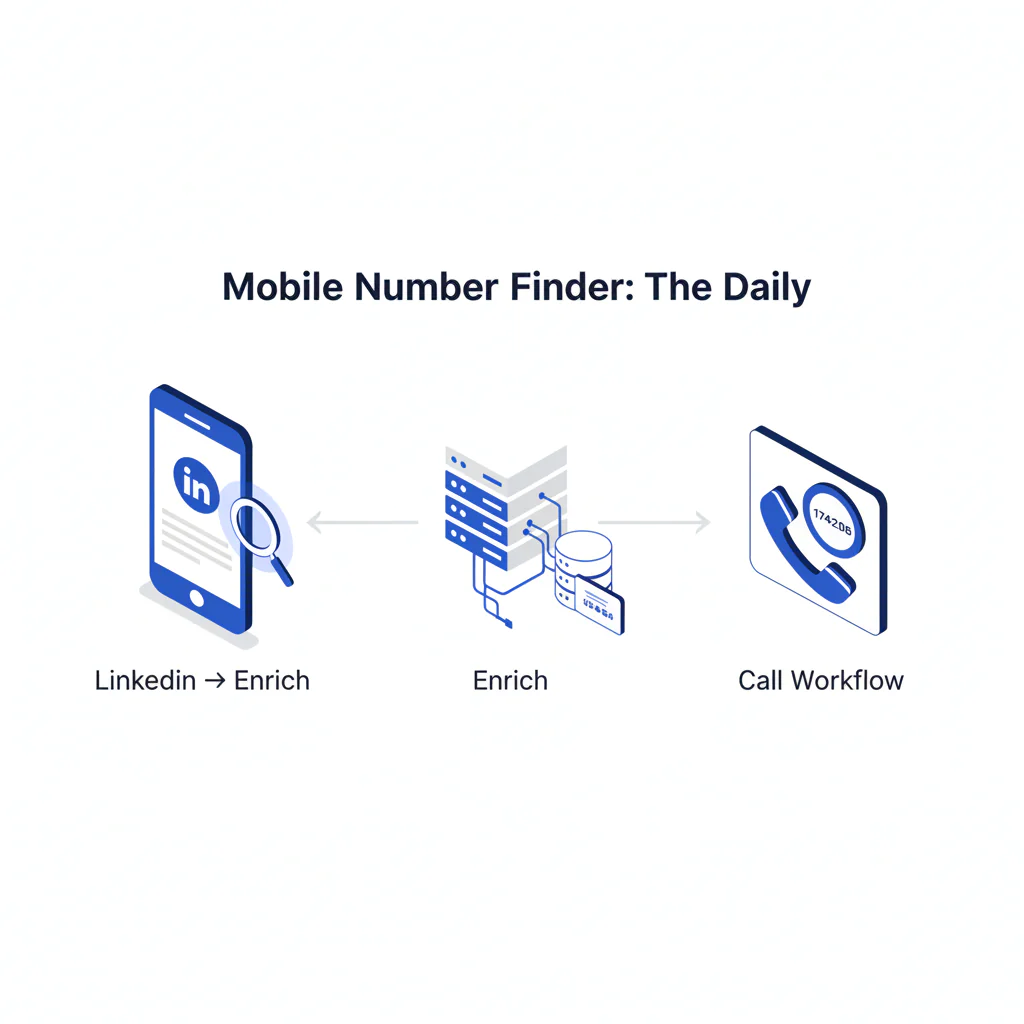
Mobile Number Finder: The Daily LinkedIn → Enrich → Call Workflow
By Ben Argeband, Founder & CEO of Swordfish.AI
Author note: Treat “finder” as a daily workflow (source → enrich → call): stress best mobile first, and why true unlimited + fair use matters at scale.
Who this is for
This is for high-volume recruiters and sales reps who source in LinkedIn, need a call list fast, and manage to connect rate—not “records found.” If your day is LinkedIn → contact enrichment → call, you need a mobile number finder that works inside that loop.
Quick Answer
- Core Answer
- A mobile number finder helps recruiters and sales reps turn a profile into a callable mobile number by enriching identity signals, prioritizing the best mobile first, and logging outcomes to reduce wasted dials and improve connect rate over time.
- Key Insight
- “Finder” usually means daily recruiting/sales workflows, not one-off lookups—so speed, best-mobile-first ranking, and predictable usage matter more than raw match counts. Treat any match as a probability until a live conversation confirms identity.
- Best For
- High-volume recruiters and outbound SDRs building daily call lists from LinkedIn.
Compliance & Safety
This method is for legitimate business outreach only. Always respect Do Not Call (DNC) registries and opt-out requests.
Framework: The Recruiter/Sales Daily Workflow: Source → Enrich → Call
Most teams don’t have a “data problem.” They have a workflow problem. A mobile number finder should support a repeatable loop:
- Source: Identify the right people (often in LinkedIn) and capture enough context to personalize.
- Enrich: Convert profiles into verified mobile numbers and direct dials, with confidence signals you can act on.
- Call: Build a call list, run sequences, and feed outcomes back into your process so tomorrow’s list is better than today’s.
When “finder” is treated as a daily workflow, two requirements show up fast: (1) you need the best mobile first (because connect rate is the KPI), and (2) you need predictable usage at scale—true unlimited with fair use—so reps don’t ration lookups mid-day.
Field Note
When a rep says “the data is bad,” do you know whether the issue is identity mismatch, stale employment, or a workflow that forces them to dial low-confidence numbers first?
Step-by-step method
-
Pick the metric you’ll manage weekly.
Use connect rate plus meetings per 100 dials. If you can’t measure it, you can’t improve it.
-
Source in LinkedIn and capture context.
LinkedIn is where you confirm role, company, and recency. A linkedin phone number finder workflow only works if enrichment is fast enough to keep reps in flow.
-
Enrich in the same surface your reps source in.
If reps have to export, upload, wait, then download, adoption drops. A Chrome extension keeps enrichment inside the sourcing motion.
If you want the “always-on” approach, use the Swordfish Chrome Extension as the default mobile number finder while your team is on LinkedIn.
-
Prioritize the best mobile first, not “any number found.”
In outbound calling, the first number you dial matters. The best tools prioritize the best mobile first and reduce wasted dials. Swordfish is designed to surface ranked mobile numbers by answer probability so reps start with the most likely-to-connect option.
Example (SDR): You open a VP Ops profile on LinkedIn, enrich in-tab, dial the top-ranked mobile, and log “voicemail” so your next attempt is intentional instead of random.
Example (Recruiter): You source 25 candidates, enrich while browsing, call the best mobile first for each, and stop after two failed dials so you don’t burn an hour chasing bad numbers.
Example (AE): You enrich a warm lead’s champion, confirm identity on the first connect, and mark the alternate direct dial as “wrong person” so it doesn’t get dialed again.
-
Validate with signals, then confirm with outcomes.
Use Signal validation (for example, a Real-time connectivity check where available) to reduce obvious dead numbers. This requires manual verification, because the only definitive proof is what happens when you dial and the person confirms identity.
Voicemail handling: Log it, follow your sequence rules, and avoid repeat-dialing the same number in a way that looks like harassment. If you don’t have a sequence rule, you don’t have a process.
-
Build a call list with only fields that change action.
- Name, title, company
- Mobile (best first), any alternate direct dials
- Source link (LinkedIn URL) for context
- Notes: persona trigger + last-touch outcome
-
Protect throughput with predictable usage.
At scale, “credits” become behavior control: reps slow down, cherry-pick, or stop enriching. If you’re running daily sourcing, prioritize true unlimited plans with fair use so your team can keep a steady pace. If you’re evaluating usage models, start with unlimited contact credits and read the fine print on what “unlimited” actually means.
-
Log outcomes and feed them back into your process.
Log: connected, wrong person, voicemail, disconnected, asked to opt-out. Suppress wrong-person numbers so they don’t recycle into future call lists and waste another rep’s time.
Checklist: Weighted Checklist
- Best-mobile-first output (highest impact): Does the tool prioritize the best mobile first (not just return a list)? This directly affects connect rate and wasted dials.
- Daily workflow fit (high impact): Can reps enrich while sourcing (e.g., via a Chrome extension) without exports/imports? This determines adoption.
- Predictable usage at scale (high impact): Does it support true unlimited with fair use so reps don’t throttle enrichment mid-week?
- Confidence signals you can test (medium impact): Does it provide verified phone data indicators and/or Signal validation so you can prioritize dials? “Verified” is not identity proof.
- Outcome logging (medium impact): Can you capture outcomes (connect, wrong number, opt-out) and route learnings back into your contact enrichment workflow?
- Team controls (lower impact, but necessary): Admin visibility and basic governance so usage doesn’t become a compliance risk.
Diagnostic: Why this fails
- It’s treated like a one-off lookup. Reps need a daily workflow. If it’s slow or batch-only, adoption drops.
- “Found a number” is mistaken for “callable.” A number can exist and still be wrong for the person, wrong line type, or stale.
- Teams optimize for volume instead of connect rate. More records don’t matter if the first number dialed is low quality.
- Usage limits change behavior. When credits are tight, reps stop enriching and start guessing.
- No feedback loop. If wrong numbers and opt-outs aren’t logged, the same mistakes repeat.
Decision Tree: Conditional Decision Tree
- If the profile is clearly the right person (role + company match) then enrich for mobile and direct dials.
- If the tool returns multiple options then dial the best mobile first (prefer outputs that are ranked mobile numbers by answer probability).
- If the first dial is “wrong person” then try one alternate number only if the confidence signal is meaningfully different; otherwise, re-check identity and employer in LinkedIn.
- If you get “disconnected / not in service” then run Signal validation (or a Real-time connectivity check where available) and re-enrich from source context.
- If the contact requests opt-out then mark opt-out immediately and suppress across systems.
- Stop Condition: After two failed dials (wrong person or disconnected), stop and re-source the contact. Continuing to dial variants increases compliance risk and wastes rep time.
How to improve results
-
Make “best mobile first” a requirement.
Reps don’t have time to interpret five numbers. They need the most likely-to-connect option first.
-
Standardize the LinkedIn → enrich → call motion.
Document the minimum steps and remove everything else. A chrome phone number finder workflow reduces context switching, which increases daily output.
-
Use outcomes to audit “verified” claims.
If a tool claims verified mobile numbers but your wrong-number rate stays high, treat “verified” as a starting signal, not a guarantee. This requires manual verification, because only call outcomes confirm identity.
-
Use a direct dial finder when gatekeepers slow you down.
Using a direct dial finder reduces time spent routing through main lines and assistants, which increases live conversations per hour when your list is the right persona.
-
Know when to use mobile vs direct dials.
Use mobile first when you’re targeting individuals and optimizing for connect rate; use direct dials when the org routes calls through main lines and you need to bypass switchboards.
-
Protect throughput with predictable plans.
If you’re doing daily prospect list building, “unlimited” that throttles becomes a hidden tax. The trade-off is that true unlimited with fair use requires governance (who can enrich what, and why) so it doesn’t turn into uncontrolled scraping.
-
Run data quality like an ops function.
Define what gets logged, how opt-outs are handled, and how bad numbers are suppressed. If you want the operational view, start with data quality and align it to connect rate.
Troubleshooting Table: Diagnostic Table
| Symptom | Likely root cause | Fix |
|---|---|---|
| Low connect rate despite “lots of numbers” | Tool doesn’t prioritize best mobile first; reps dial low-probability numbers first | Require best-mobile-first output; train reps to dial in order and log outcomes |
| High wrong-person rate | Identity mismatch (same name), stale employment, or weak matching logic | Re-check LinkedIn context before dialing; stop after two failed dials and re-source |
| Reps stop enriching mid-week | Credits/limits create rationing behavior | Move to true unlimited with fair use; add governance and reporting |
| Tool adoption is low | Too many steps (export/import), slow UI, or not embedded in sourcing | Use a Chrome extension workflow; keep the process inside LinkedIn |
| Compliance complaints or opt-outs rising | No suppression discipline; reps retry too many variants | Centralize opt-out handling; enforce stop condition; audit sequences and lists |
Legal and ethical use
- Consent and purpose: Have a legitimate business reason to contact the person, and keep your message relevant to their role. If you have consent (inbound, referral, prior relationship), document it.
- Opt-out: Make opt-out easy, honor it immediately, and suppress across systems.
- DNC awareness: Screen where required and avoid repeated dialing patterns that look abusive.
- Not for sensitive decisions: Don’t use contact data to make decisions about housing, credit, employment eligibility, or other sensitive determinations.
If you operate across regions, align your process with local rules and consult counsel.
The trade-off is that tighter compliance controls can reduce raw dialing volume, but they usually reduce risk and improve long-run list quality.
Evidence and trust notes
- Recency variance: People change jobs, carriers, and numbers; a number that worked last quarter can fail today.
- Identity variance: Common names and shared plans create mismatches unless matching signals are strong.
- Line-type variance: “Mobile” vs. “landline/VoIP” classification can be wrong or outdated, which affects connect rate and compliance posture.
- Workflow variance: The same tool performs differently depending on whether reps enrich in-flow (LinkedIn) or in batches, and whether outcomes are logged.
- Regional variance: Coverage and reliability vary by country and persona, so treat enrichment as probabilistic until outcomes confirm it.
- Validation variance: Signal validation can reduce obvious dead numbers, but it does not prove the right person. This requires manual verification.
Sources
- GDPR (EU General Data Protection Regulation) overview
- FTC Telemarketing Sales Rule (TSR)
- FCC guidance on telemarketing and robocalls (TCPA context)
- National Do Not Call Registry (US)
Limitations and edge cases
- Hard-to-reach personas: Some executives and security-sensitive roles reduce public signals. Expect lower match rates and more reliance on referrals or email-first.
- International dialing: Rules and norms vary by country. Don’t assume a US-style workflow applies globally.
- Shared numbers and assistants: Some “mobiles” route to gatekeepers or shared devices. Treat outcomes as data and adjust sequences.
- Over-enrichment risk: Pulling extra fields that don’t change action increases compliance surface area without improving connect rate.
- Tool selection risk: A tool can return more numbers but still underperform if it doesn’t prioritize the best mobile first or if confidence signals aren’t usable.
FAQs
What should I look for in a mobile number finder for recruiting or sales?
Workflow fit and call outcomes: best-mobile-first output, in-browser enrichment (often via a Chrome extension), predictable usage (true unlimited with fair use), and outcome logging to improve connect rate.
Is “verified” the same as “accurate”?
No. “Verified” usually means the number passed some validation step. Accuracy means it reliably reaches the right person. This requires manual verification via call outcomes and identity confirmation.
How does LinkedIn fit into a mobile number finder workflow?
LinkedIn is the source-of-truth for role and company context. The common motion is LinkedIn → contact enrichment → call list. If you want a dedicated LinkedIn flow, see linkedin phone number finder.
What’s the difference between a mobile number finder and contact enrichment?
A mobile number finder is the rep-facing workflow to get callable numbers fast. Contact enrichment is the broader process of attaching verified mobile numbers, direct dials, and context to a profile or lead record so it’s usable in outreach.
Where should I start if I want to compare approaches?
Start with your workflow requirements, then review best mobile number lookup tools. In practice, compare tools on:
- Whether they prioritize best mobile first (not just “a number”)
- Whether reps can enrich while sourcing (in-flow vs batch)
- Whether usage is predictable at scale (true unlimited with fair use)
- Whether you can log outcomes and suppress bad numbers
Next steps
Day 1: Set the workflow and success metric
- Pick one KPI: connect rate (and meetings per 100 dials).
- Write your Source → Enrich → Call steps in one page.
- Decide your stop condition (two failed dials, then re-source).
Day 3: Implement in-flow enrichment and run a small pilot
- Deploy an always-on finder in the browser. Start with the Swordfish Chrome Extension so reps can enrich while sourcing.
- Pilot on 20 profiles: enrich, call best mobile first, and log outcomes consistently.
Day 7: Audit outcomes and lock in predictable usage
- Review wrong-number rate, opt-outs, and connect rate by rep and list source.
- Align your operating rules to data quality so bad numbers get suppressed and good ones get prioritized.
- If usage limits are slowing the team, move to unlimited contact credits with clear fair use guidelines.
About the Author
Ben Argeband is the Founder and CEO of Swordfish.ai and Heartbeat.ai. With deep expertise in data and SaaS, he has built two successful platforms trusted by over 50,000 sales and recruitment professionals. Ben’s mission is to help teams find direct contact information for hard-to-reach professionals and decision-makers, providing the shortest route to their next win. Connect with Ben on LinkedIn.

