


 View Products


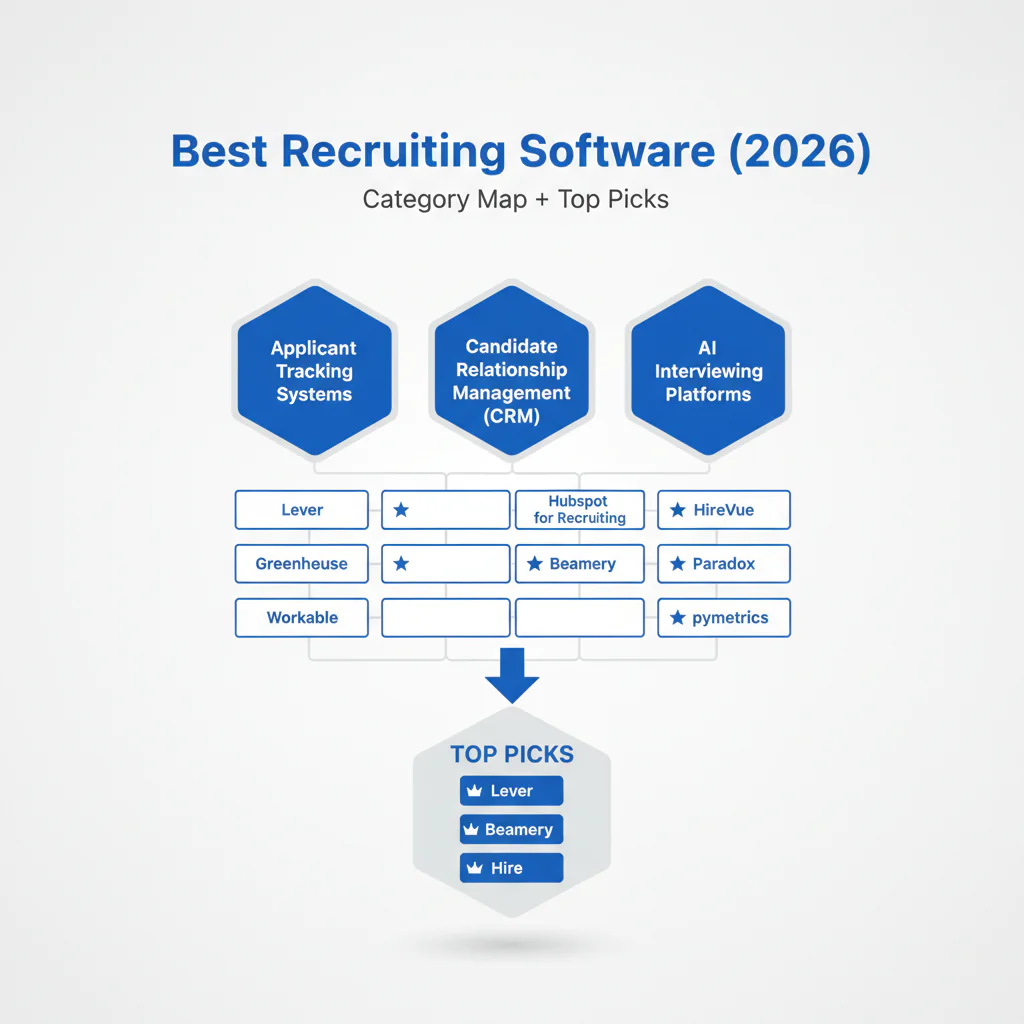
Best Recruiting Software (2026): Category Map + Top Picks
By: Head of Talent, Swordfish.ai
- Core concept
- The best recruiting software is the smallest stack that removes friction from your hiring funnel: ATS for process control, CRM for pipeline nurture, sourcing for discovery, and contact data for reachability.
- Key insight
- Placement speed improves when you pick tools by job-to-be-done and enforce one system of record for stages, approvals, and compliance artifacts.
- Ideal reader
- Head of Talent / TA lead building or fixing a recruiting tech stack while protecting candidate experience and staying compliant.
Who this is for
- In-house TA leaders choosing an ATS/CRM/sourcing stack and needing faster screens, fewer drop-offs, and cleaner compliance logs.
- Recruiters hiring in competitive markets where reply rates and scheduling friction are the bottleneck (technical, GTM, leadership roles).
- Agencies and exec search that need pipeline depth and fast outreach without burning reputation.
Quick Answer
The best recruiting software depends on your workflow: ATS for process, CRM for pipelines, sourcing for discovery, and contact data for reachability. If you’re buying your first tool, start with an ATS.
- If you’re a startup: ATS first, then scheduling to reduce drop-off.
- If you’re mid-market: ATS + CRM when pipeline reuse matters; add sourcing when discovery is the bottleneck.
- If you’re enterprise: ATS governance first; then add layers only where throughput breaks (scheduling, nurture, sourcing, reachability).
- If you’re an agency: CRM-first motion for pipelines, then sourcing and reachability.
Compliance & Safety
This method is for legitimate recruiting outreach only. Always respect candidate privacy and opt-out requests.
Ensure outreach and data use are compliant; honor opt-out.
Recruiting software map (ATS vs CRM vs sourcing vs contact data)
This recruiting software map is how I prevent tool sprawl and keep candidate experience consistent. If a tool can’t be tied to a specific stage of your funnel, it creates duplicate work and slower decisions.
| Category | What it owns | When you buy it | What it should integrate with |
|---|---|---|---|
| ATS | Requisitions, stages, interviews, offers, audit trail | You need one system of record for compliance and throughput | HRIS, scheduling, assessments, background checks, CRM |
| CRM | Passive pipeline, tags, nurture, silver medalists | You keep rebuilding pipeline every req | ATS (sync candidates + stages), email domain, reporting |
| sourcing | Search, discovery, talent intelligence overlays | You don’t have enough qualified profiles per role | ATS/CRM (push prospects), contact data (reachability) |
| contact data | Verified email/mobile for outreach reachability | You have profiles but can’t reliably reach them | ATS/CRM (write back verified fields + verification date) |
When discovery quality is the issue, talent intelligence reduces time wasted screening irrelevant profiles because your sourcing filters get tighter before outreach starts.
If you’re specifically solving reachability, Recruiting contact data is where the stack usually breaks: the ATS can store contacts, the CRM can sequence, but neither fixes missing or stale details.
Top 10 recruiting software picks (by job-to-be-done)
These are common choices by category. The operator rule: pick one system of record (ATS), then add the single layer that removes your biggest delay.
| # | Tool | Category | Best for | Watch-outs |
|---|---|---|---|---|
| 1 | Greenhouse | ATS | Structured interviewing, consistent evaluation, cleaner pass-through | Rigid workflows if your process changes weekly |
| 2 | Lever | ATS/CRM | Teams that want ATS + nurture in one surface | Can become “everything to everyone” without strict stage definitions |
| 3 | Workable | ATS | SMB teams that need quick setup and simple pipelines | Outgrowing reporting and advanced workflows |
| 4 | Workday | ATS (enterprise suite) | Enterprises standardizing HRIS + recruiting governance | Implementation effort; change management load |
| 5 | SAP SuccessFactors | ATS (enterprise suite) | Global enterprises with HR suite alignment needs | Admin complexity and slower iteration |
| 6 | Gem | CRM | Nurture programs and pipeline analytics on top of an ATS | Requires discipline in tagging and campaign hygiene |
| 7 | SeekOut | sourcing | Technical discovery and targeted talent pools | Needs clear handoff into ATS/CRM to avoid duplicate work |
| 8 | HireEZ | sourcing | Sourcing automation to widen top-of-funnel | Quality control depends on your search inputs and cleanup rules |
| 9 | Calendly | Scheduling | Reducing back-and-forth and improving show rates | Needs process rules (buffers, interviewer SLAs) to work well |
| 10 | Swordfish.ai | contact data | Verified reachability so outreach converts to screens | Still requires compliant messaging and opt-out handling |
For deeper vendor context on sourcing tools: HireEZ review.
Step-by-step method (how I choose a recruiting stack)
- Pick one system of record (ATS). All stages, interview feedback, approvals, and offers live here. If two tools “own” stage changes, reporting becomes noise and candidates feel it.
- Write down the bottleneck in one sentence. “We can’t find enough qualified profiles,” “We can’t reach the people we find,” or “We lose candidates during scheduling/feedback.”
- Buy the category that removes that bottleneck. Sourcing for discovery, contact data for reachability, CRM for nurture, scheduling to reduce friction.
- Selection criteria I won’t skip:
- Integration path: can it sync cleanly back to the ATS without duplicate records?
- Reporting hygiene: can we measure time-to-screen and stage conversion without manual spreadsheets?
- Compliance posture: can we document consent/opt-out handling and retention?
- Adoption: will recruiters actually use it inside the workflow?
- Define a 30-day adoption check. Not ROI. Pass/fail: are recruiters using it, and is the candidate experience improving?
- Pilot on one role before rollout. Run a real req end-to-end. If it doesn’t improve time-to-screen and show rate, it won’t scale.
Checklist: Diagnostic Table
| Symptom | Most likely cause | Fix (operator move) |
|---|---|---|
| High bounce rate or candidates never see messages | Stale or missing reachability data | Use contact data verification; store verification date; refresh before outreach |
| Opens but no replies | Message lacks role relevance or asks too much | Lead with one role-specific hook; end with one small yes/no question |
| Replies are “not interested” from strong talent | Level/scope mismatch | State level and scope clearly; validate comp range early when possible |
| Good responses but low show rate | Scheduling friction and unclear process | Offer two time windows or self-schedule; send a 2-step process summary |
| Hiring manager rejects most screens | Weak intake; scorecard not defined | Run a 20-minute intake; document must-haves and red flags in ATS |
| Candidates drop late-stage | Slow approvals and no closing plan | Pre-wire approvals; keep a weekly close plan; schedule closing call within 24 hours of final |
Decision Tree: Weighted Checklist
This is how I prioritize fixes using the map. “Weighted” means we sort work by Impact and Effort using standard failure points: unclear process, low reachability, and scheduling/feedback delays.
| Action | Impact | Effort | Why it moves placement speed |
|---|---|---|---|
| Standardize intake + scorecard in the ATS | High | Low | Reduces rework and misaligned screens that waste cycles |
| Add a verification date field for candidate reachability | High | Low | Prevents repeated outreach to dead channels and speeds first contact |
| Limit outbound to a short 3-step sequence (no extra steps) | High | Low | Improves reply probability while protecting candidate experience |
| Implement self-scheduling with buffers and interviewer rules | High | Medium | Reduces time-to-interview and lowers candidate drop-off |
| CRM segmentation and nurture for silver medalists | High | Medium | Creates faster pipelines on repeat roles |
| Integrate sourcing tool outputs into ATS/CRM with de-dupe rules | Medium | High | Increases volume without breaking reporting or workflows |
| Add more job boards without changing qualification workflow | Low | Low | Adds noise if your screening and follow-up are the real bottleneck |
Operator rule: do High Impact + Low Effort first, then High Impact + Medium Effort. Delay anything that adds volume without improving workflow control.
Troubleshooting Table: Outreach Templates
These templates are designed for response and candidate experience: clear context, small ask, and an easy exit.
Template 1: Senior technical hire
Subject: {{Company}} – {{Role}} (quick scope check)
Message: Hi {{FirstName}} — I lead hiring for {{Team}} at {{Company}}. We’re adding a {{Level}} {{Role}} focused on {{OneLineProblem}}. Your work on {{SpecificSignal}} looks relevant. Are you open to a quick 10-minute screen this week to confirm scope and level are aligned?
Opt-out line: If you’d rather not get outreach from me, reply “no” and I’ll stop.
Template 2: Sales / GTM role
Subject: {{Role}} – scope + territory
Message: Hi {{FirstName}} — I’m hiring a {{Role}} to own {{Territory/ICP}} at {{Company}}. If I send a 2-minute overview and comp band, can you tell me if it’s even in range for you?
Opt-out line: If this isn’t relevant, reply “pass” and I’ll close the loop.
Template 3: Re-engage silver medalist
Subject: New opening on {{Team}} – checking timing
Message: Hi {{FirstName}} — we spoke earlier for {{OldRole}}. We’ve opened {{NewRole}} with {{OneChange}} (scope/level/location). If you’re open, I’ll send what changed and the interview plan in two bullets. If timing’s wrong, I’ll stop here.
Legal and ethical use
- Be transparent: say who you are, why you’re contacting them, and what role you’re hiring.
- Respect opt-out: stop immediately and suppress the contact across ATS/CRM and any sequencing tools.
- Consent and retention: document what you store, why you store it, and how long you keep it.
- Operational control: log opt-out in ATS/CRM and apply suppression in any outreach system so the candidate experience is consistent.
- Regional compliance: align outreach with your jurisdiction and the candidate’s location (GDPR/UK GDPR, CCPA/CPRA, CASL where applicable).
Evidence and trust notes
- Updated Jan 2026: category map and stack guidance refreshed for current workflows.
- Disclosure: this page includes Swordfish.ai as a contact data option within the recruiting software map.
- Trust practice: validate security, privacy, and data processing claims through vendor documentation and your internal counsel before rollout.
Next steps (timeline)
- Today (30 minutes): label your current tools using the recruiting software map and identify the one bottleneck slowing placements.
- This week: pick one system of record (ATS) and remove duplicate stage ownership in other tools.
- Next 2 weeks: run a single-role pilot with one add-on category (CRM, sourcing, or contact data) tied to the bottleneck.
- Day 30: pass/fail adoption review: time-to-screen trend, show rate trend, and candidate feedback on clarity and speed.
Frequently asked questions
What is the best recruiting software?
The best recruiting software is the smallest stack that removes friction from your funnel: ATS for process, CRM for pipelines, sourcing for discovery, and contact data for reachability.
What’s the difference between ATS and CRM?
An ATS owns requisitions, stages, interviews, offers, and audit trail. A recruiting CRM owns passive pipeline management, tagging, nurture, and re-engagement.
Do recruiters need contact data tools?
If you consistently lack verified email/mobile for passive candidates, contact data tools reduce wasted outreach and speed first contact. If you hire mostly inbound and candidates are reachable, you can defer this layer.
How do I choose a stack?
Pick one ATS as the system of record, identify your biggest bottleneck, then add only the category that removes it (CRM, sourcing, or contact data). Pilot on one role before rollout.
What’s best for agencies?
Agencies often run CRM-first workflows for pipeline and sequencing, then add sourcing and contact data for reachability. Keep ATS ownership clear to avoid duplicate stages and reporting noise.
About the Author
Ben Argeband is the Founder and CEO of Swordfish.ai and Heartbeat.ai. With deep expertise in data and SaaS, he has built two successful platforms trusted by over 50,000 sales and recruitment professionals. Ben’s mission is to help teams find direct contact information for hard-to-reach professionals and decision-makers, providing the shortest route to their next win. Connect with Ben on LinkedIn.

