


 View Products


Last updated: September 3, 2026
By Morgan K., Revenue Operations Auditor
Author note: I evaluate B2B data vendors by running controlled list tests, tracing CRM side effects (duplicates, field conflicts), and documenting where budget leaks occur (unused seats, credit burn, and admin labor).
Last updated Jan 2026
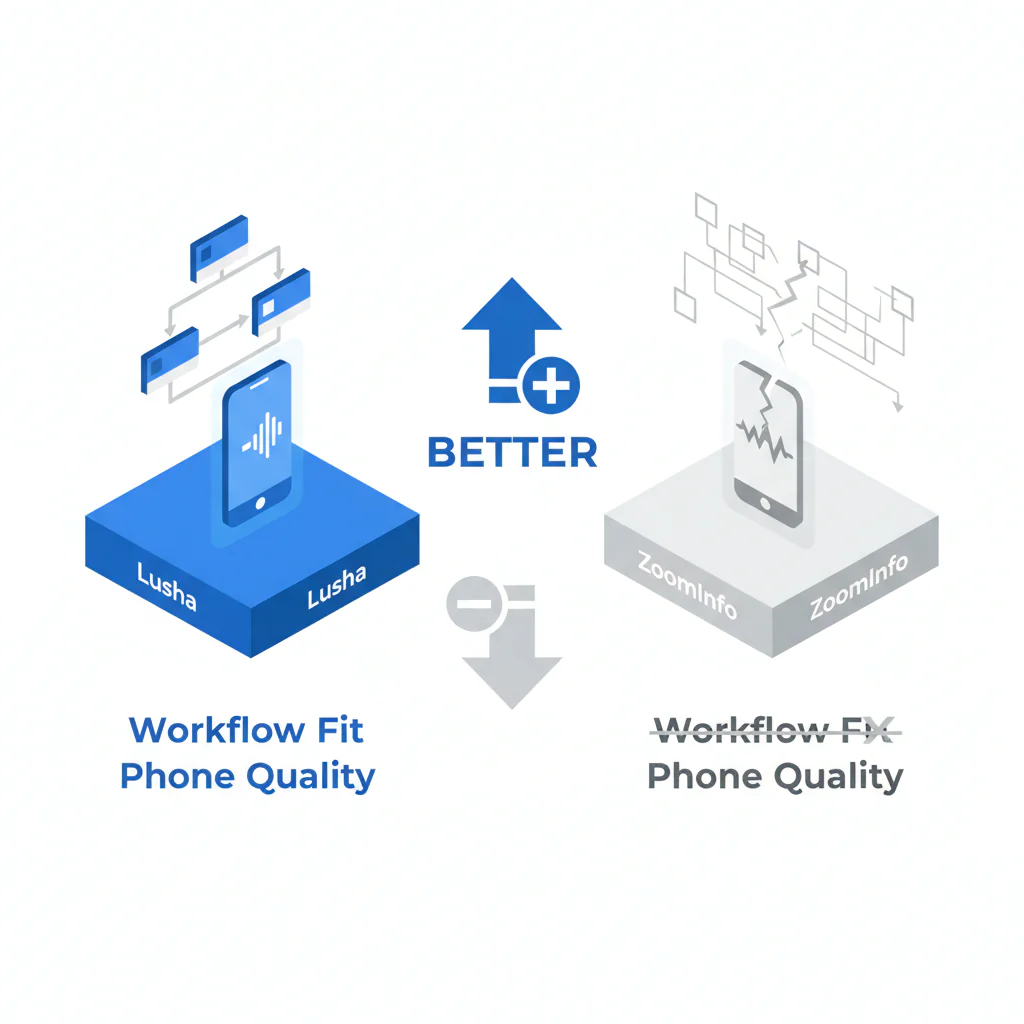
This Lusha vs ZoomInfo comparison is built for buyers who care about outcomes: workflow fit, phone reachability, and downstream data quality. I am not scoring “who has more records” because record count does not predict whether your reps connect calls, and for teams sourcing healthcare provider contacts specifically, mobile reachability and credentialing-related contact turnover matter more than raw database size.
Who this is for
- SDR/BDR leaders deciding whether speed or heavier governance matches daily motion.
- Recruiting teams that need callable numbers and fast turnaround, including healthcare and clinical recruiters working against provider mobility.
- RevOps leaders accountable for duplicates, field conflicts, and integration drag.
- Buyers who want to measure hidden costs before signing terms.
Quick Verdict
- Core Answer
- If your team needs speed and can live with metered usage, Lusha can fit. If you run multi-role workflows and can fund admin and governance, ZoomInfo can fit. In both cases, decide on measured phone reachability in your ICP, not a demo.
- Key Insight
- There is no universal benchmark for contact data, and vendor-published accuracy figures vary widely by source and methodology. The only defensible comparison is a controlled pilot using your own list, consistent dispositions, and clean writeback.
- Ideal User
- Teams that can define a minimum viable contact record, enforce CRM match rules, and run a short list test before procurement.
What Lusha is: a contact data and prospecting workflow many teams use for quick lookups and exports. What ZoomInfo is: a broader B2B intelligence and enrichment workflow that often demands more configuration and governance. Either can fail if your process cannot handle data decay and integration friction, and both were built for general B2B sales rather than the specific turnover patterns of physicians, nurses, and other licensed providers who change practices, hospital systems, or credentialing status frequently.
Workflow fit comparison (2026)
Framework: workflow fit heuristic (find → enrich → dial/email → disposition → writeback). If any step requires heroics, the frontline will route around it, and your data quality will degrade faster than your renewal calendar.
- Lusha: commonly chosen when teams want lightweight prospecting and fast time-to-first-use. Common leak: repeated lookups and re-checks as contacts change, which burns credits and time.
- ZoomInfo: commonly chosen when teams want broader company intelligence and larger workflows across roles. Common leak: buying scope that roles do not use, plus admin overhead to prevent dirty imports.
Variance explainer: outcomes shift by geography, role churn, industry turnover, and how disciplined you are about suppression and writeback. Phone availability is not phone reachability; direct dials and mobiles behave differently by ICP, and only your dispositions tell the truth. This gap tends to widen in healthcare, where provider mobile numbers change with practice affiliations and hospital rosters lag real-world moves.
Week-one failure modes to watch: (1) reps export to spreadsheets because CRM mapping is slow, (2) duplicate contacts appear after enrichment, (3) wrong numbers are not written back so the same bad records reappear as “new.” If you see any of these, your tool choice is secondary; your workflow is the problem.
Checklist: Feature Gap Table
| Audit area | Lusha: where costs hide | ZoomInfo: where costs hide | What to verify in your pilot |
|---|---|---|---|
| Phone reachability | Contacts can look complete while reps still hit wrong lines and recycle checks, consuming credits. | Confidence from volume can mask low reachability in your ICP; reps still hit non-working paths. | Connect outcomes, wrong-number outcomes, and time-to-first-dial on the same frozen list. |
| Pricing behavior | Metered usage punishes iterative QA and re-check cycles if you do not budget for it. | Seats/modules can outpace actual usage; shelfware becomes your most reliable “feature.” | Ask: what counts as a billable lookup, what triggers overages, what limits exist on exports, and what usage is restricted by role or package? |
| Exports & writeback | Field mapping drift from exports leads to inconsistent CRM records and rep-side spreadsheets. | Bulk enrichment without strict match rules creates duplicates and conflicting firmographics. | Duplicate rate after import, field conflict rate, and time required to reconcile records. |
| Integration headaches | Fast setup can push cleanup downstream into manual processes. | Heavier setup can delay adoption and create admin bottlenecks. | Time from access granted to a rep producing a dial-ready list without admin help. |
| Governance & compliance workflow | Speed encourages teams to skip suppression and writeback unless enforced. | Teams may assume compliance is “handled” and stop documenting lawful basis and opt-outs. | Documented opt-out handling, suppression lists, and consistent writeback of bad outcomes. |
Decision Tree: Weighted Checklist
Weighting is qualitative (High/Medium/Low) to avoid fake precision. The logic is based on standard failure points: reachability disappointment, adoption drop-off, and CRM contamination.
- High weight: Phone reachability improves on your ICP versus baseline (connect and wrong-number outcomes).
- High weight: Reps can self-serve a dial-ready list in one session without admin intervention (workflow fit).
- High weight: Your CRM can enforce match rules and prevent duplicates during enrichment/import (data quality).
- Medium weight: You can write back dispositions (wrong number, opt-out, bounced) inside 24–72 hours to reduce repeat waste.
- Medium weight: Pricing behavior matches iterative QA reality (metering vs seats vs add-ons) without punishing basic hygiene.
- Low weight: Extra signals you cannot tie to weekly execution for SDRs or recruiters.
Integration checks (so you do not pay twice in cleanup)
- Can the tool write back call outcomes and suppression flags to your CRM, or does that become manual work?
- Can you enforce field-level mapping so exports do not create new “shadow schemas” across teams?
- Can you configure match rules to prevent duplicates, or does enrichment create parallel versions of the same person?
- Can you restrict who can import/enrich to protect data quality, without blocking frontline workflow?
- Can you audit changes (what was overwritten, when, and by what source) to resolve disputes?
Procurement questions (credits vs seats without guessing)
- What counts as a billable lookup, and what is free (preview vs reveal vs export)?
- What happens when you do QA re-checks on the same contacts (metered again or treated as the same record)?
- What is the minimum commitment (seats/term) and what is the renewal notice requirement?
- What limits exist on exports, API calls, and enrichment volumes under your plan?
- Who owns implementation, and what work is expected from your admin team after go-live?
How to test with your own list
- Freeze a representative sample from your ICP (segments, titles, regions) and treat it as a control list.
- Define dispositions before enrichment: connect, voicemail, gatekeeper, wrong number, no answer, bounced email, opt-out.
- Enrich the same list in both tools using the same required fields and match rules.
- Run a blind call block where reps do not know the data source; log outcomes consistently.
- Measure workflow friction per 100 records: export, mapping, dedupe, and writeback time.
- Re-check decay on a subset 7–14 days later to see what fails on the second pass.
- Document hidden costs: admin hours, cleanup work, credits consumed, unused seats, and any extra tools needed to keep records consistent.
Troubleshooting Table: Conditional Decision Tree
Stop Condition: if you cannot produce a dial-ready list and log outcomes with clean writeback during a short pilot, do not sign. You are buying operational debt.
- If reps need admin support for routine lookups/exports, then workflow fit is failing; pause and simplify.
- If connect outcomes do not improve in your ICP, then stop; more records will not fix reachability.
- If enrichment/import creates duplicates or conflicting fields, then stop until match rules and governance are enforced.
- If opt-outs and suppression cannot be executed reliably, then stop; your compliance risk is uncontrolled.
What Swordfish does differently
- Ranked mobile numbers / prioritized dials: when multiple numbers exist, prioritized dialing reduces wasted attempts and rep guesswork.
- True unlimited / fair use: reduces rationing behavior during QA and re-check cycles, which is where many teams leak time and money.
Within this pillar, ZoomInfo vs Swordfish and Swordfish vs Lusha keep the comparison grounded in reachability and adoption tradeoffs.
For governance definitions that protect your CRM, start with data quality before you import anything.
FAQs
Which is better: Lusha or ZoomInfo?
Better is whichever improves reachability in your ICP with the least workflow friction. If the frontline avoids the tool, the purchase becomes an admin project and the ROI model collapses.
Which has better mobiles?
Only your pilot can answer that. Test reachability on your own list and enforce writeback so wrong numbers do not keep coming back as “fresh.” Published accuracy percentages differ across vendor sites and third-party reviews, so treat any single figure as a starting hypothesis, not a guarantee for your list.
Which is cheaper?
Total cost shows up in waste: credit burn during QA, unused seats, add-ons, and cleanup labor after imports. Ask vendors how pricing behaves when you do iterative QA, not when you run a one-time export.
What’s best for recruiters?
Recruiters should prioritize speed to a callable number and a disciplined suppression workflow. If wrong numbers and opt-outs do not get written back, recruiting teams pay for the same mistakes repeatedly, and healthcare and clinical recruiters feel this most acutely given how often provider contact details change.
How do I measure workflow fit?
Measure time from contact found to dial placed to outcome written back, and count how many steps require workarounds. Workflow fit is operational, not aspirational.
Evidence and trust notes
- Method: workflow fit heuristic plus controlled list testing to separate phone reachability from demo narratives.
- Disclosure: Swordfish publishes comparisons and sells a contact data product. Treat this as an audit approach you can verify internally.
- External references (compliance): GDPR overview at gdpr.eu, CCPA resources at the California Attorney General, and anti-spam guidance in the FTC CAN-SPAM compliance guide.
- External reference (data hygiene governance): the NIST Privacy Framework can be mapped to provenance, suppression, and access control so your “data tool” does not become a compliance and cleanup problem.
- External reference (data management baseline): the DAMA Data Management Body of Knowledge is a neutral reference for data governance concepts that apply directly to CRM stewardship.
Next steps (timeline)
- Today: define your minimum viable contact record, match rules, and suppression owner.
- This week: run the frozen-list pilot and log outcomes using consistent dispositions.
- Next week: review results with Sales/Recruiting leadership and RevOps; decide based on reachability, workflow fit, and cleanup cost.
Primary action: Download the Workflow Fit Scorecard and use it to document reachability, workflow friction, and governance risk in one place.
Secondary action: Compare to Swordfish if prioritized dialing and reduced lookup rationing match your operating cadence.
About the Author
Ben Argeband is the Founder and CEO of Swordfish.ai and Heartbeat.ai. With deep expertise in data and SaaS, he has built two successful platforms trusted by over 50,000 sales and recruitment professionals. Ben’s mission is to help teams find direct contact information for hard-to-reach professionals and decision-makers, providing the shortest route to their next win. Connect with Ben on LinkedIn.

